


MTS is also known as M2TS; it is the new HD video format. It is also a kind of DV file format and Blu-ray format. But just because of the complication of MTS encoded (H264) video, the compatibility of MTS videos are not so well as other popular videos such as AVI. Many video players cannot read MTS files. So, for the compatibility of MTS files we have to convert MTS video to AVI. But, how to convert MTS to AVI? Let's discuss it steps by steps.
Before a converting process, we have to get some software for the process such as a video converter. Before clearing "how to convert MTS to AVI", we have to get a converter first. And the following tips are just for selecting converter:
1. Input Video. Except the popular video formats, some new formats such as MTS should also be supported even the Blu-ray format. 2. Output Format. The software should convert videos to the popular formats such as AVI and MPEG encoded video which could be read by most video players. 3. Operating. The software should be easy to use. No one wants to do a complicated process. 4. Quality of the Process. The software should serve a fast conversion speed and keep the least loss of image. 5. Additional Issue. The updating serves and the video editing functions are also could be considered. After get the right converter for you, the next is the ways to use it.
Indeed, the process for conversion is not complicated; all converters contain some common steps. But every specific one may holds some difference is details. For the details, here we just take HD Video Converter Factory Pro as an example. It is the high praised video converting software . The software support 150+ video formats and provides fast conversion speed with good image. Besides, the additional functions (merge, clip, crop and effect) are also available for users. But all advantages just need $29.95.
Steps: 1. Download and install the software

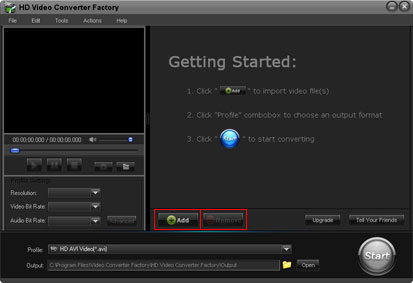
2. Click "Add" to import videos and "Remove" to delete the videos
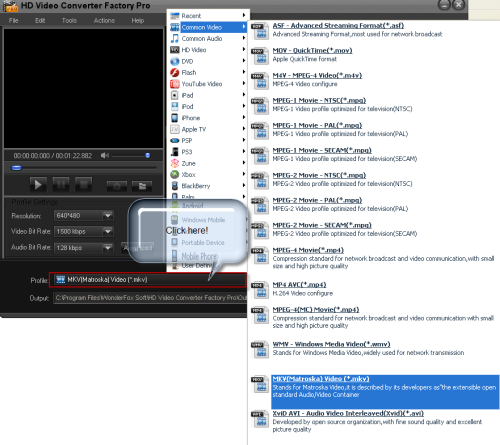
3. Select output format in "Profile" setting
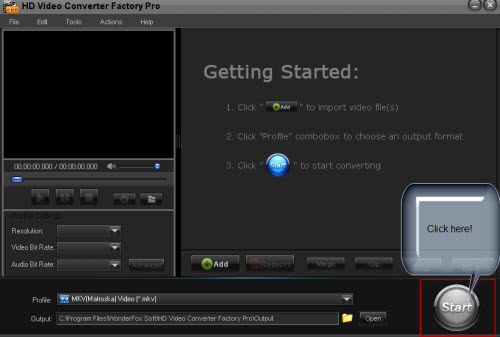
4. Click "Start" to begin converting process
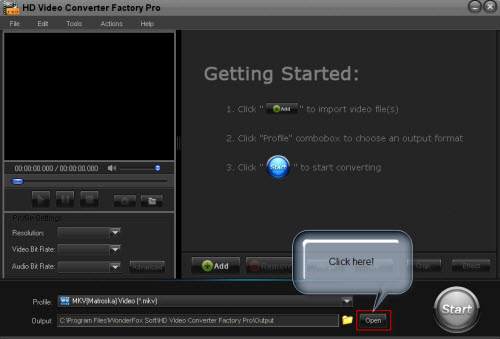
5. Open output profile to get the output video
For the detail steps and introductions, the User Guide is available for all users.
In conclusion, "how to convert MTS to AVI" is easy with a right related video converter.
Screenshot of HD Video Converter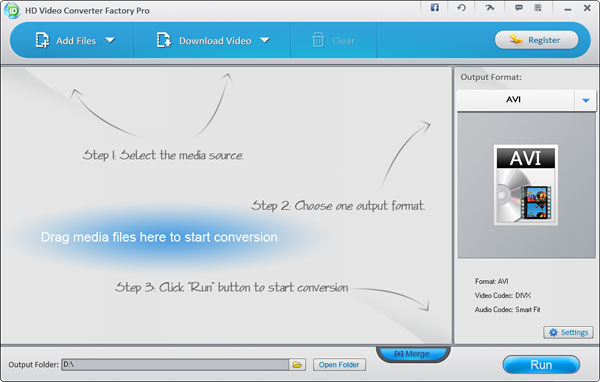


HD Video Converter Factory Pro is an all in one video converterting software. This HD Video Converter builds in 150+ video formats, it can convert nearly all popular videos besides the SD video and HD video.
So, it cannot only help you solve how to convert MP4 to MKV, but also it can help you solve nearly all video conversion problems. For example, if you want to convert SD video to HD video, HD Video Converter Factory Pro will help you do it easily. And, if you want to convert videos from your Camcorders or DV like Sony HD camcorder, Cannon HD Camcorder or some other camcorders, this HD video converter will also help you convert them to your desire video formats without quality loss while in a high converting speed (Featured as Camcorder video converter), for example, it can help you convert MTS video, convert video taken from your DV (Featured as a DV file converter), etc. What's better, with its built-in 150+ video formats, you can convert virtually any video to a wide range of video formats, audio formats and popular digital devices with optimized presets.
If you are a video lover and would like enjoy videos without format limitation, HD Video Converter Factory Pro is one of your best choices.
We highly suggest that you upgrade Free HD Video Converter Factory to HD Video Converter Factory Pro. The following passage will show you related tips of HD Video Converter Factory Pro.


