


If iPod could run flash videos, which will be awesome. Then we don't have to spend some time learning how to convert YouTube to iPod. But now, unfortunately; iPod does not support flash videos yet. So we still have to get the methods. For the way to convert YouTube videos to iPod, commonly there have three ways.
Indeed, in this way we don't have to convert videos. Just install some powerful video playing software, and then enjoying the videos which are out of iPod format will be convenient for us. But the encoder issue and the compatibility issue are the two biggest problem we have to face and considering. Anyhow, video playing software is a good way to solve how to convert YouTube to iPod, if there is a nice one.
We all know that we cannot download videos from YouTube web directly; we need some YouTube downloader to extract videos from the web. And some download is very powerful download videos and convert them to the target format at the same time. The process just like a saying goes “to win the affection of two beauties at the same time'. But here we have to face that, the YouTube downloader are not so steady and may happen to some disconnect and failure download. Besides, the target formats of downloader are limit; after all a downloader does not devote to video conversion work. So, we need a better way to convert YouTube videos to iPod.
For 'how to convert YouTube to iPod', personally, the best and steady way is to use some video converting software. The video converter is devoted to the video conversion process which could be steady and ensure the quality.
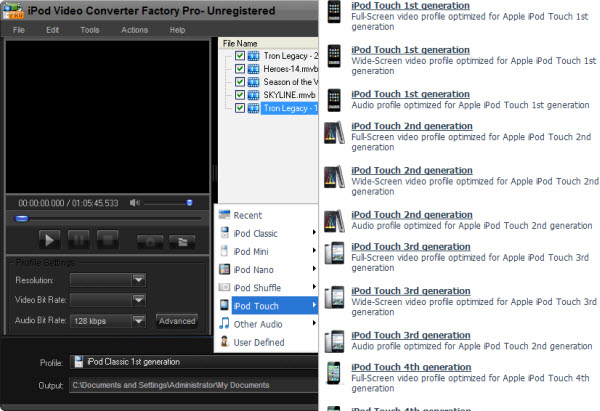
Here iPod Video Converter Factory Pro is available. It's professional and powerful software for iPod video converting. The software could ensure the quality and provides fast converting speed. Besides, the advanced functions (merge, clip, crop and effect) are also available for users to edit the target videos. But all advantages of the software just cost $9.95. It's a worthy deal.
All three ways for "how to convert YouTube to iPod" are available, but which way is the one you prefer just base on your own situation.
Screenshot of iPod Video Converter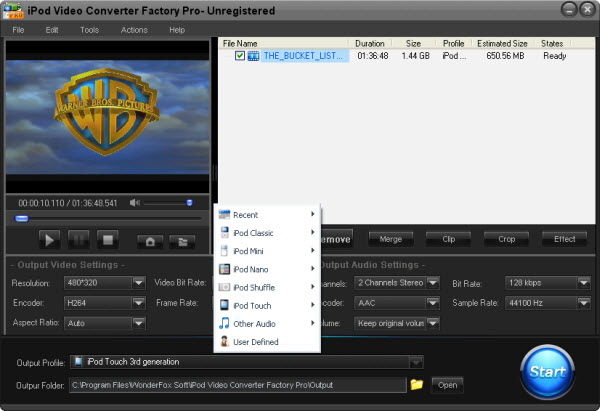


If you want to enjoy more kinds of videos and audios on your iPod without format limitation, the below passage will be very useful to you. These tips and guides include convert video to iPod series and convert audio files to your iPod compatible audio files.
If you want to convert iPod music to MP3 so that you can play your iPod music resources on your other MP3 players, it is necessary for you to know how to convert iPod music to MP3. Also, if you want to enjoy MKV videos on yur iPod, iPod Video Converter Factory Pro can help you easily convert MKV to iPod . This powerful video converter can easily help you convert video to iPod Touch 4 if you have a iPod Touch 4; convert video to iPod Classic if you have a iPod Classic, convert AVI to iPod compatible videos and convert video to iPod Nano , etc. In a word, it can convert nearly all popular videos and audios to iPod series compatible videos and audios.
What’s better, with iPod Video Converter Factory Pro, you can convert video and audio to you iPod series with optimized presets, that is, you do not have to figure out what the right video format, audio format, ecoder, bit rate or encoder are for your iPod series like iPod Touch 4, just simply select your corresponding device icon from the output profile. For more information about how to use iPod Video Converter Factory Pro, please see the User Guide of this software.


