

 Rocabella | Updated on Feb 19, 2024
How to play MKV files on Windows Media Player? Transcoding or converting MKV to Windows Media Player compatible formats is a perfect solution. To this end, you need an effective video converter like WonderFox HD Video Converter Factory Pro. This software can help you to convert MKV file to Windows Media Player friendly formats, such as MKV to ASF, MKV to WMV and MKV to MP4, with only several clicks. GetGet it now and follow the guide below.
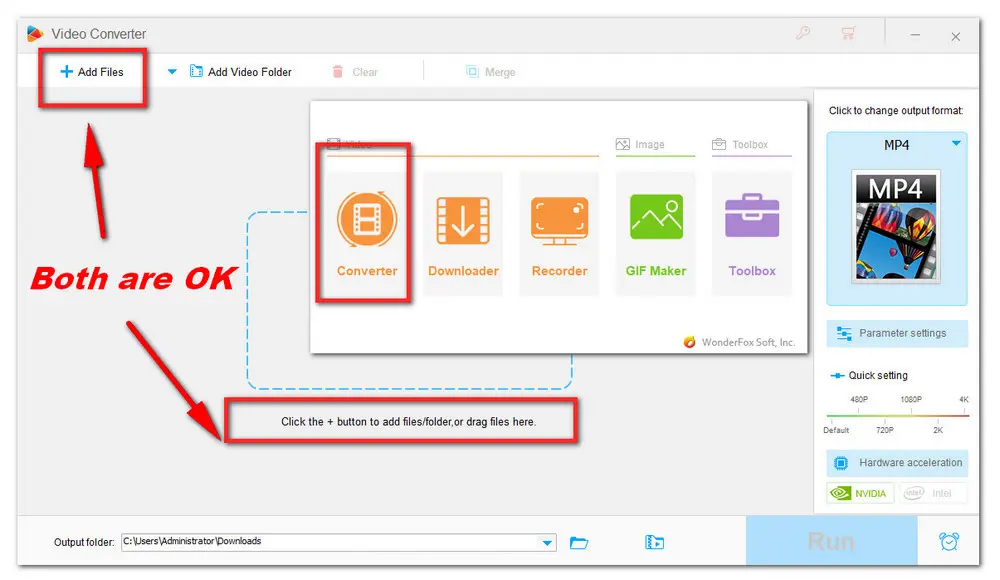
Open WonderFox HD Video Converter Factory Pro and enter the Converter module. Next, click the + Add Files button or the center + button to import MKV files. You can also drag them into the blank interface directly.
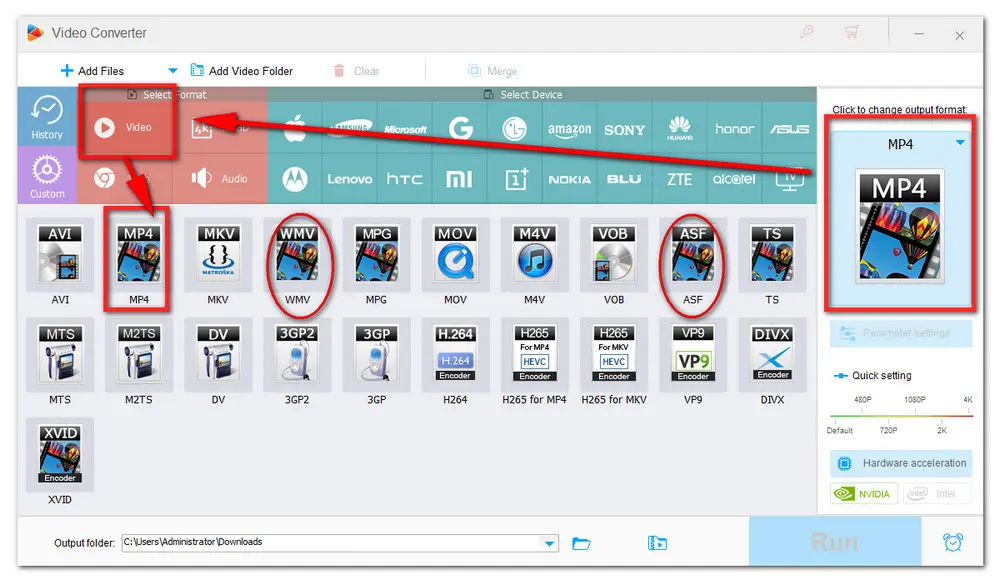
On the right side of the program, hit on the format image to enter the output format library. Then, go to the Video section and select a format compatible with Windows Media Player. Here I recommend you convert MKV videos to WMV or ASF, because they are supported format of each version of Windows Media Player.
NOTE: Converting MKV to MP4 is also OK. But Windows Media Player supports MP4 with MPEG4/H264 video codec and MP3/AAC audio codec. So you’d better do one more step to change the file’s video and audio codec respectively.
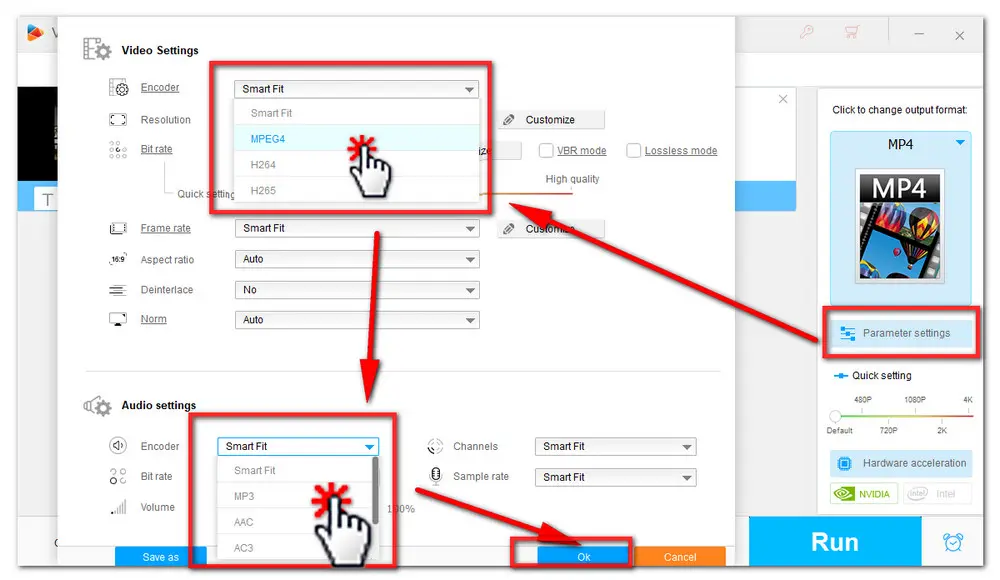
Open Parameter settings below the format image. In the Video Settings, click the Encoder drop-down list and you should see the available video codecs for the format you just selected. Pick MPEG4 as the encoder. Then also change the audio encoder to MP3. When you are done, click OK to save the changes. Of course, you can also change video resolution, video bitrate, volume, etc.
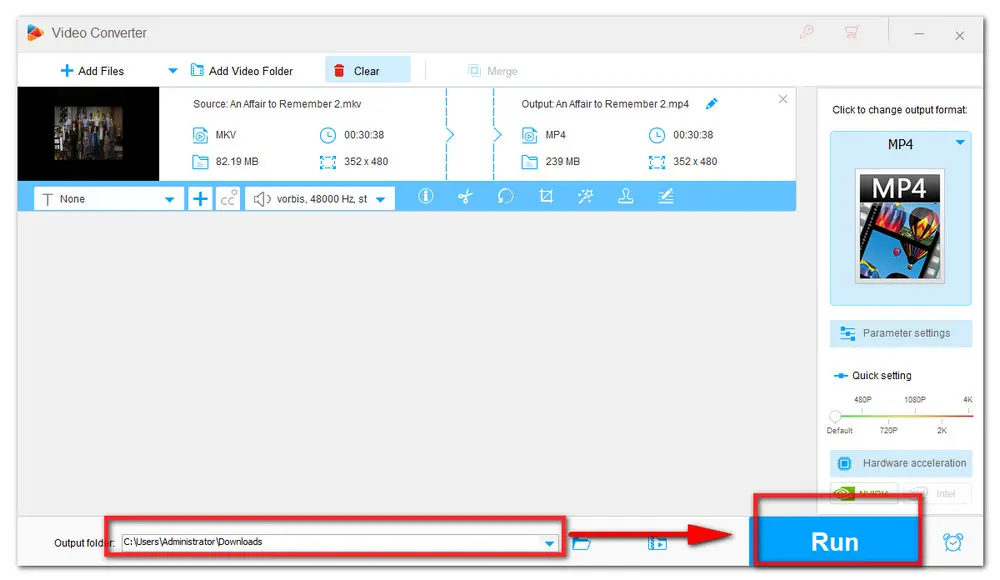
Now, click the bottom triangle button to set an output folder or leave it as default. When everything is ready, hit the Run button to start the conversion at once. It should take a few seconds to several minutes depending on the source file size.
Don’t want to change the format or codec of your files? Then how to play .mkv files on Windows? As I said at the beginning, if you want to play content with codecs that Windows or the Player doesn't include by default, the corresponding video file cannot be played. Then you will receive an error message. In such cases, you can download the necessary codec from the web for free or for a fee. Then the Player can automatically use the codecs installed by you.
K-Lite Codec Pack is a collection of various audio and video codecs. It offers user-friendly solution to playing almost all video files. And all the editions are free of charge. In most cases, the basic edition can meet most common requirements. After you download and installed the codec pack, you can open MKV file in windows media player on Windows 7 or other old versions normally. I tried and it worked well. Here's the download link: https://codecguide.com/download_kl.htm
Another quick fix is to use other great MKV players. BTW, WonderFox HD Video Converter Factory Pro is not only a video & audio converter, but also can work as a multimedia player capable of playing virtually any video format. You can downloaddownload it and take a shot.
The best option that I recommend is to use VLC Media Player. It’s a free and open source cross-platform multimedia player and framework that plays most multimedia files as well as DVDs, Audio CDs, VCDs, and various streaming protocols. With it, you can enjoy the MKV videos freely.
Download Link: https://www.videolan.org/vlc/
PotPlayer is an excellent alternative for PC users, as it supports practically all video formats, including MKV. This free media player can optimize these videos for your preferred output device. Moreover, it provides you with plenty of effects and filters to make video clips look better.
Download Link: https://potplayer.daum.net/
This article is conducted to give you some practical suggestions on how to play MKV on Windows Media Player smoothly. Hope it will be really useful for you. That’s all for now. Thanks for reading.

WonderFox DVD Ripper Pro

Privacy Policy | Copyright © 2009-2026 WonderFox Soft, Inc.All Rights Reserved
