Nokia Video Converter Factory Pro enables you to deal with all media(video and audio) incompatibility issues with your Nokia device. And it's more than a Nokia video converter.
Convert video to all models of Nokia mobile phone with the best Nokia converter. Support Variable bitrate (VBR) - better quality with smaller file size. And amazing batch conversion will save your time - up to 10 items can be converted at the same time. Nokia Video Converter Factory Pro is a professional video conversion software to help you enjoy all types of videos and audios on your Nokia cell phone. With Nokia Video Converter Factory Pro, your Nokia cell phone will become more powerful in the field of video and audio playback.
This Nokia videos conversion software can convert all popular video formats to Nokia compatible videos, including MKV, MPEG, WMV, MOV, DivX, WEBM, ASF, VOB, AVI, MKV, FLV, SWF, TRP, OGV, MOD, etc. So, whenever or wherever you find get an interesting video or movie, you can put it on your Nokia cell phone without worrying about formats incompatibility and with very small size due to WonderFox unique video compression technology.
Also, it can convert almost all audio formats to Nokia compatible audios, including WMA, MP2, OGG, RA, AC3, APE, CDA, etc. So if you like listening to music with your Nokia device, enjoy your music collection without difficulty. What's more, it lets you convert videos that you record with your Nokia phone to other video formats, even you can convert the video to HD/UHD resolution.
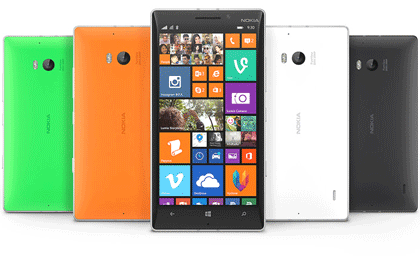
Nokia Video Converter Factory Pro provides preprogramed profiles for over 100 Nokia cell phone video formats into the program, such as Nokia Lumia 920, Lumia 900, Lumia 822, Lumia 820, Lumia 810, Lumia 800, Lumia 710, Lumia 610, Lumia 510, N9, N950, N8, Xseries, Eseries, Nokia Asha, 5series, etc. You don't have to figure out what is the right video format, resolution, encoder, frame rate for your Nokia phone, just select a model from the output profile combo box. The converter has preset optimized parameters for each Nokia device.
Thus, you are supported to convert video to Nokia Lumia series, convert video Nokia Nseries, Xseries, Nokia 5series XpressMusic, convert videos to Nokia business phone - Eseries, Nokia Asha.
Crop video to remove the black bars within DVD. Cut off unwanted area to feature a highlight.
Rich video effect options: Mosaic, Blur, Sharpen, Emboss, Noise, Old Film, etc.
Cut part of video clip that you want to get, save time for the conversion process.
Unique conversion speed - WonderFox original batch conversion function (parallel conversion) will help you convert batch of videos at once. You can add over 50 videos at the same time.
Support Intel® Core TM, NVIDIA® CUDATM and AMD® to generate 6X faster video conversion speed. So you can rip DVD movies in the shortest time while keep the videos look crisp.

Product line: DVD Software | Video Software | Watermark Software | GIF software | Office Software
Featured products: DVD Converter | HD Video Converter | Free DVD Ripper | DVD Ripper Pro| Free Video Converter |Free HD Video Converter | Video ConverterFeatured service: Submit A Ticket | Retrieve Key | Order support | Product Support | Money Back Guarantee | 24 Hours Service
Terms of use: Refund Policy | License Policy | FAQ

About | Company | Contact | Affiliate | Privacy | Sitemap
Copyright © 2009-2024 WonderFox Soft, Inc. All Rights Reserved.