


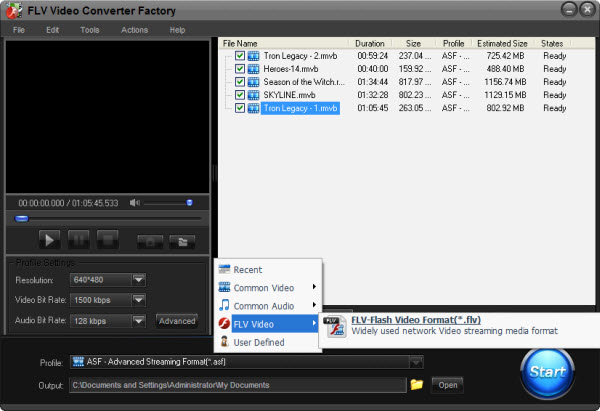
FLV is the streaming media video format; it is also known as the YouTube format. Indeed, FLV videos are available for all webs and flash video player; but they are used in especially widely in YouTube videos. And because of the popular of YouTube, FLV also get famous. Furthermore, some people just bound the two words together - they may mean one same thing.
SWF is also the flash video format as FLV and they can be used in some common situations. But SWF is less famous than FLV; many people are not familiar with the video format. So, when someone gets some SWF videos even share them on YouTube, he would like to convert the videos to FLV just by intuition. Then, how to convert SWF to FLV from one streaming media format to another? Here comes the way as following.

Usually, in such situation, a conversion process is a good and easy to solve the problem - 'how to convert SWF to FLV'. Then how to select software for the process? The following tips will guide you to do that.
1. Conversion Quality. The process is just between the streaming media formats. So that the software should ensure the quality and provide fast converting speed. 2. Operation. The software should be easy to use. No one wants a complicated operating and wastes too much time on learning the guide. 3. Format Supporting. The software should support some popular video formats, at least SWF and FLV. 4. Additional. Updating and convert in batches even video edit functions are also should be considered during the selecting process. So, just follow the tips above, it's easy to get good software for your conversion.
In fact, all the video conversion software contains some common steps. But there still have some different details for different software. Then, a user guide will help you out. Here I just take FLV Video Converter Factory Pro as an example to show the steps. The software is the professional FLV video converting software. It supports to convert the popular videos to FLV and provides fast conversion speed with good image. Besides, the advanced functions (merge, clip, crop and effect) are also available for users. But all advantages just cost $19.95.
Steps: 1. Download and install the software

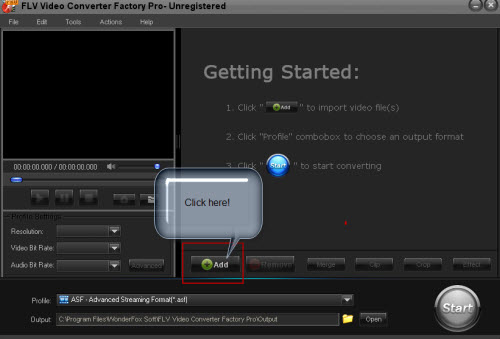
2. Click "Add" to import videos
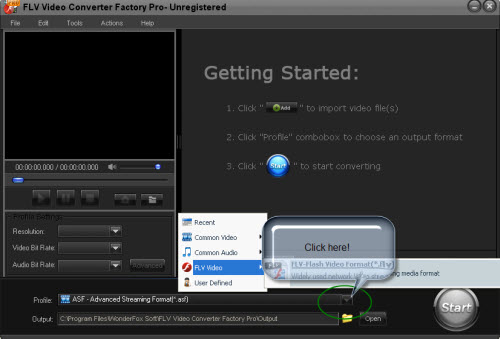
3. Select output format in "Profile" setting
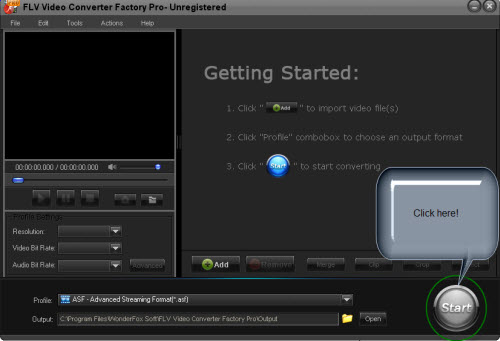
4. Click "Start" to begin converting process
5. Open output profile to get the output video
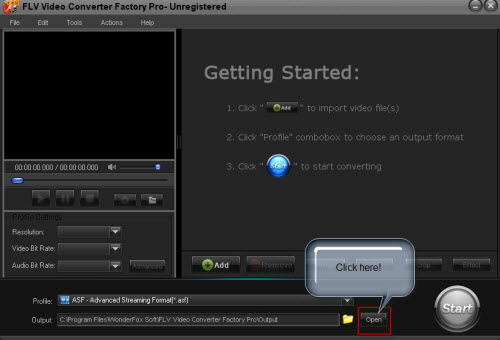
The process is really simple - just three main steps (add-select profile-convert). In conclusion, with one assistant, how to convert SWF to FLV will be easy for us.
Screenshot of FLV Video Converter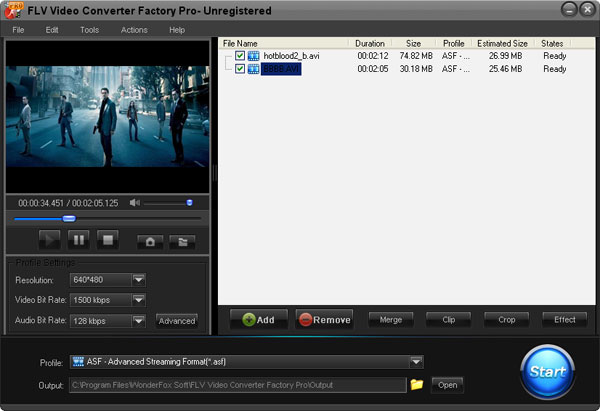


Apart from convert SWF to FLV, FLV Video Converter Factory Pro can help you do more. This professional video conversion software can help you convert virtually any videos to FLV video.
The input video file supported by this video converter software include all frequently used video files, such as MKV, MP4, 3GP, AVI, Flash video files, MOV, etc.
With FLV Video Converter Factory Pro, you can easily convert any of your video files to FLV either for uploading them to YouTube and some other video sharing sites or simply enjoying them with your FLV video player. FLV Video Converter Factory Pro is an all in one video converting software, it cannot only help you convert video fast, stably and without quality loss, but also it can help you add special effects to videos, cut video clip, crop video and so on.
For more information about FLV Video Converter Factory Pro: Detailed information of FLV Video Converter Factory Pro >>
With FLV Video Converter Factory Pro , you will definitely convert any videos to FLV smoothly and efficiently.
For more tips and how-to guides of FLV/YouTube conversion, please see the tips center of FLV & YouTube >>.


