

iPad has been one of the hottest tablet computers around the world since its release in 2010. It also supports native video formats like other Apple devices. So what are iPad video formats? This article will give the answer. Meanwhile, an effective method to change the video format for iPad is provided. You can download the highly recommended video converter to get started easily: https://www.videoconverterfactory.com/download/hd-video-converter-pro.exehttps://www.videoconverterfactory.com/download/hd-video-converter-pro.exe
 Vita | Updated on Aug 17, 2023
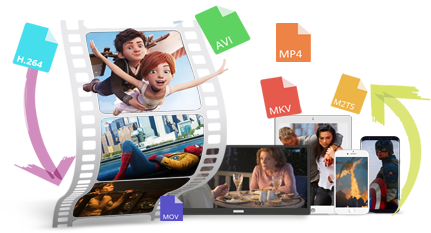
iPad is a well-known brand of iOS tablet computer developed by Apple Inc. It contains the original iPad lineup and the flagship products iPad Mini, iPad Air, and iPad Pro. Every iPad model has several generations, so there might be minor differences between the tablets. In general, MP4 (encoded with MPEG-4), AVI (compatible with the Motion JPEG standards), MOV, and M4V are compatible with all iPad models.
Here are the specific video formats supported by iPad:
H.264 video up to 4K, 30fps, High Profile level 4.2 with AAC-LC audio up to 160kbps, 48kHz, stereo audio or Dolby Audio in MP4, M4V, and MOV formats.
MPEG-4 video up to 2.5 Mbps, 30fps, 640 x 480 pixels, Simple Profile with AAC-LC audio up to 160kbps per channel, 48kHz, stereo audio or Dolby Audio in MP4, M4V, and MOV formats.
Motion JPEG (M-JPEG) video up to 35 Mbps, 30fps, 1280 x 720 pixels, audio in ulaw, PCM stereo audio in AVI format.
WonderFox HD Video Converter Factory Pro is a professional video converter that can help you convert video for iPad efficiently with high quality preserved. It’s easy to get started with. Just give it a try!
WonderFox HD Video Converter Factory Pro can help you get this job done without effort. It’s expert at dealing with kinds of video conversions between various formats. It supports importing all mainstream video formats and converts them to be compatible with iPad, iPhone, Huawei, and other devices easily and quickly. This software can make a perfect balance between the quality and file size, providing the best presets for iPad/iPad Mini/iPad Air/iPad Pro. Parameters like video bitrate, frame rate, resolution, aspect ratio, volume, etc. also can be modified based on your needs.
The next part is how to convert video for iPad. You can download the top-rated iPad video converter to be prepared.
Now, free downloadfree download the software and convert video format for iPad.
Launch HD Video Converter Factory Pro and open the Converter on the home interface. Click Add Files to import the source video. You can add multiple files to the software because it’s able to convert videos in batches.
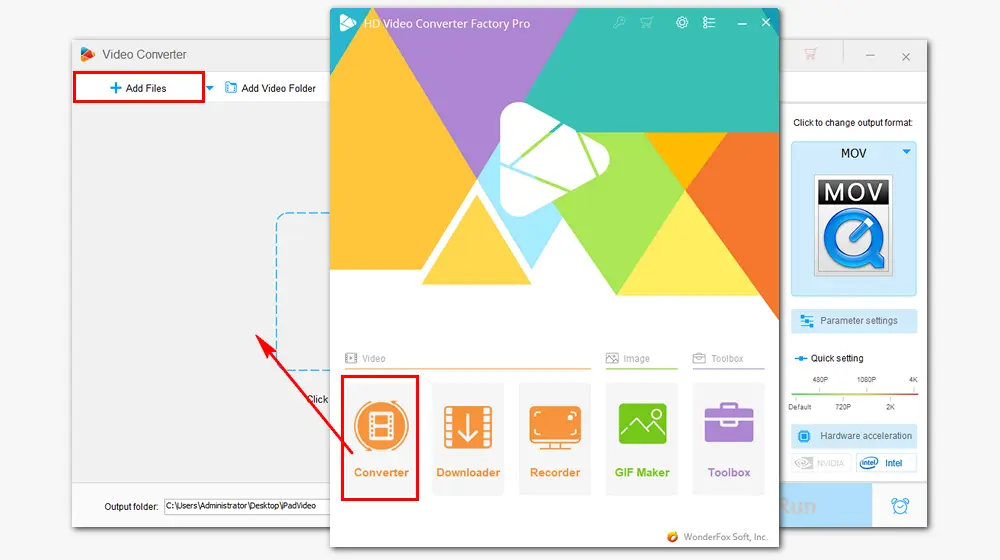
Click the format image on the right side of the converter.
Way 1. In the Device section, click the Apple icon and choose the iPad model that you have as the output device.
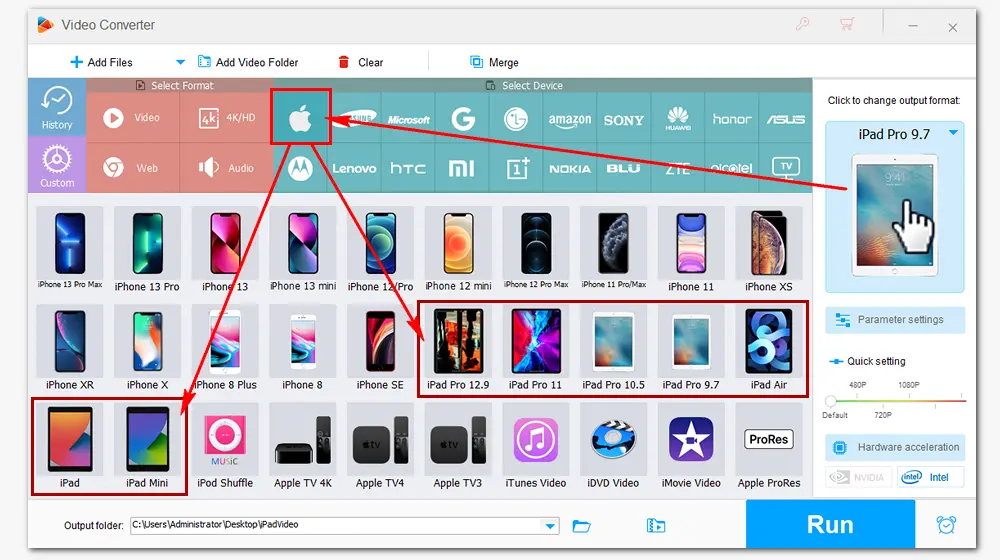
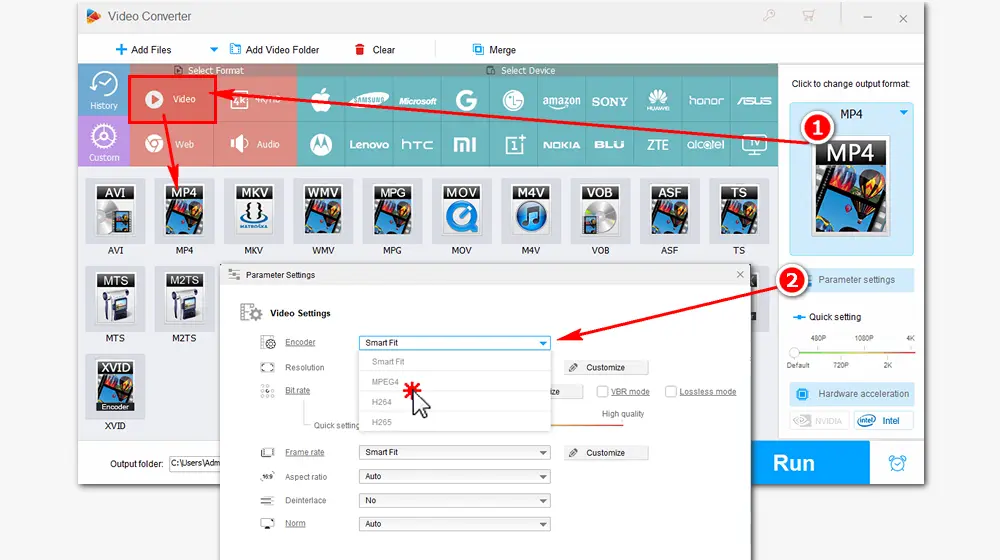
Way 2. In the Format section, go ahead to Video and select video formats supported by iPad such as MP4, MOV, and M4V. Back to the main interface, open Parameter settings under the format image to change the video encoder to MPEG4 or H264.
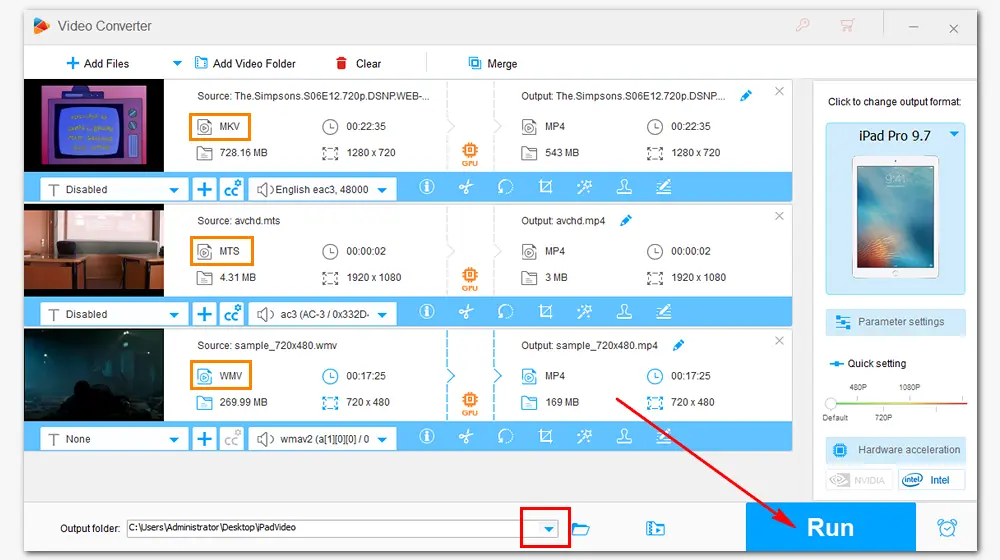
Click on the bottom triangle button to specify an output path. Press Run to convert the source files to iPad video format immediately. Then you can transfer the converted videos from your PC to iPad for limitless playback.
Tips. HD Video Converter Factory Pro also allows you to convert iPad videos to other formats like MP4, AVI, WebM, etc. rapidly with hardware acceleration.
That’s all the information about video formats supported by iPad and how to convert movie to iPad format. Hope I’ve made everything clear and straightforward. Thanks for your reading!
WonderFox HD Video Converter Factory Pro
1. Convert video files for iPad, iPhone, Apple TV, etc.
2. Download videos from 1000+ websites.
3. Record live streams, gameplays... without lag.
4. Trim/crop/merge, add special effects/subtitles.
5. Make GIFs, extract audio, create ringtones & more.

Privacy Policy | Copyright © 2009-2024 WonderFox Soft, Inc.All Rights Reserved
