


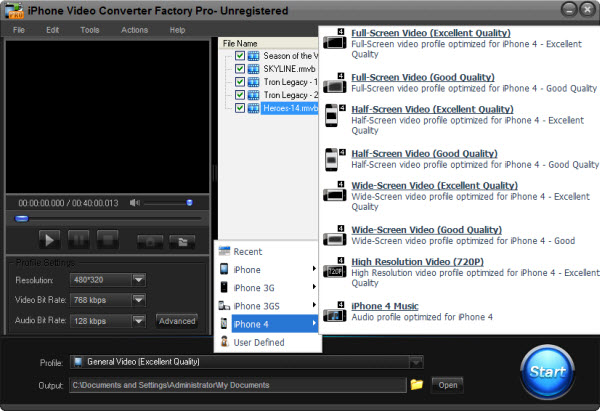
I think it is not difficult for you to answer this question if you have met this problem when playing AVI files on
iPhone. The answer actually is negative, although some player of iPhone itself can support some AVI files, but the
effect of the video is very bad, most users would like to convert AVI to other video format like MP4 and MOV that is
just fit for iPhone, so if you have a lot of AVI files, you'd better convert them to the right video format that is
just fot for your iPhone.
There are several reasons to know why we should transfer AVI to iPhone, here I will list some main reasons below:
1. As the passage mentioned above, iPhone actually can not support AVI. This is the main reason. 2. AVI is a popular video format, we can find a lot of video resources that are in the format of AVI, which means transferring AVI to iPhone, we can get lots of video resources through various ways. 3. An AVI file is not a large file, transferring this popular video format to iPhone will not cost us too much time!
Here how to transfer AVI to iPhone actually means two aspects, one is how to choose a good AVI to iPhone converter, and the other is the steps of transferring AVI to iPhone. Here we will discuss them one by one.
First, How to choose a good AVI to iPhone converter: there are some factors that we should pay attention to when we choose this kind of video converter, such as whether it has good converting quality and fast converting speed, as a video converter, this is the basic function; Whether it has easy operation, nobody would like to spend plenty of time to research how to use it; Whether it has reasonable prices, you should choose the one that has powerful converting function but with reasonable price; Whether it has rich parameter settings, with this feature, you can define your video by setting the parameters to get more suitable videos for your iPhone; The last factor that we should pay attention to is that whether it is easy to use, nobody would like to spend a lot time to learn how to use it.
Second: The steps of transferring AVI to iPhone - 1. Download a AVI to iPhone converter and learn how to use it > 2. Add your AVI files that you want to convert to your iPhone. > 3. Choose a output video format like MP4 that is suitable for your iPhone > 4. Set the parameters of the video that you want to get > 5. Click Start to convert! > 6. Finish converting and enjoy your converted video on your iPhone.
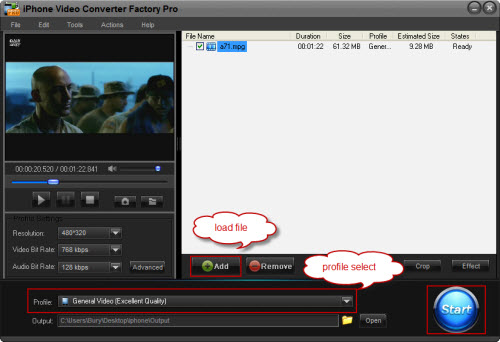
Although I have give you some advice on how to choose a good related converter, many related converters will state that they have these advantages. Actually, some of them do not work as they advertised, here I can suggest a good one for you that is iPhone Video Converter Factory Pro, it is just designed for iPhone and it has all the advantages the passage has mentioned above, with it you can transfer AVI to your iPhone easily and without any anxiety!
Screenshot of iPhone Video Converter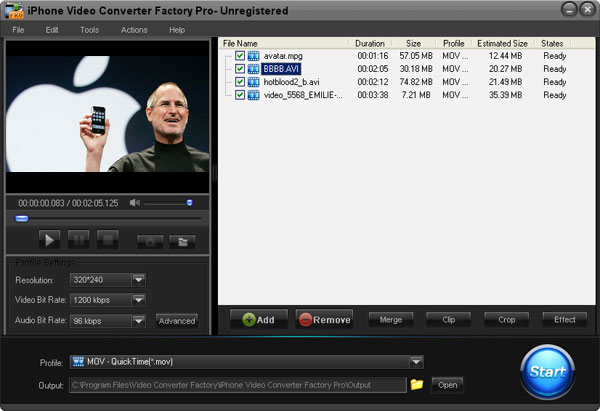


iPhone Video Converter Factory Pro is really a powerful and all in one video converter software, it can help you convert any of your videos to iPhone series compatible videos easily.
With it, you can Convert MKV to iPhone, help you enjoy the HD MKV file on your iPhone easily. What’s more, you can also Convert video to the popular iPhone 4 , enjoy any videos on your iPhone 4 freely. For people who like watching online YouTube videos, iPhone Video Converter Factory Pro can also help you Convert YouTube FLV videos to iPhone, you can enjoy tons of wonderful FLV videos on your iPhone as your will.
For people who like listening to music with iPhone, iPhone Video Converter Factory Pro also can be used as a professional music converter, it can help you convert OGG to iPhone 4, convert FLAC to iPhone 4 and Convert WMA to iPhone 4.
At last, if you want to know more features of iPhone Video Converter Factory Pro, please see the product page of this software. And, if you want to know more about how to use iPhone Video Converter Factory Pro, please see the User Guide of this software.


