


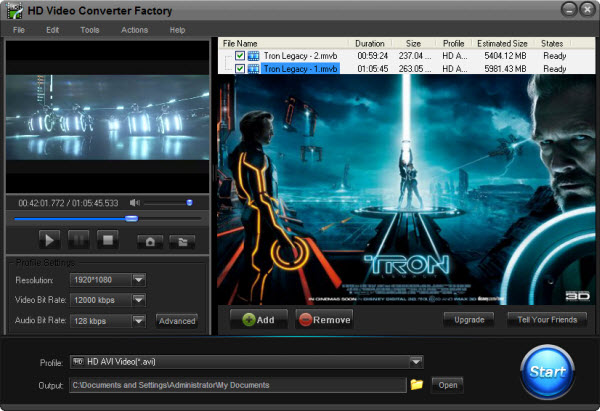
As we know, more and more video lovers would like to enjoy high definition videos with smaller size such as MKV video. For example, when you have some wonderful videos such as AVI videos, do you hope to convert them to MKV videos?
In order to do so, what we need firstly is to find a related video converter to make MKV, that is we should know how to MKV video, in this article, we will discuss this problem in detail.


MKV, the open standard free container format for videos; it contains good image quality, but with large files. MKV may not be the perfect format for videos because of its file volume, but for high definition requirements, MKV video is a good choice. So, some senior video fans or MKV fans would like to keep videos in MKV. While MKV video is not so popular to be seen everywhere, then how to make MKV video is the problem lies before us.
Generally, there are two different ways for making MKV videos. One is make videos under some MKV creator/camera; the other way is to convert videos from other formats to MKV.
For making MKV videos, take some MKV creator or camera is a good choice. Under the assistance of some creator or camera, we can take videos or save videos in MKV directly; that's very convenient.
But here, the cost of camera maybe a big account. And if you find some interesting videos which are not in MKV, are you going to perform the videos again yourself then make them in MKV? That's too complicated. For this situation, it's not how to make MKV video; convert videos to MKV format will be better.
For getting MKV videos, use some conversion software to convert video to MKV is the easy way. Just few steps and little time, we can get a MKV video.
Here HD Video Converter Factory Pro is available. The software is the professional and powerful conversion software. It is easy to use and supports to convert the popular videos (more than about 150 formats) which MKV is also included. HD standard supporting is the highlight. Besides, the advanced functions (merge, clip, crop and effect) are also available. But all advantages just cost $29.95. It's a worthy deal.
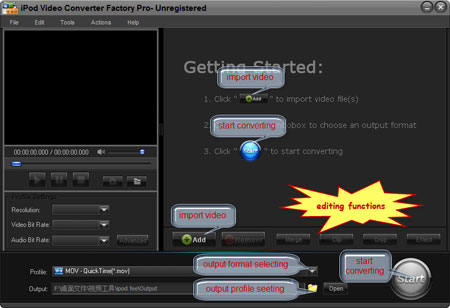
How to Convert Videos to MKV with the HD Video Converter: 1. Download and install the software > 2. Click "Add" to import videos > 3. Select output format in "Profile" setting > 4. Click "Start" to begin converting process > 5. Open output profile to get the output video
Out of above all, "how to make MKV video" may have some other solutions. But no matter how to do that, MKV video is only result we want.
Screenshot of HD Video Converter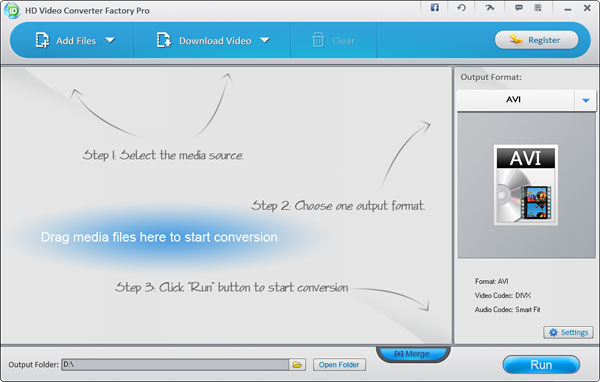


HD Video Converter Factory Pro is an all in one video converterting software. This HD Video Converter builds in 150+ video formats, it can convert nearly all popular videos besides the SD video and HD video.
So, it cannot only help you solve how to convert MP4 to MKV, but also it can help you solve nearly all video conversion problems. For example, if you want to convert SD video to HD video, HD Video Converter Factory Pro will help you do it easily. And, if you want to convert videos from your Camcorders or DV like Sony HD camcorder, Cannon HD Camcorder or some other camcorders, this HD video converter will also help you convert them to your desire video formats without quality loss while in a high converting speed (Featured as Camcorder video converter), for example, it can help you convert MTS video, convert video taken from your DV (Featured as a DV file converter), etc. What's better, with its built-in 150+ video formats, you can convert virtually any video to a wide range of video formats, audio formats and popular digital devices with optimized presets.
If you are a video lover and would like enjoy videos without format limitation, HD Video Converter Factory Pro is one of your best choices.


