A Practical Screen Recorder & MV/Music Track Downloader
 Recommended by the author
 How to & Tips
 Convert Video

 by Kevincy
Updated on Sep 9, 2026
Sometimes you just need to capture a quick voice memo, record narration for a slide, save a short podcast idea, or test your microphone before an online meeting. In these cases, a free online voice recorder is often the fastest choice: open the page, allow microphone access, record, preview, and download or share the audio.
Online recorders are best for short and simple tasks. If you need to record long voiceovers, capture microphone and system audio together, edit mistakes, reduce noise, or record voice while making a screen video, desktop voiceover recording software will usually be more reliable.
Need a complete solution? Try this all-in-one tool for video/audio recording, downloading, editing, and converting:
Many online audio tools claim to be free, but some only provide free trials, require sign-up before export, or hide basic features behind extra steps. The tools below are selected for people who want a quick and practical way to record voice online without installing a program first. Still, online services may change their limits, formats, and privacy rules over time, so it is always wise to do a short test before recording anything important.
A browser-based recorder is a good fit for voice notes, language practice, class assignments, quick narration, and short messages. Desktop voiceover recording software is better when recording stability, local file control, multiple audio sources, editing, or privacy matters more. In short, use an online voice recorder for speed; use software when you need more control.
Related Reading: PC Audio Recorders | Voice Memo to MP3 | Record Audio from Website
Record Voiceovers, Screen Video, and Audio Locally
WonderFox HD Video Converter Factory Pro is an all-round solution for recording screen video, microphone audio, system sound, or both. It also helps convert, edit, compress, and download video/audio files, making it useful when a simple online voice recorder is not enough for longer narration, tutorials, or presentation videos.


 Vocaroo
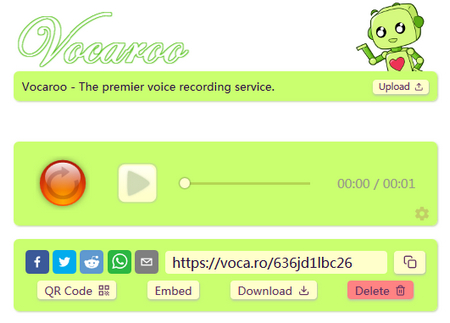
Vocaroo is one of the quickest online voice recorders for sharing short voice messages. Get your microphone ready, open the page, and click the record button. After recording, you can listen to the result, re-record if needed, share it via a link or QR code, embed it on a website or blog, or download the audio in MP3 format. It is especially handy for voice announcements, quick feedback, and casual narration. Just note that it is mainly a microphone recorder and offers very little editing. If it does not quite fit your needs, you can also try the other Vocaroo alternatives below.
 Audio Recorder
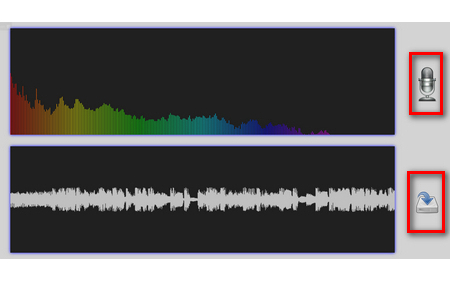
Open this site and everything is clear at a glance. It is so minimalistic that it does not even show a formal product name, so let's call it Audio Recorder here. This web demo is based on Matt Diamond's RecorderJS and lets you record audio from your microphone, view a waveform while recording, and download the result locally. Simply click the microphone icon to start, click it again to stop, and press the download button to save the recording as a WAV file. Since WAV is usually larger but less compressed than MP3, this tool is useful when you plan to edit the audio later, though it does not provide trimming, noise reduction, or sharing features by itself.
 Rev Online Voice Recorder
https://www.rev.com/apps-and-tools/online-voice-recorder
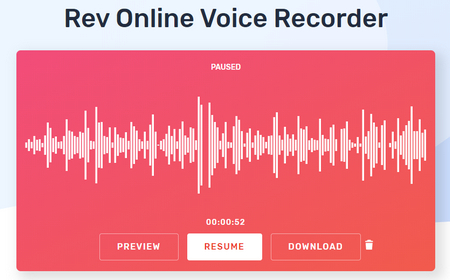
Rev Online Voice Recorder is a clean choice if you want to record, preview, trim, and download a voice recording as MP3. Press the record button, speak into your microphone, pause when needed, preview the waveform, and trim the unnecessary beginning or ending before export. Rev also offers optional transcription services, but you do not have to order transcription just to download your recording. It works well for quick interviews, short voiceovers, meeting notes, and speech drafts.
 VirtualSpeech Online Voice Recorder
https://learn.virtualspeech.com/tools/voice-recorder
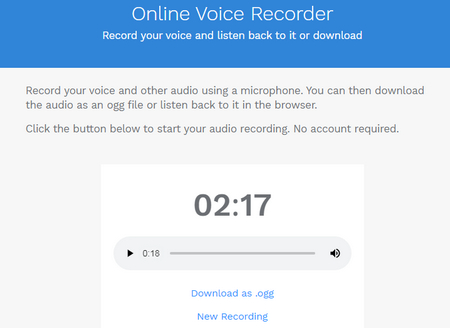
VirtualSpeech provides a convenient online application for recording microphone audio in the browser. Click the Start Recording button, speak into your microphone, and use the timer to check the recording length. After you stop, you can preview the result in the browser and download it. The current page offers MP3/OGG download information and also shows an M4A download option with conversion to MP3, so check the format shown in your browser before recording something important. Nothing is stored on VirtualSpeech's servers according to its recorder page. It is suitable for speech practice, short narrations, and quick voice checks, while users who need deeper editing may prefer another recorder or desktop software.
 123APPS Voice Recorder
https://online-voice-recorder.com/
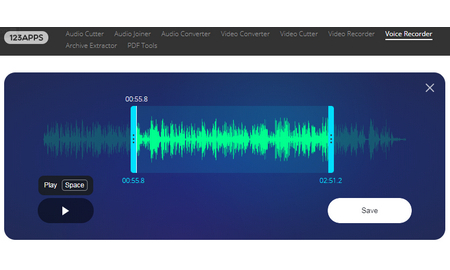
123APPS Voice Recorder is one of the most practical choices for users who want simple recording plus light editing. Click the gear icon to select your input device, then hit the red microphone button to record voice online. After recording, it can intelligently detect and remove silent parts at the beginning and end, and it also lets you trim the recording before saving. Lastly, hit the Save button to download the file in MP3 format. This makes it a good fit for quick voiceovers, class assignments, meeting notes, or any short recording that needs minor cleanup before export. This smart tool is offered by 123APPS, which also provides web apps such as Audio Joiner/Cutter/Converter, Video Recorder/Cutter/Converter, and PDF tools.
 HighStarApp Voice Recorder
https://audiovoicerecorder.com/
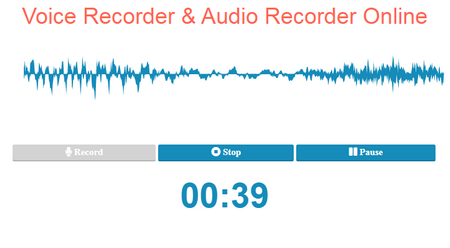
HighStarApp Voice Recorder is a handy tool for recording voice directly in a web browser. Every audio, voice, or sound recording begins with one simple click. After you stop the recording, you can pause, preview, and press Save to keep the result as an MP3 file. Its current site states that recording data is processed locally in the browser rather than stored on its server, which is useful if you prefer a simple local-processing workflow. It also points users to mobile versions for iOS and Android.
 SpeakPipe Voice Recorder
https://www.speakpipe.com/voice-recorder
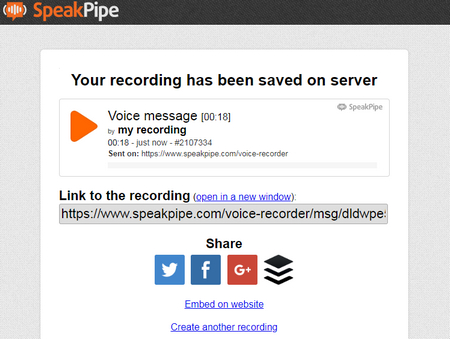
SpeakPipe is useful when you want to record a short message and share it through a link. The page keeps the workflow simple with a big Start recording button. Once recording begins, you will see a 5-minute maximum duration, which is enough for many short messages, quick voice notes, and simple feedback. After recording, you can save it on SpeakPipe's server and receive a link for sharing; the current recorder page says saved recordings are stored for three months. SpeakPipe is therefore better for quick link-based sharing than for users who specifically need a local audio file. Avoid using it for private or sensitive recordings unless you are comfortable with that server-storage workflow.
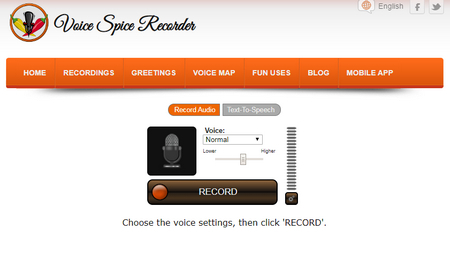 Voice Spice Recorder
https://voicespice.com/default.aspx
Voice Spice is a more playful option. Press the RECORD button to start recording voice online, and adjust the microphone volume if needed. Voice Spice can morph your voice with several effects, change pitch, and also create text-to-speech messages. After recording, its workflow focuses on saving and sharing the message through a playback link rather than giving you a conventional local audio-export workflow. That makes it more suitable for casual recordings, fun voice messages, classroom activities, and sharing than for polished voiceover work.
 Apowersoft Free Online Audio Recorder
https://www.apowersoft.com/free-audio-recorder-online
Apowersoft Free Online Audio Recorder gives you more flexibility over the audio source than many simple browser voice recorders. Depending on your browser and system permissions, it can capture microphone input, system sound, or both, which is useful for recording narration, online classes, meetings, browser audio, and other sound playing on your computer. The recording can be previewed and saved locally when finished. Since browser audio-capture permissions vary by platform, it is best to run a short test and confirm the selected audio source before an important recording.
Free online voice recorders are convenient, but they are not always the best choice. Some tools have recording-length limits, some save files on their servers for sharing, and many provide only basic recording without advanced editing. If you are creating voiceovers for YouTube videos, product demos, training courses, podcasts, presentations, or screen recordings, desktop voiceover recording software can give you more control.
Consider using software instead of a browser recorder when you need to record long narration, capture microphone and system audio at the same time, remove background noise, cut mistakes, add fades, adjust volume, mix multiple tracks, record screen video and voiceover together, or keep recordings locally without uploading them to an online service.
For beginners who want to record voiceovers on Windows with a straightforward workflow, 👉 WonderFox HD Video Converter Factory Pro is an all-in-one recording and media-processing option. Its Recorder includes an Audio-only mode for microphone audio, system sound, or both, and it also supports screen recording, basic editing, format conversion, downloading, and compression. This makes it more suitable than a simple online recorder when you need to create narration for tutorials, product demos, or presentation videos. It is currently available for Windows only.

 Open Developer Tools
Quick workflow:
1. Run the application and open Recorder.
2. Choose the Audio-only mode.
3. Select an audio format for the recording.
4. Enable Microphone, Desktop, or both.
5. Choose a save folder and click REC.
6. Press Ctrl + F1 to finish.
After recording, you can bring the file into the Converter module if you need to trim, merge, compress, or convert it.
👉 Audacity is a strong choice if you want a free, open-source audio recorder and editor. It supports multi-track audio editing and is available for Windows, macOS, GNU/Linux, and other systems. Common tools such as noise reduction, compression, pitch/speed changes, and plugin support make it useful for voiceover editing.
👉 Ardour is more suitable for experienced users who need a digital audio workstation for recording, editing, mixing, and mastering. It is powerful, but its workflow may be more complex than a simple voice recorder.
👉 ActivePresenter is worth considering when your voiceover is part of a screen recording, software tutorial, or eLearning course. It can record screen, webcam, and audio sources and also provides video editing features. Before using it for commercial work, check the current license terms for the edition you plan to use.
👉 Adobe Audition is a professional option for users who need advanced audio cleanup, restoration, multitrack editing, waveform view, and spectral display. It is powerful for podcasting, video production, and polished voiceover post-processing, but it is paid software and may be unnecessary for simple voice notes.
Q1: Are online voice recorders really free?
Many online voice recorders are free for basic recording and downloading. However, some may offer paid extras such as transcription, cloud storage, ad removal, or advanced editing. Always check whether downloading the recording is free before starting an important session.
Q2: Can I use an online voice recorder for voiceovers?
Yes, if you only need a short and simple voiceover. For long-form narration, YouTube videos, product demos, podcasts, or training videos, desktop voiceover recording software is usually more reliable.
Q3: What is the best free software for recording voiceovers?
Audacity is a strong free option for recording and editing voiceovers. It is open-source, supports multiple platforms, and includes useful editing tools. For users who also need screen recording or system-audio capture, an all-in-one recorder may be easier.
Q4: Is it safe to record voice online?
It depends on the tool. Services such as 123APPS, Rev, VirtualSpeech, and HighStarApp state that recordings are not stored on their servers, while sharing-oriented tools such as SpeakPipe save recordings online to generate a link. Check the recorder's current privacy policy before recording anything sensitive. For private, confidential, or business-sensitive work, local desktop software gives you more direct control over where the audio is stored.
At last...
Free online voice recorders are perfect when you need to record something quickly without installing software. The tools above cover different needs such as quick voice messages, trimming, WAV output, local processing, system-audio capture, and link-based sharing. If your recording is important, long, private, or needs editing, desktop voiceover recording software can give you better control over audio quality, file formats, editing, and recording stability.
Before starting any important recording, always do a short test first: check your microphone, browser permission, output format, recording length, and whether the file is saved locally or online.

Kevincy joined the WonderFox team in 2014 and has been a senior columnist ever since. With over two decades of experience in the video editing industry, he shares tutorials, tips, and how-to guides on video/audio processing and personal DVD backups. Family-oriented and passionate about helping others, he is dedicated to making video and audio processing easier for readers.


Kevincy joined the WonderFox team in 2014 and has been a senior columnist ever since. With over two decades of experience in the video editing industry, he shares tutorials, tips, and how-to guides on video/audio processing and personal DVD backups. Family-oriented and passionate about helping others, he is dedicated to making video and audio processing easier for readers.
Rip Music/Audio out of Your DVD Collections
WonderFox DVD Ripper Pro
It's time to wipe off the dust of your music, concert, opera DVDs. WonderFox DVD Ripper Pro endows you the ability to remove any form of copy-protection and rip the digital music file from physical DVD disks to WAV, FLAC, MP3, WMA, etc. More than that, it also applies to DVD movies, TV series, workout. Just download and give it a shot.