


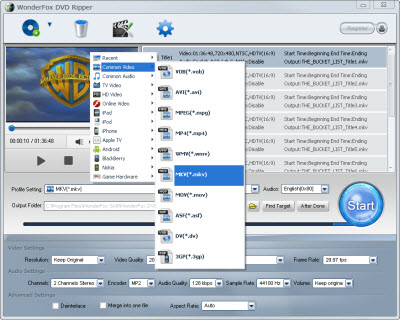
This part shows how to rip DVD to MKV with WonderFox DVD Ripper. Users don't need any learning process in advance, cause this DVD to MKV ripper is pretty easy-to-use. You can handle it easily with few clicks. It can really provide the quality output MKV video effect with fast speed and safe converting process.
1. Download and run WonderFox DVD Ripper.
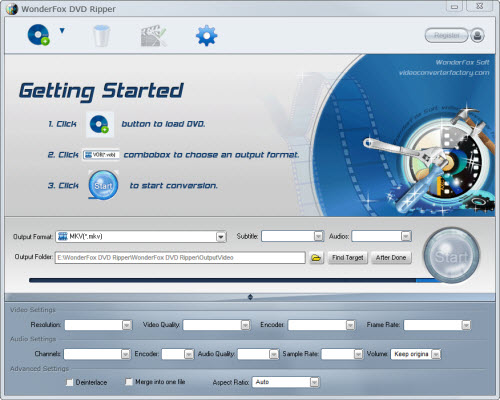
2. Load DVD.
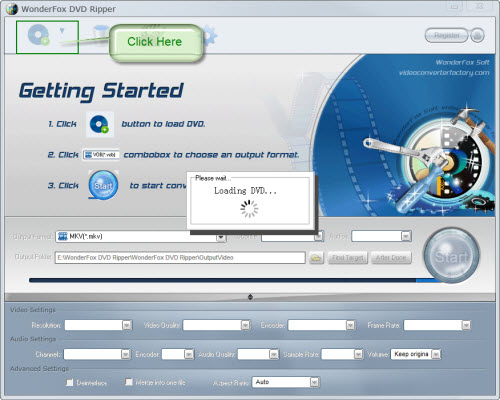
3. We can preview the movie to decide which part we will convert.
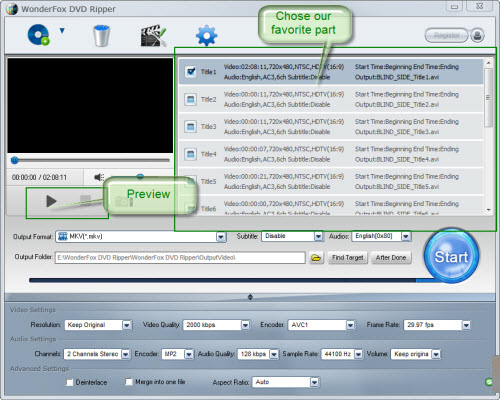
4. Choose "MKV" as the output format.
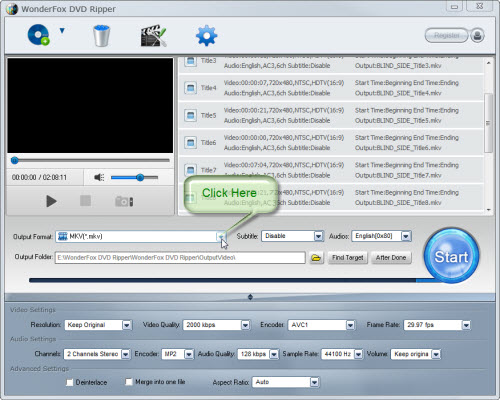
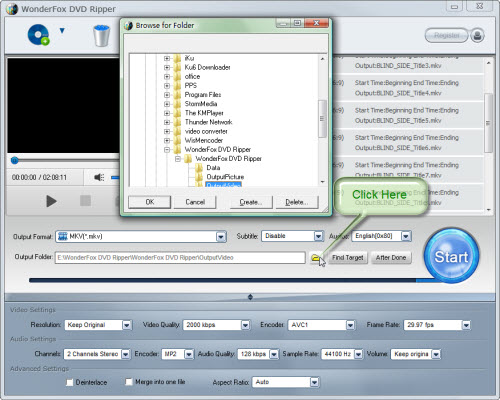
5. Select the output folder.
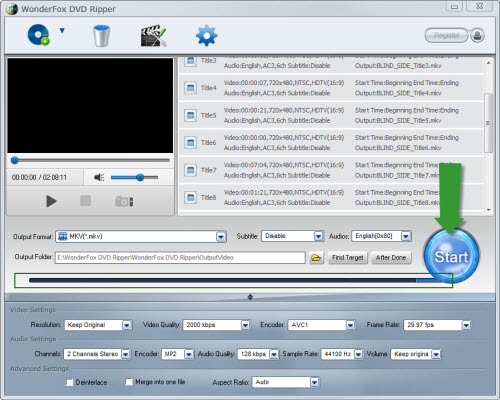
6. Click the big blue "Start" button, After a few wait, we can enjoy the movie.
DVD to MKV Ripper is a good tool for back-up your DVD. And MKV is a very nice and popular video format which combines video with audio. So a professional MKV DVD Ripper will not wipe this characteristic. WonderFox DVD Ripper have a decade or more video and audio parameter settings. They are used to keep characteristic. So we can set these parameters based on the output devices. On an average, it takes 50% of the whole movie time to rip DVD to MKV. While doing the ripping process, we can enjoy our games, movie and music as we like. Because running WonderFox DVD Ripper needs a few CPU resources.
WonderFox DVD Ripper is totally clean, green and no plug-in. Over 40 kinds of main-steam antivirus software have passed it. It always provide the best converting service. Because is constantly updates to the latest protection techniques. The other key feature is that WonderFox DVD Ripper can support 113 popular formats and devices, such as iPod, iPad, iPhone, Nokia, Motorala, BlackeBerry, Android Devices, FLV, 3GP, MP4, AVI, etc. Video editing functions like cutting, cropping, merging and special are really hard to present all types in a short list. As a conclusion, WonderFox DVD Ripper is worth trying.
All in all, the WonderFox DVD Ripper is really a good choice for us to rip/convert DVD to MKV video. With the DVD to MKV ripper/converter, we can easily rip DVD to MKV video format. By the way, the DVD ripper runs well on Windows, so, we can easily convert DVD to PC, convert DVD to Hadr Drive, copy DVD to tablet, convert DVD to cell phone with it. Furthermore, the software also allow us to convert DVD to AVI video format, convert DVD to iPad 3 compatible video, convert DVD to WMV video, convert DVD movies to MP4 format, rip DVD files to audio; and besides, convert DVD to Nokia video type, convert DVD to BlackBerry video formats and convert DVD to Android devices are also available for us.




