


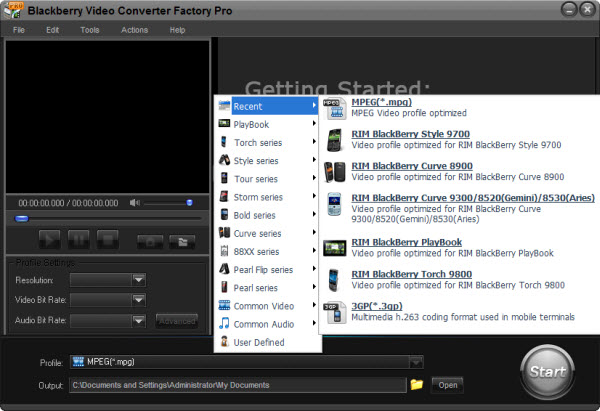
MKV, which is the abbreviation of Matroska video, loads lots of advantages on modern codec. And there are many users would like to convert other popular videos to MKV to maximally preserve video quality or enjoy the high definition videos. Although MKV is more and more popular, and even Windows 7 supports playback MKV video natively, you may find the BlackBerry 9800 does not recognize MKV files. This is because MKV is just a container format which can contain various codecs, only a small subset of which (e.g. H.264, Xvid) the BlackBerry 9800 can play. So, at this time, we need a BlackBerry 9800 video converter to help us solve how to convert HD MKV to BlackBerry 9800.
Before we know how to convert HD MKV to BlackBerry 9800, we should firstly know how to choose a good BlackBerry 9800 Video Converter to do this task. There are some advices that you need to follow when choosing this kind of video converter.
1. About the imported video formats: A good this kind of video conversion software should accept nearly all the popular and common used video formats, so that you can convert many videos to your BlackBerry 9800
2. About the converted video's quality: There should be no output quality loss during converting process.
3. About the converting speed: You should choose the one which has fast converting speed, I am sure nobody would like to waste their time waiting the converting processes
4. About the operations: we should choose a BlackBerry 9800 video converter that has easy to use interface.
5. About the security: A good this kind of video conversion software should be without any unsafe factors.
According these standards mentioned above, I think BlackBerry Video Converter Factory Pro is the right choice for you! This BlackBerry video converter can not only help you convert HD MKV to BlackBerry 9800, but also it can help you convert nearly all the popular videos to nearly all BlackBerry series besides the BlackBerry PlayBook. In addition to that, this video conversion software has rich parameter settings and rich extra functions like merging, clipping, cropping and adding effects to your videos. If you wanna enjoy more, just try to use it.
1. Download this video conversion software

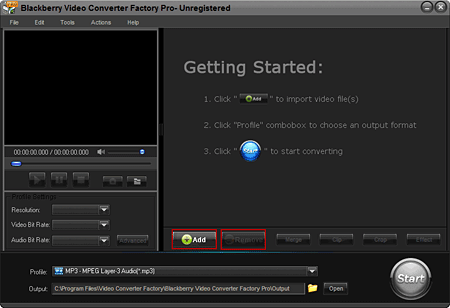
2. Click 'Add' to load your HD MKV files that you need to convert for BlackBerry 9800
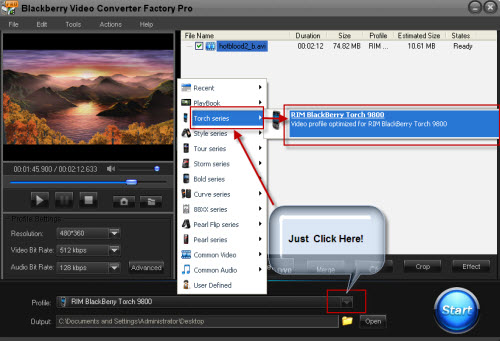
3. Choose To Torch Series as main category and To RIM BlackBerry Torch 9800 as subcategory to choose the 9800 as your output model.
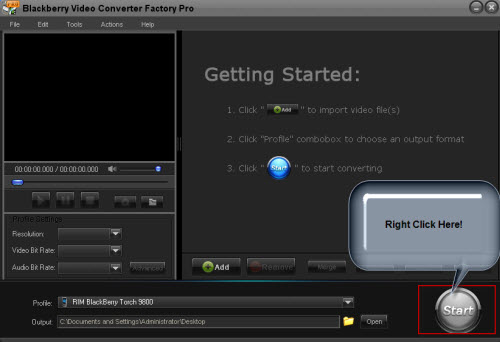
4. Just click the 'Start' button to start the converting processes.
5. Enjoy your videos on your BlackBerry Torch 9800.
These are the main user guide of this software, if you want to know more like how to crop your video, how to cut video clip and how to add effects to videos, you can see the user guide of this software.
Screenshot of BlackBerry Video Converter
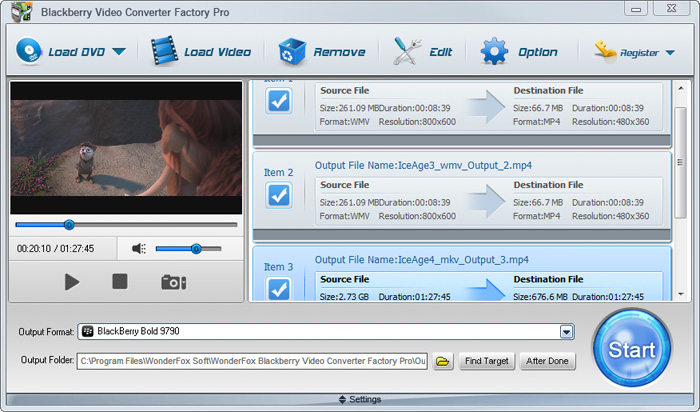


Like the passage mentioned above, BlackBerry Video Converter Factory Pro is specially designed for BlackBerry devices, it can convert virtually all video and audio files to nearly all BlackBerry devices with optimized presets. (More details about BlackBerry Video Converter Factory Pro and its Format References >>)
In the below passage, I will show you how to convert Flash videos, including FLV videos and online YouTube videos to BlackBerry supported videos.
For users who want to enjoy FLV videos on BlackBerry devices, BlackBerry Video Converter Factory Pro can help you convert FLV to BlackBerry Style 9670, convert Flash video to BlackBerry Storm series, convert flash video to Blackberry 9700 and much more.
And, for users who want to play MKV files, including HD MKV files, BlackBerry Video Converter Factory Pro can easily help you convert MKV to BlackBerry PlayBook supported video, help you effortlessly convert MKV to nearly all BlackBerry cell phones, such as converting MKV to BlackBerry Curve 8900 and converting MKV to BlackBerry Bold 9700.
In conclusion, BlackBerry Video Converter Factory Pro is definitely the best chocie for you to convert video to BlackBerry devices supported videos. If you want to know more tips and tutorials about BlackBerry Video Converter Factory Pro, please see the BlackBerry video converting tips center.


