BlackBerry Video Converter Factory Pro is the easy-to-use Video to BlackBerry Converter. It can convert any video formats to BlackBerry supported video formats with flexible settings and high conversion speed.
You can convert video to your iPhone easily with the following steps:
Step1: Import video(s)
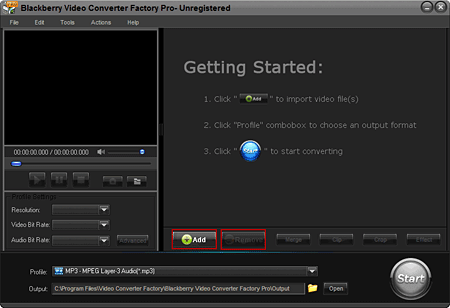
Launch Blackberry Video Converter Factory Pro Click, 'Add' button to import video(s), click 'Remove' button to delete video(s).
Step2: Choose an output format.
2-1, Click 'Profile' combo box to choose an output format.
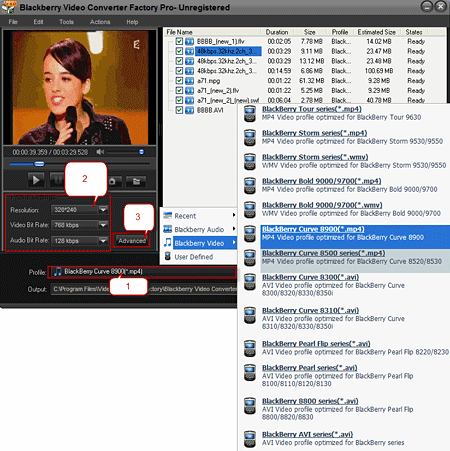
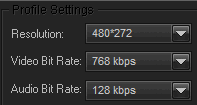
2-2, Common profile settings, in most cases, we provide multi-options for each setting.
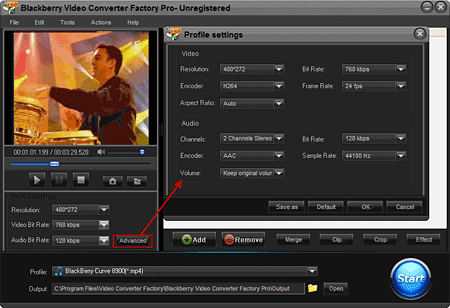
2-3, More advanced profile settings.
Step3: Rich Optional Functions Help You Individualize Your Video Files.
3-1, Merge videos
Press 'Shift' bond to select multiple files, click 'Merge' button, and then click 'Ok' button.
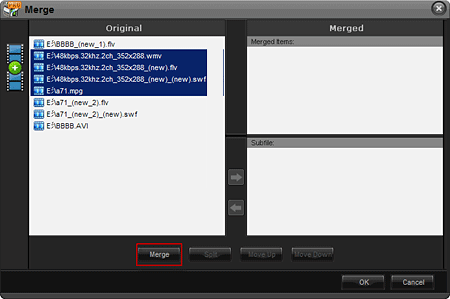
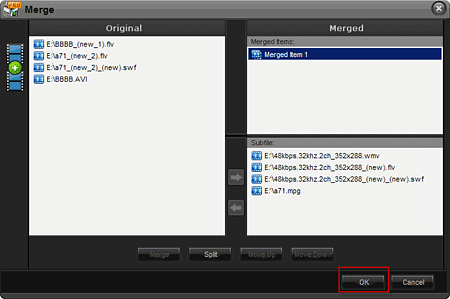
3-2, Cut Video
Click 'Clip' button to the interface. Drag the bar or input a times to select output clip. And then click 'button' to apply.
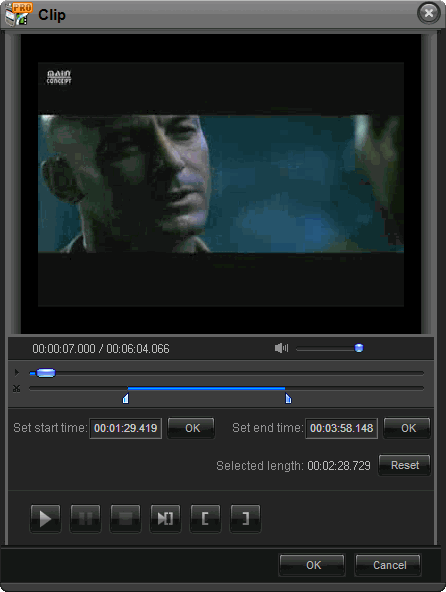
3-3, Video Cropping
Click 'Crop' button to the interface. Drag the selection box to select output area that your want.
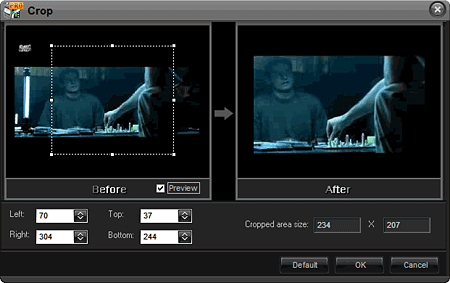
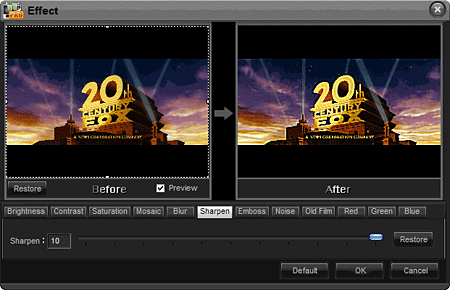
3-4, Video Effect
Click 'Effect' button of the interface. Choose any of the effects to add to your videos.
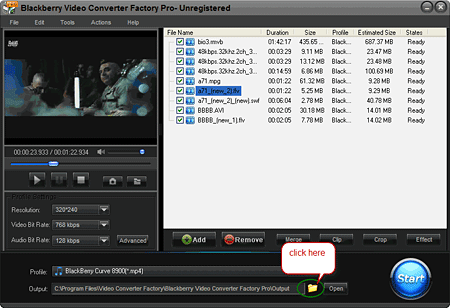
Step4: choose an output folder.
Click the 'folder' button in output setting area, select an output folder in the dialog box that opens, and then click 'OK'.
Step5: Converting
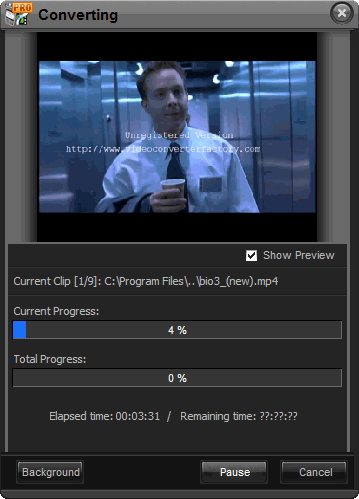
After finishing the above settings, check the files needed to convert in the file list, and click 'Start' button on the main interface, to start converting the movie.
You can choose whether to display the preview.
You can pause/resume the converting at anytime.
You can click 'Background' button to set the interface minimize to taskbar.
As you can see, all the process is very easy and with high output quality! You can download the Blackberry Video Converter to try to convert your video files.

 Related Software
 Related Article