


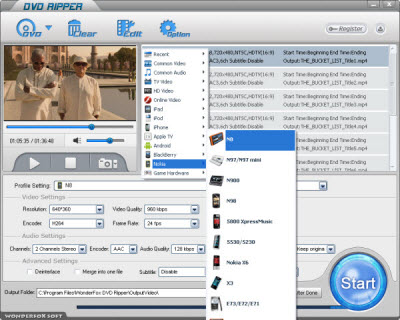
To convert DVD to Nokia N9, what we should do firstly is to find a DVD to Nokia N9 converter. We should better find the one that can help us convert DVD to Nokia N9 with less video and audio quality, with fast converting speed and without any virus or spyware.
According to these standards, I think WonderFox DVD Ripper can be served as the good DVD to Nokia N9 converter, let's see more details of WonderFox DVD Ripper below:
1. WonderFox DVD Ripper has the Nokia N9 as its output choice, which means it can provide us with the most suitable video and audio parameters for your Nokia N9 video.
2. WonderFox DVD Ripper can help you convert DVD to Nokia N9 in a high speed and with less video audio quality loss.
3. WonderFox DVD Ripper is absolutely safe, it is without any virus or spyware.
4. The advanced function. For Advanced users, they may hope to make their converted videos more personality or something else. WonderFox DVD Ripper can surely meet your needs in this field. It allow users try the advanced feature to make a stylish video, such as adding subtitle, adjust parameters, change video file size, trim video segment, and so on.
5. What's more, WonderFox DVD Ripper is really the easy to use software; all the converting processes can be finished in several simple steps.
If you are interested in the WonderFox DVD Ripper, now I will take this software as an example to show you how to convert DVD to Nokia N9 with it.
1. You should download the software WonderFox DVD Ripper and install it on your PC or Notebook
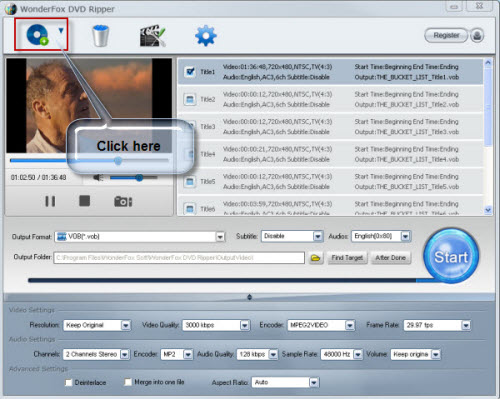
2. Load the DVD disk.
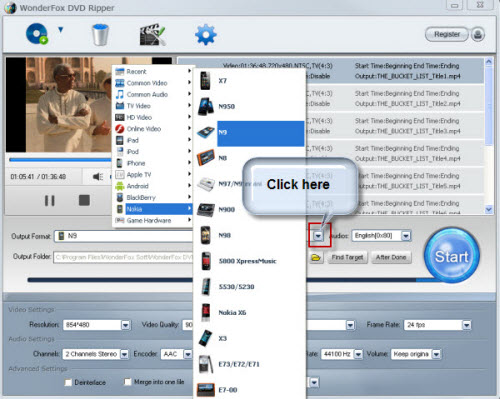
3. Choose Nokia N9 from the profile combo box as the output video format.
4. Click the start button on the interface of this software to start the converting processes.
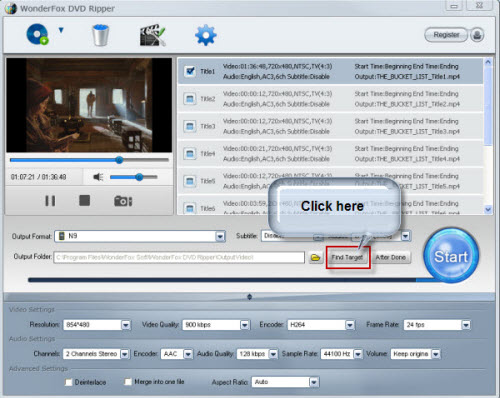
5. Find the ripped videos by clicking the "find target" button
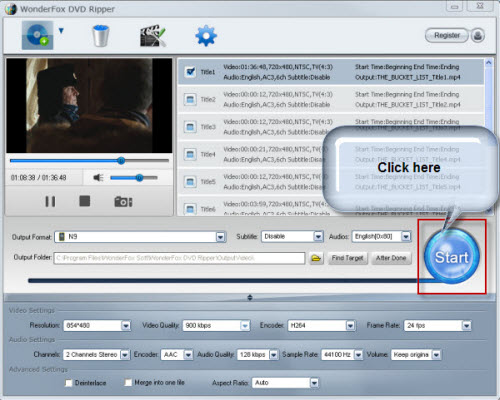
All of the converting processes can be finished in one interface within several simple steps; it is really simple for every user.
All in all, the WonderFox DVD Ripper is really a good choice for us to rip/convert dvd to Nokia compatible video formats. With the DVD ripper software for Nokia, we can easily rip DVD movies to Nokia video format. By the way, the DVD ripper runs well on Windows, so, we can easily convert DVD to PC, convert DVD to Hadr Drive, copy DVD to tablet, convert DVD to cell phone with it. Furthermore, the software also allow us to convert DVD to AVI video format, convert DVD to iPad 3 compatible video, convert DVD to WMV video, convert DVD music to MP3 file, rip/convert DVD to MKV video; and besides, convert DVD to MP4 video format, convert DVD to BlackBerry video formats and convert DVD to Android devices are also available for us.




