
Free Download
A Free and Simple Video Editing Helper for Windows
AuthorRecommended by the author
Free Download X

SoftwareHow to Tips

Convert DVDRip DVD

Resources

How to Download Windows Movie Maker for Windows 10/11 & Best Alternatives

Author: Kevincy by Kevincy

Updated on Jun 9, 2026

After updating Windows 7/8.1 to Windows 10 or moving to Windows 11, many users have asked the same question – where is Windows Movie Maker in Windows 10/11? In fact, it has been discontinued for years and is no longer offered by Microsoft. This guide explains how to install Windows Movie Maker for Windows 10/11 from an archived offline installer, what to watch out for before installing it, and which modern alternatives are worth trying if Movie Maker does not work well on your PC. The same applies to Windows 11 users: Movie Maker is not preinstalled, but the installer and alternatives below can be used in the same way.

Still Looking for Windows Movie Maker for Windows 10/11?

I believe that many people are familiar with Movie Maker, an entry-level Windows video editing program. Unlike complicated and expensive professional video editing software, Movie Maker is easy to handle and completely free. These features made it popular among home users who only needed to trim clips, join videos, add music, or make a simple slideshow. However, after upgrading to Windows 10, you cannot find the Movie Maker icon because it is not built into Windows 10 or Windows 11. The following article explains where Windows Movie Maker went, how to get it back with an offline installer, and when it is better to choose a newer video editor instead.

Can I Install Movie Maker on Windows 10/11? Where is Windows Movie Maker?

Windows Movie Maker is a part of the Windows Essentials 2012 software suite, which was originally designed for Windows 7, Windows 8, Windows 8.1, and can still run on many Windows 10 and Windows 11 PCs. Unfortunately, Microsoft ended support for Windows Essentials 2012 on January 10, 2017 and no longer provides Movie Maker for download. If you already installed Movie Maker before, you can still open and use it. If not, you have to rely on an archived offline installer, which means you should be more careful with the source, file name, and installation options.

Also note that regular support for Windows 10 ended on October 14, 2025. Your Windows 10 computer can still work, but it no longer receives standard security updates from Microsoft unless you are covered by an eligible extended update plan. Windows 11 is still supported, but Movie Maker itself remains discontinued, so the same safety warnings apply. For daily editing work, a maintained Movie Maker alternative is often safer and more reliable than an old discontinued program.

More Solutions Related to Windows 10: Fix MKV Windows 10 Playback Issue | 5 Best Free DVD Players for Windows 10 | Windows 10 YouTube Not Working

Free Download Free Download

Best Solution for Windows Movie Maker Windows 10/11 Free Download

How to download Windows Movie Maker for Windows 10 or Windows 11? Although the official Microsoft site no longer provides Windows Essentials 2012, some archived copies of the offline installer are still available. The following two links point to archived Microsoft download URLs that have been used by many Movie Maker users. Before installing, make sure the file name is wlsetup-all.exe, avoid any download button that belongs to an ad, and scan the installer with your security software. On Windows 11, the installation steps are the same, but you may still run into compatibility issues because the program has not been updated for modern Windows versions.

1.Universal English:

http://web.archive.org/web/20170112124505/http://wl.dlservice.microsoft.com/download/C/1/B/C1BA42D6-6A50-4A4A-90E5-FA9347E9360C/en/wlsetup-all.exe

2.British English:

http://web.archive.org/web/20160423192125/http://wl.dlservice.microsoft.com/download/1/9/4/194B1919-A211-441F-BC0E-34F6B533B876/en-gb/wlsetup-all.exe

Since Movie Maker is discontinued, no third-party download can be treated the same as an active official Microsoft download. The offline installer above is a practical workaround, but it is still old software. If you only need simple trimming, joining, cropping, rotation, subtitles, or format conversion, you can also skip the legacy installer and choose one of the modern Windows Movie Maker alternatives listed below.

How to Get Windows Movie Maker on Windows 10/11?

Install Movie Maker on Windows 10/11Install Movie Maker on Windows 10/11

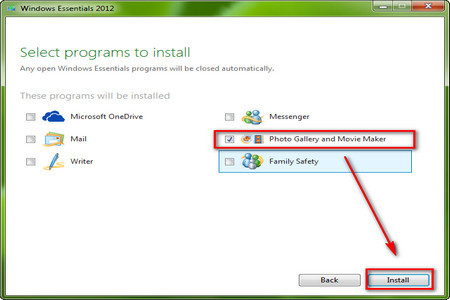
Download the offline installation package of Windows Essentials 2012 on Windows 10 or Windows 11. Then, follow the steps below to install Movie Maker only instead of the whole suite.

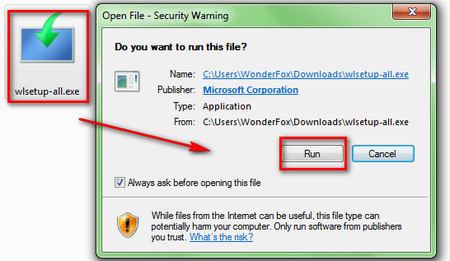
Step 1. Double click the downloaded wlsetup-all.exe. If your PC does not have .NET Framework 3.5 enabled, Windows may ask you to install it before continuing.

Step 2. Choose the programs you want to install. Do not select the full Windows Essentials suite unless you really need the other retired apps.

Windows Movie Maker on Windows 10/11Windows Movie Maker on Windows 10/11

Step 3. Select Photo Gallery and Movie Maker and then click the Install button to install Windows Movie Maker on your Windows 10 or Windows 11 PC.

Once the installation is completed, click the Windows icon on the lower left corner of your desktop and open Windows Movie Maker by clicking the Movie Maker icon. Then, the familiar workspace will show up and you can begin to edit your videos. It enables you to rotate videos, add effects to videos, trim videos, make photo slideshows, add music, and export simple home videos.

Now, you have figured out how to get Windows Movie Maker on Windows 10/11. If it opens and exports normally, you can keep using it for simple projects. If it fails to install, crashes, cannot import your modern video files, or feels too limited, move on to the alternatives below.


If you still have trouble installing Movie Maker, you can try the following Movie Maker alternatives for Windows 10/11. Some are as simple as Movie Maker, while others are better for timeline editing, color correction, and larger projects.

Best Windows Movie Maker Alternatives for Windows 10/11

Movie Maker is still loved because it is simple, but it is no longer maintained and may not work well with newer codecs, high-resolution videos, or long projects. If you prefer a safer and more current editor, the following tools can replace Windows Movie Maker for different needs. The left image area is kept as a placeholder so you can add new screenshots later.

Microsoft PhotosMicrosoft Photos

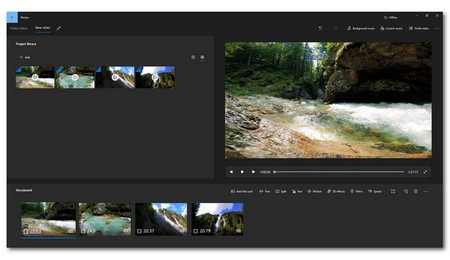
1. Microsoft Photos

OS: Windows | Price: Free

Microsoft Photos is a basic replacement for users who only need to make quick videos from photos and clips. It can help you trim, split, add text, apply filters, and create simple storyboard-style videos without installing a complex editor.

Best for: beginners who want a built-in and lightweight editing tool.

ClipchampClipchamp

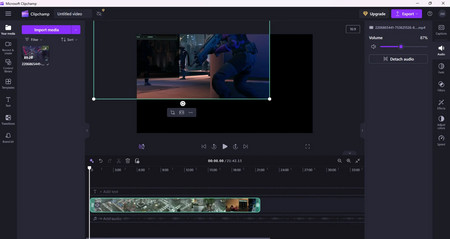
2. Clipchamp

OS: Windows, Web | Price: Free with paid options

Clipchamp is Microsoft’s modern video editor. Compared with Movie Maker, it offers a more current timeline, templates, stock assets, screen recording, text, transitions, and browser-based access. It is easier than professional editors but more flexible than the old Movie Maker.

Best for: Windows users who want an official Microsoft-style editor with modern templates.

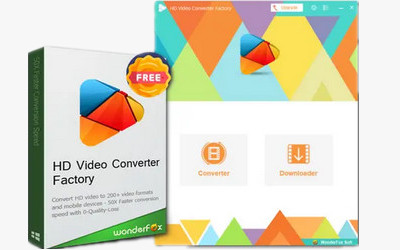
Free HD Video Converter FactoryFree HD Video Converter Factory

3. WonderFox Free HD Video Converter Factory

OS: Windows | Price: Free

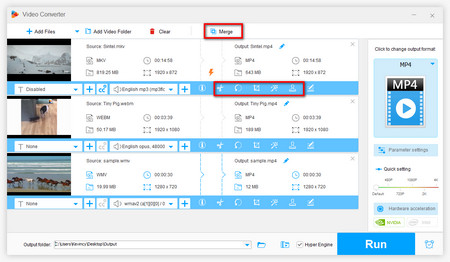
WonderFox Free HD Video Converter Factory is not a full timeline editor, but it is useful for the kind of quick editing many Movie Maker users need. You can trim, merge, crop, rotate, add effects, add watermarks, compress videos, and convert files to common formats when Movie Maker cannot import or export them properly.

Best for: basic edits, format conversion, compression, and fixing compatibility issues.


Get WonderFox Free HD Video Converter FactoryGet WonderFox Free HD Video Converter Factory

VSDC Free Video EditorVSDC Free Video Editor

4. VSDC Free Video Editor

OS: Windows | Price: Free with paid upgrade

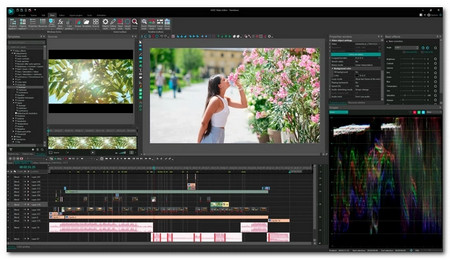
VSDC Free Video Editor is a non-linear editor with more advanced tools than Movie Maker, including visual effects, audio effects, color adjustment, and support for many formats. It takes more time to learn, but it gives you more control over your project.

Best for: users who want more editing features without jumping straight to a professional suite.


Get VSDC Free Video Editor

Icecream Video EditorIcecream Video Editor

5. Icecream Video Editor

OS: Windows | Price: Free with paid upgrade

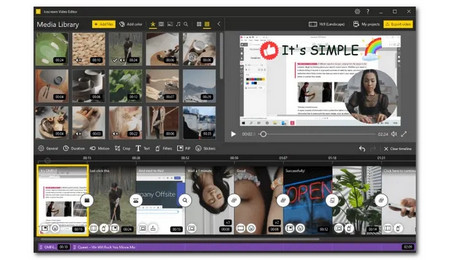
Icecream Video Editor keeps the workflow simple while adding useful options such as timeline editing, transitions, audio adjustment, voiceover recording, and basic effects. It is a comfortable choice if you liked Movie Maker’s ease of use.

Best for: simple home videos, slideshows, and beginner-friendly timeline editing.


Get Icecream Video Editor

VideoProc VloggerVideoProc Vlogger

6. VideoProc Vlogger

OS: Windows, macOS | Price: Free

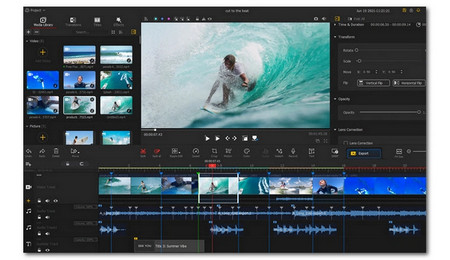
VideoProc Vlogger is a free editor for creators who want more than basic trimming. It supports multi-track editing, speed changes, motion effects, color tools, and audio editing while still staying friendlier than many professional programs.

Best for: vloggers and users who want a free editor with more creative control.


Get VideoProc Vlogger

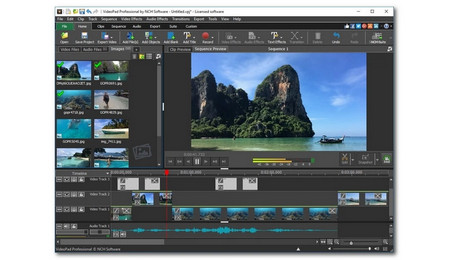
VideoPad Video EditorVideoPad Video Editor

7. VideoPad Video Editor

OS: Windows, macOS | Price: Free trial with paid plans

VideoPad Video Editor lets you import clips, arrange them on a timeline, add transitions, effects, titles, and audio, and then export or share the video. It is easier to approach than many advanced editors, though the free version has limitations.

Best for: users who want a traditional editor with quick export and sharing options.


Get VideoPad Video Editor

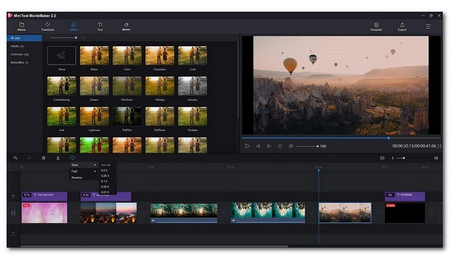
MiniTool Movie MakerMiniTool Movie Maker

8. MiniTool Movie Maker

OS: Windows | Price: Free with paid plans

MiniTool Movie Maker has a clean interface and templates for quick video creation. It supports common edits such as split, trim, transition, text, effects, and audio adjustment, making it suitable for users who want a familiar “movie maker” style workflow.

Best for: beginners who want templates and a simple interface.


Get MiniTool Movie Maker

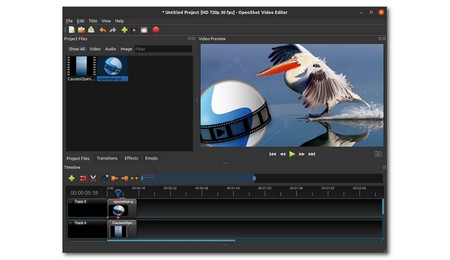
OpenShotOpenShot

9. OpenShot

OS: Windows, macOS, Linux | Price: Free

OpenShot is a free and open-source video editor with timeline editing, transitions, titles, effects, and multiple export options. It is more powerful than Movie Maker, but it may run less smoothly on low-end computers.

Best for: users who want a free open-source editor with more features.


Get OpenShot

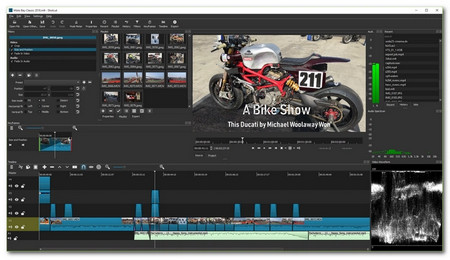
ShotcutShotcut

10. Shotcut

OS: Windows, macOS, Linux | Price: Free

Shotcut is another open-source editor that supports many formats and includes filters, transitions, color tools, audio tools, and timeline editing. It is flexible and regularly updated, but beginners may need some time to get used to the interface.

Best for: users who want a free editor with broad format support.


Get Shotcut

AvidemuxAvidemux

11. Avidemux

OS: Windows, macOS, Linux | Price: Free

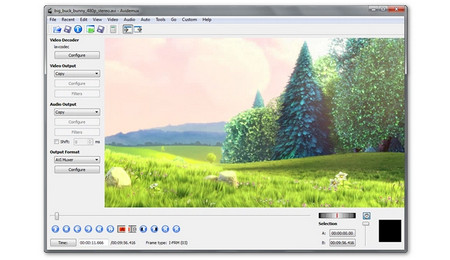
Avidemux is best for quick cutting, filtering, and encoding tasks. It does not provide a multi-track timeline like Movie Maker, but it is very efficient when you only need to cut, append, or convert a video without building a complicated project.

Best for: fast cuts and simple video processing.


Get Avidemux

LosslessCutLosslessCut

12. LosslessCut

OS: Windows, macOS, Linux | Price: Free

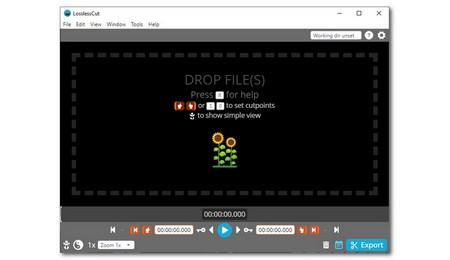
LosslessCut is not a full Movie Maker replacement, but it is excellent for cutting, trimming, and removing unwanted parts without re-encoding the whole video. It is fast and helps preserve original quality when you only need basic clip cleanup.

Best for: cutting videos quickly without quality loss.


Get LosslessCut

KdenliveKdenlive

13. Kdenlive

OS: Windows, macOS, Linux | Price: Free

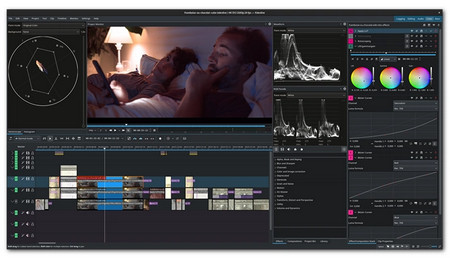
Kdenlive is a powerful open-source non-linear editor with multi-track editing, transitions, effects, audio tools, proxy editing, and broad format support. It is much more capable than Movie Maker, but it has a steeper learning curve.

Best for: advanced free editing and larger projects.


Get Kdenlive

HitFilmHitFilm

14. HitFilm

OS: Windows, macOS | Price: Free with paid plans

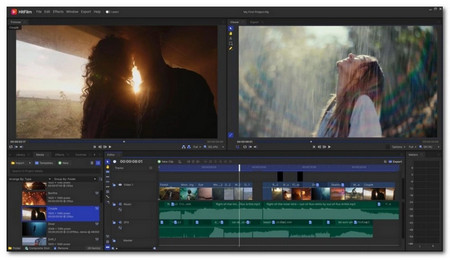
HitFilm combines basic editing tools with visual effects, templates, and tools for more cinematic videos. It can be overkill for simple family clips, but it is useful if you want to move beyond Movie Maker and learn effects-driven editing.

Best for: YouTube-style videos and users interested in visual effects.


Get HitFilm

DaVinci ResolveDaVinci Resolve

15. DaVinci Resolve

OS: Windows, macOS, Linux | Price: Free with paid Studio version

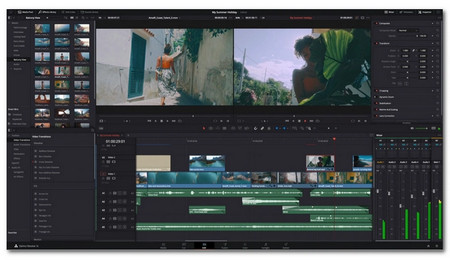
DaVinci Resolve is a professional-grade editor with editing, color correction, audio post-production, motion graphics, and proxy workflow. The free version is very powerful, but it is not the best choice for low-end PCs or users who only need Movie Maker-level edits.

Best for: advanced users, high-quality projects, and professional post-production.


Get Davinci Resolve

FAQs about Windows Movie Maker on Windows 10/11

Q1. Is Windows Movie Maker still available from Microsoft?

No. Windows Movie Maker was included in Windows Essentials 2012, which reached end of support on January 10, 2017. Microsoft no longer provides it as an official download.


Q2. Can I still use Windows Movie Maker on Windows 10 or Windows 11?

Yes, if it is already installed or if the archived offline installer works on your PC. However, it is discontinued software, so you may run into installation errors, codec problems, crashes, or export limitations.


Q3. What is the official replacement for Windows Movie Maker?

For Windows users, Microsoft moved from Movie Maker to the Photos video editor experience and then to Clipchamp as the more modern editing option. If you want a Microsoft-backed editor, Clipchamp is the better place to start today.


Q4. Which Movie Maker alternative is best for simple video edits?

For very basic edits, Microsoft Photos, Clipchamp, WonderFox Free HD Video Converter Factory, Icecream Video Editor, and MiniTool Movie Maker are easier choices. For advanced timeline editing, try Shotcut, Kdenlive, HitFilm, or DaVinci Resolve.


Kevincy

Kevincy Berel

Kevincy joined the WonderFox team in 2014 and has been a senior columnist ever since. With over two decades of experience in the video editing industry, he shares tutorials, tips, and how-to guides on video/audio processing and personal DVD backups. Family-oriented and passionate about helping others, he is dedicated to making video and audio processing easier for readers.

Email

Kevincy

Kevincy Berel

Kevincy joined the WonderFox team in 2014 and has been a senior columnist ever since. With over two decades of experience in the video editing industry, he shares tutorials, tips, and how-to guides on video/audio processing and personal DVD backups. Family-oriented and passionate about helping others, he is dedicated to making video and audio processing easier for readers.

Email

A Free Video Editing and Conversion Tool for You

Free HD Video Converter Factory

WonderFox Free HD Video Converter Factory

WonderFox Free HD Video Converter Factory is a beginner-friendly video tool for Windows. It can trim, merge, crop, rotate, add effects, compress, and convert videos to popular formats, making it a practical helper when Movie Maker cannot read or export your files properly.

More Related Articles

11 Best Video Converters for Windows 10/11 Desktop and Online Top 9 Best Online Video Editors No Watermark 14 Best Free Video Editing Software with No Watermark
14 Best Video Editing Software for Windows 11 HD & 4K Video Editing Software - Easily Edit High-Resolution Videos Top 10 Video Watermark Remover Tools Online/Offline for All Devices