1. Can I listen to SoundCloud offline for free without a SoundCloud Go subscription?
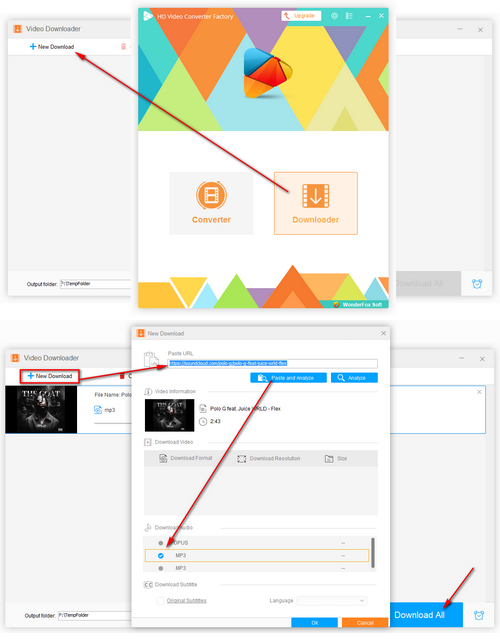
Offline playback within the mobile app requires a SoundCloud Go subscription, but you can use third-party download tools like Free HD Video Converter Factory to download SoundCloud tracks as MP3 files so you can easily listen offline on any device.
2. How do I convert SoundCloud songs to MP3 format?
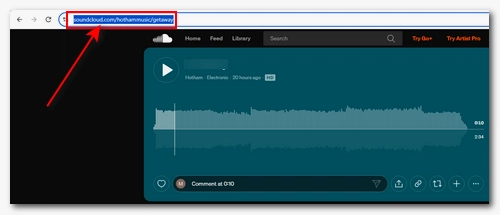
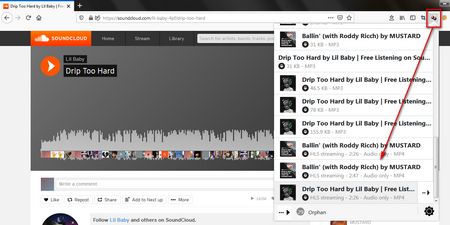
You're recommended to use Free HD Video Converter Factory to download your desired SoundCloud tracks. Simply open the Downloader module, analyze the link to the track, select the MP3 download option, and click Download All to save the MP3 file.
3. Which audio format should I choose for saving SoundCloud tracks: MP3, WAV, M4A, or Ogg?
Different audio formats serve different purposes:
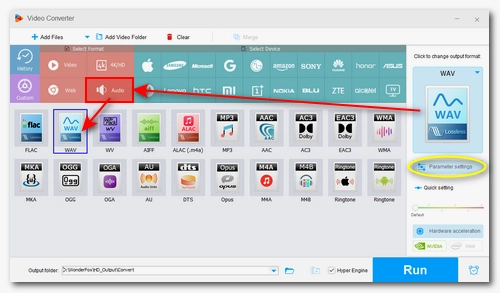
- Convert SoundCloud to MP3: Offers the best compatibility and suitable for all devices and platforms.
- Convert SoundCloud to WAV: Suitable for audio editing or mixing.
- Convert SoundCloud to M4A: Suitable for Apple devices (iPhone, Mac, iPad).
- Convert SoundCloud to Ogg: Suitable for online sharing.
4. Should I use online SoundCloud downloaders or desktop software?
It depends on your actual needs.
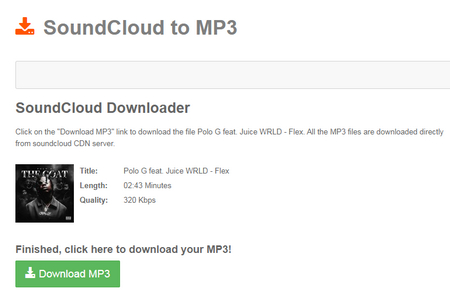
Online downloaders require no installation and are ideal for quickly downloading one song at a time. In contrast, desktop software supports batch downloading, offers greater stability, and provides faster download speeds.
5. Is it legal to use SoundCloud downloaders?
Downloading royalty-free songs or tracks permitted by the artist for personal, fair use is legal. But downloading copyrighted audio without permission violates SoundCloud's Terms of Service. Therefore, please ensure you have the appropriate rights before downloading.




 How to & Tips
 Download Online Video
 by
by