GIF file is small and simple image file, which can support animation comprised of a number of still images. Compared with flash, animated GIFs are much smaller in size. That’s why animated GIFs are widely used on webpage. People can put an animation of a video online without streaming the video itself. But for those green hands, it would be a little bit troublesome to make animated GIFs from your beloved videos. Here we will introduce you the easiest way to convert video to GIFs. Just follow the steps below you will figure it out.
Download Video to Picture Converter, then install and launch it.
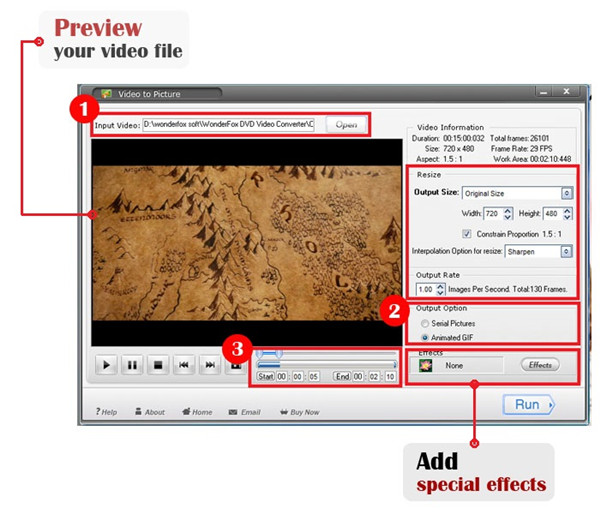
With this Video to Picture converter, you can modify other settings to meet your own needs.
Hit “Run” button, you will come to output interface.
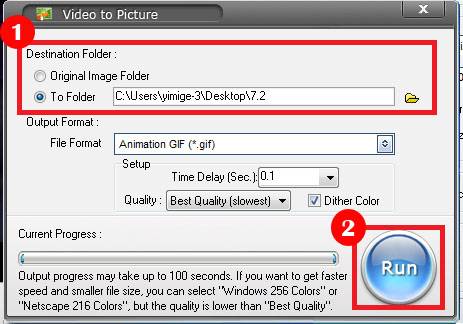
Video to Picture Converter is capable of converting almost all frequently used video files including AVI, MPEG, WMV, DVD (VOB), DVR-MS RM and RMVB to a wide range of image formats, like JPG, BMP, GIF, TGA, TIF, PCX, PNG and ICO. With this versatile video to picture software, user can also effortlessly export the captured frames as animated GIF image to get lively picture view.