
Best Video & Audio Processor: HD Video Converter Factory Pro
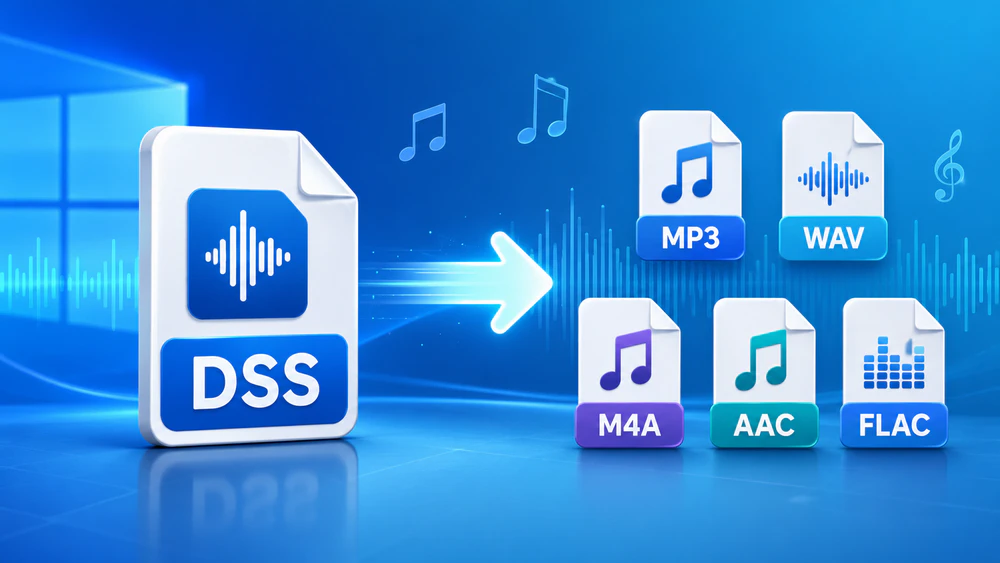

Have you received a .dss file from a digital voice recorder, dictation device, or transcription project, only to find that your regular media player cannot open it? So, what is a DSS file?
That is a common problem. DSS, short for Digital Speech Standard, is a compressed audio format designed mainly for speech, dictation, and transcription. It is commonly associated with digital voice recorders from brands such as Olympus / OM System, Philips, and Grundig.
DSS is not a mainstream audio format like MP3, WAV, or M4A. It is mainly used for digital dictation and voice recording, so many common players, editors, phones, and transcription tools may not recognize it properly.
Depending on what you want to do with the file, there are two practical solutions:
If you want to edit, share, upload, archive, or play the audio on different devices, converting DSS to a common format is usually more convenient. But if you only need to listen to the file once, a DSS player may be enough.
For Windows users, WonderFox HD Video Converter Factory Pro offers a simple way to convert DSS files without dealing with complicated settings, extra codec packs, or command lines.
The program supports a wide range of audio output formats, including MP3, WAV, M4A, AAC, FLAC, WMA, OGG, AC3, AIFF, ALAC, and more. Whether you want a smaller MP3 file for easy sharing, a WAV file for editing, or another format required by a specific device or program, you can select the needed profile directly from the output format library.
Now, let’s see how to convert DSS audio files step by step.
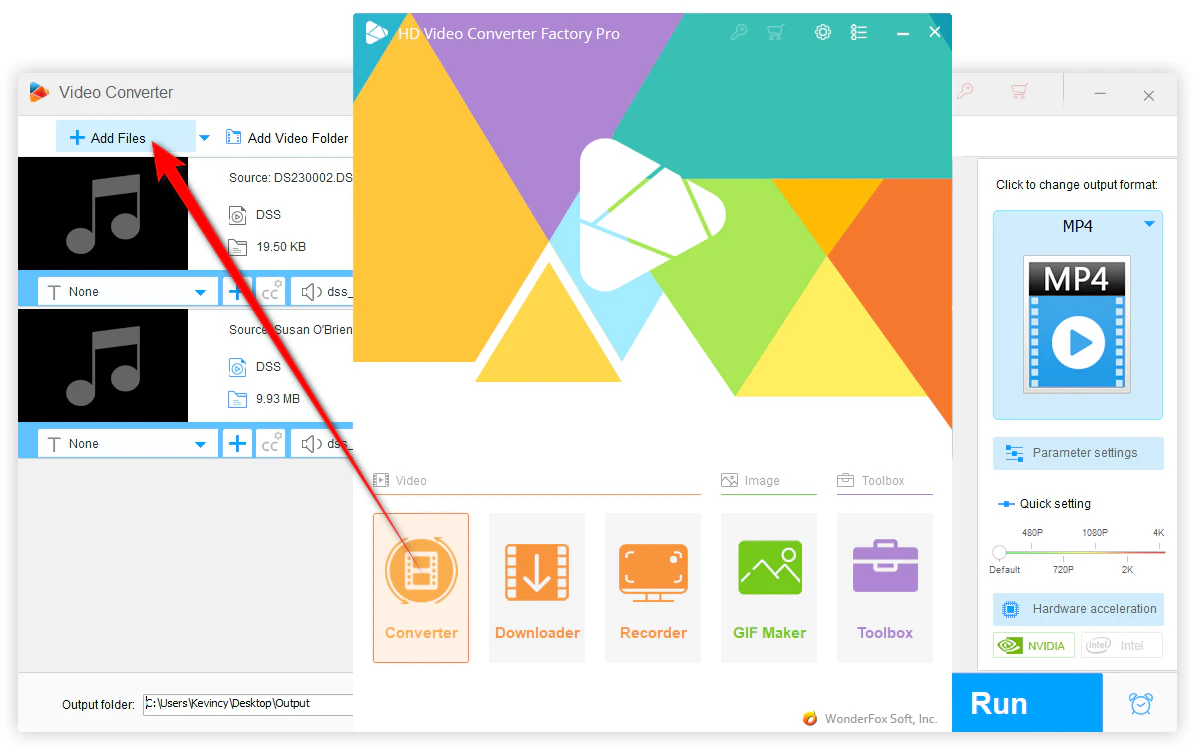
DownloadDownload, install, and launch the application on your Windows PC. Then open the Converter module.
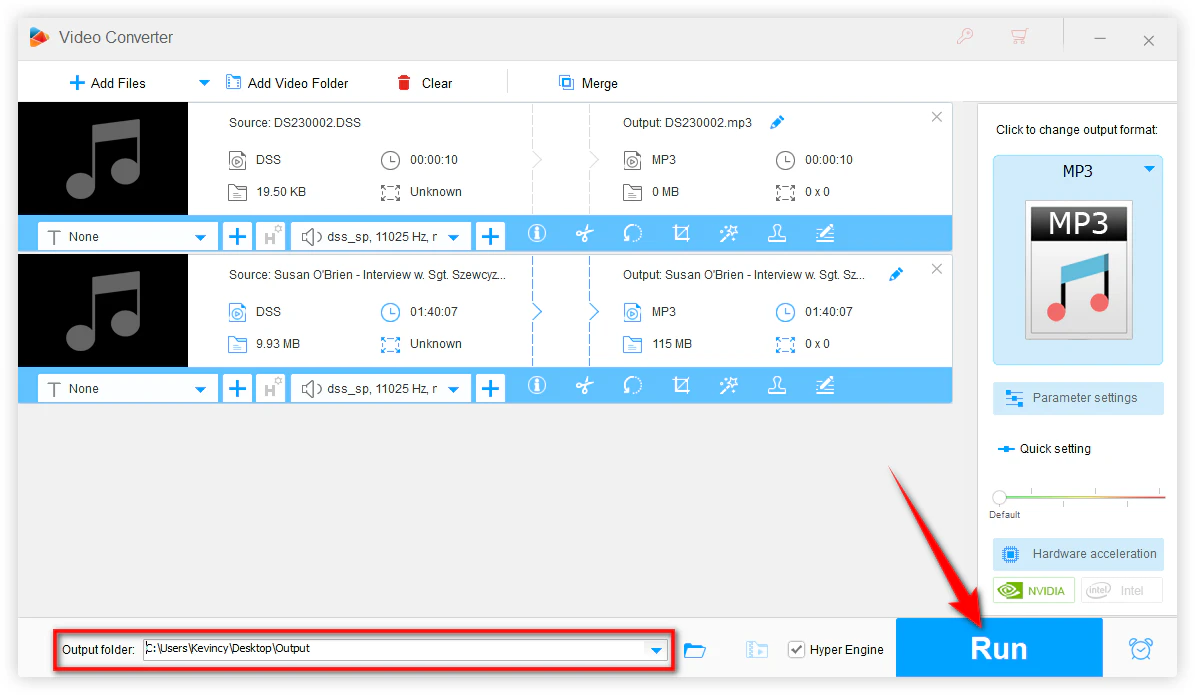
Click Add Files to import your DSS audio files. You can add one file or load multiple DSS files for batch conversion.
After the files are added, the software will list them in the conversion window.
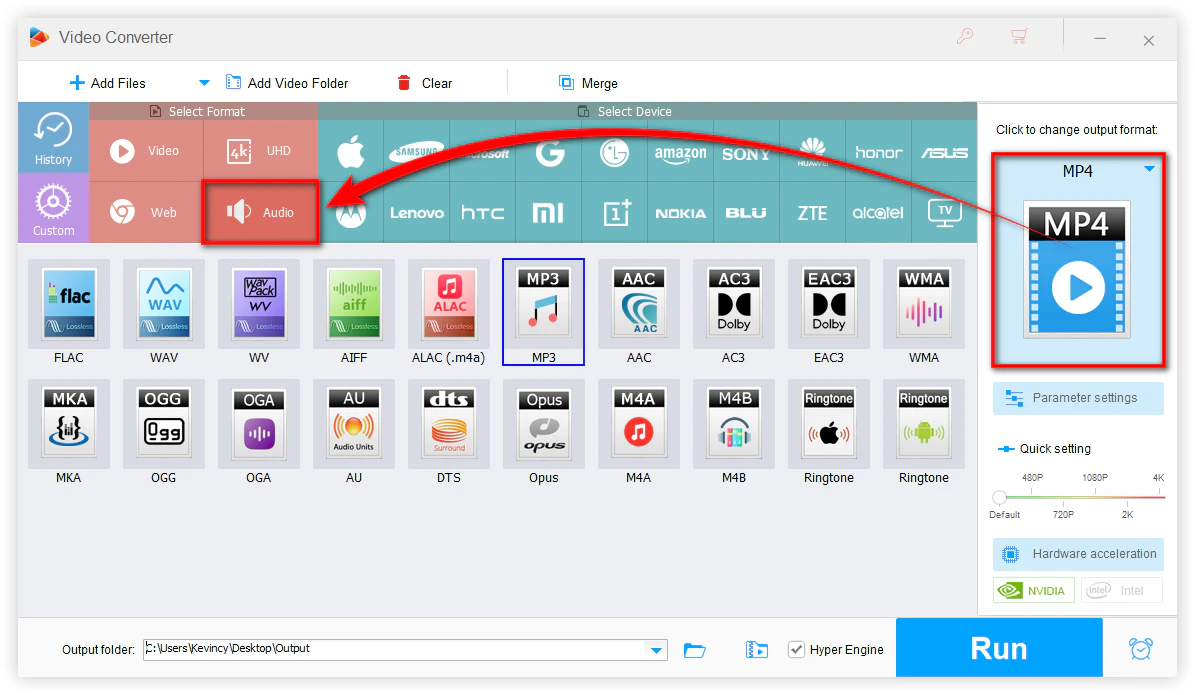
Click the format image on the right side to open the output format library.
Go to the Audio tab and choose the format you need. For example:
There is no single “best” output format for every user. Just select the one that fits your playback, editing, sharing, or storage needs.
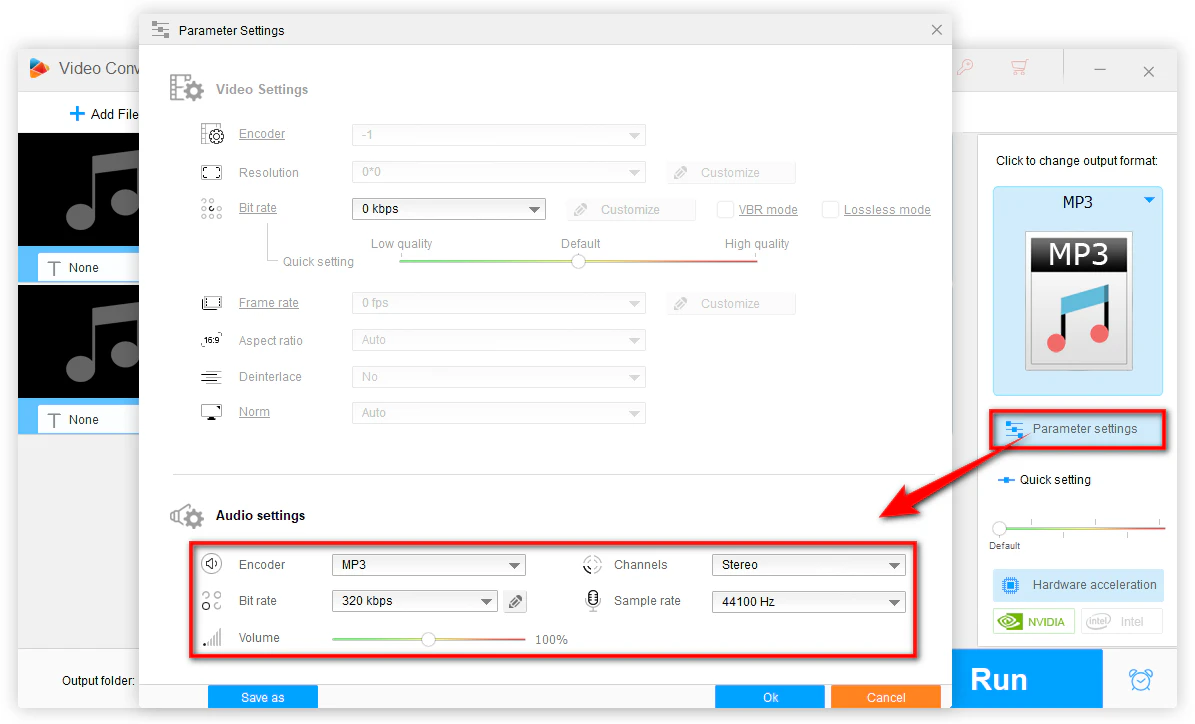
This step is optional.
Click Parameter settings if you want to customize the output audio. You can change:
If you are not familiar with these settings, you can leave them as default.
You can also use the built-in tools to trim unwanted parts, split long recordings, or merge several audio clips before conversion.
Click the inverted triangle button at the bottom to choose an output folder.
Then click Run to start converting DSS to your selected audio format.
Once the conversion is complete, open the output folder and check the converted file. You should now be able to play, edit, transfer, or share it more easily.
Although this guide focuses on DSS conversion, WonderFox HD Video Converter Factory Pro can also help with many other video and audio tasks, including:
So if you often deal with uncommon audio or video formats, it can be a practical all-in-one media toolkit for Windows.
A: Yes. You can install a dedicated DSS player, such as Olympus / OM System DSS Player Standard or other dictation software that supports DSS files. This is a good choice if you only want to listen to the recording. Some professional dictation software from Philips or other recorder brands may also support DSS playback.
However, using a DSS player does not solve compatibility issues outside that software.
A: Usually, no. WMP only plays common audio file, VLC even supports many media formats, but DSS is a proprietary dictation format and is not reliably supported by common players.
A: No. Converting DSS to WAV will not improve the original recording quality. DSS is already a compressed speech format, so the output quality still depends on the source recording.
WAV can be useful for editing or compatibility, but it cannot restore details that were not present in the original DSS file.
A: Some online converters may support DSS, but results can be inconsistent. Also, DSS files are often used for dictation, meetings, interviews, medical notes, or legal recordings, so privacy may be a concern. For sensitive recordings, it is safer to use an offline desktop converter.
A: DSS files usually use the .dss extension, while DSS Pro files use .ds2. DS2 is a newer professional dictation format and may support encryption. If a DS2 file is encrypted, you may need the correct dictation software or access rights before converting it.
That's it! DSS files are useful for digital dictation and voice recording, but they are not always easy to open with common media players, editors, or devices. If you only need to listen to the recording, a dedicated DSS player can help. But for broader use, converting DSS to a regular audio format is usually the easier choice.
With WonderFox HD Video Converter Factory Pro, you can convert DSS files to MP3, WAV, M4A, AAC, FLAC, WMA, and other popular formats in a few simple steps. After conversion, your recordings will be much easier to play, edit, share, upload, or archive based on your needs.
WonderFox
HD Video Converter Factory Pro
 Download for FreeDownload for Free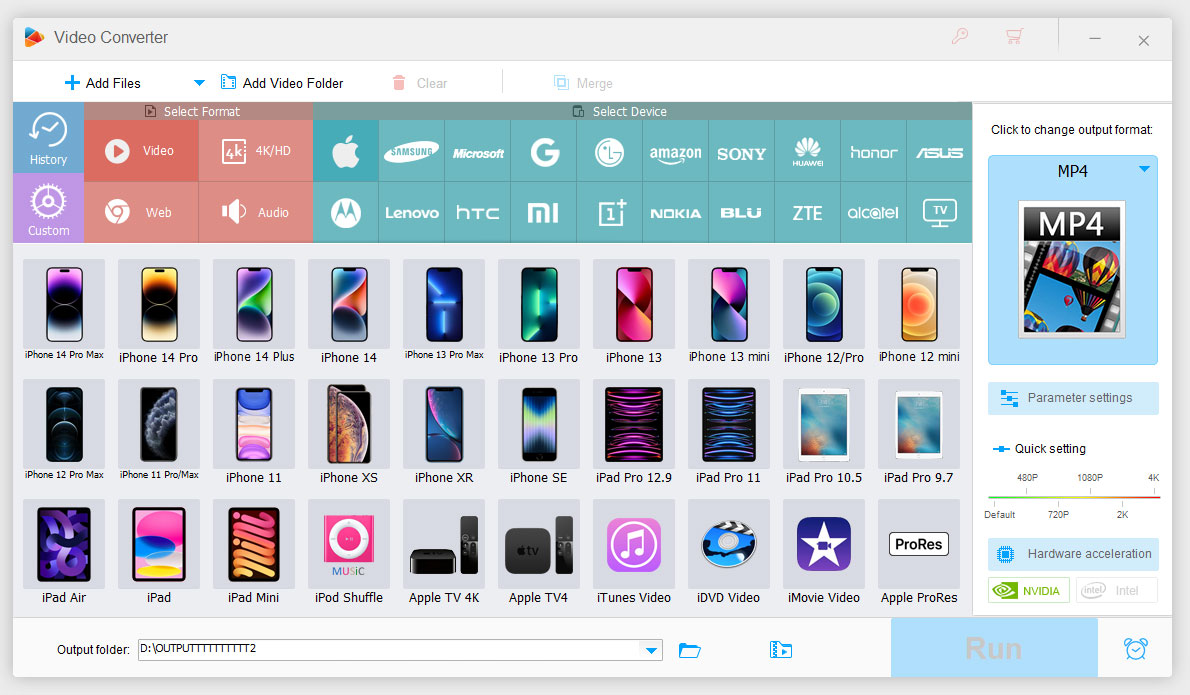



Terms and Conditions | Privacy Policy | License Agreement | Copyright © 2009-2026 WonderFox Soft, Inc. All Rights Reserved.



 Download for Free