


You can post videos on Facebook to share your life or work. But the upload process isn't always smooth, as your video might not be supported by the platform. To be more specific, if the video has an uncommon format or the file size or length exceeds Facebook's limits, it will be rejected.
Therefore, it is essential to understand what videos Facebook supports and to convert your videos to a Facebook-compatible format beforehand.
Facebook supports many video types, including .3gp, .avi, .mp4, .mkv, .mov, .mpeg4, .wmv, etc. But the overall best video format for Facebook is MP4 (or MOV) with H.264 video and AAC audio. Beyond that, there are more technical specifications to follow to ensure an error-free uploading process and smooth playback across devices.
Here are the recommended video settings by Facebook post type:
| Facebook Video Type | Standard Feed Video | Reels & Stories | Video Ads |
|---|---|---|---|
| Format | MP4, MOV | ||
| Codec | H.264 (video), AAC (audio) | ||
| Aspect Ratio & Resolution | 1:1 Square (1080 × 1080 px); 4:5 Vertical (1440 × 1800 px); 16:9 Landscape (1920 × 1080 px) |
9:16 Full Vertical (1080 x 1920 px) | 1:1 (1080 × 1080 px); 9:16 (1080 × 1920 px) |
| Max File Size | 10 GB | 4 GB | Vary by placement (Recommend: < 100MB) |
| Max Duration | 240 minutes | 90 seconds (Reels) / 60 seconds (Stories) | Vary by placement (Recommend: < 15 seconds, frame rate under 30 fps) |
Now you know what video Facebook likes, you can convert your video to that format for easy uploading.
This only involves a simple video conversion and can be easily done with the help of a video-to-Facebook converter like WonderFox HD Video Converter Factory Pro.
It offers presets optimized for Facebook videos, allowing you to convert your videos into Facebook-compatible formats with a single click. Additionally, you can easily trim and crop videos to suit specific Facebook video types.
The software can process any video and does not add a watermark. But note that the unregistered version can only convert videos within 5 minutes, which is enough for you to download download the software and try it out.
Video Converter for Facebook
Let WonderFox HD Video Converter Factory Pro help you convert your videos for Facebook in one click. Batch conversion is supported. Try the program today!
 Download for FreeDownload for Free
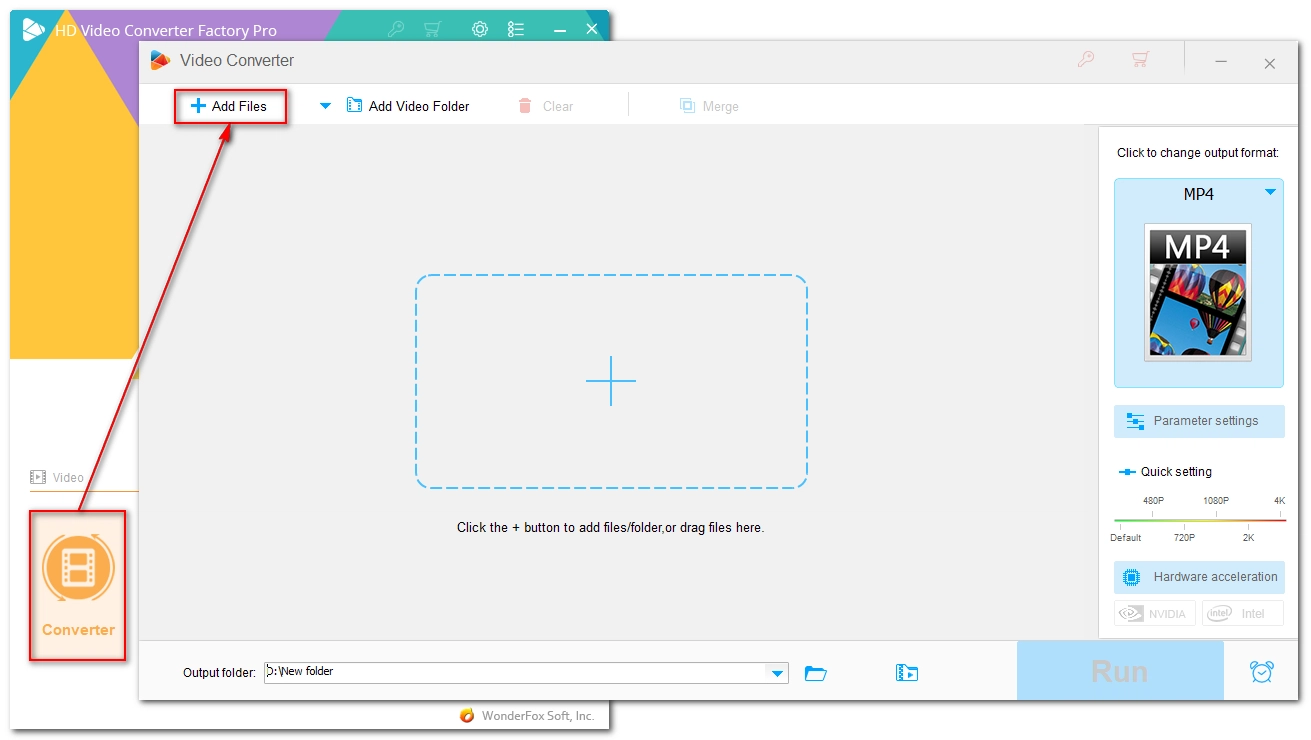
Launch WonderFox HD Video Converter Factory Pro and open the Converter program. Next, click Add Files in the upper-left to add the video files to the conversion list. Alternatively, you can directly drag and drop files here for import.
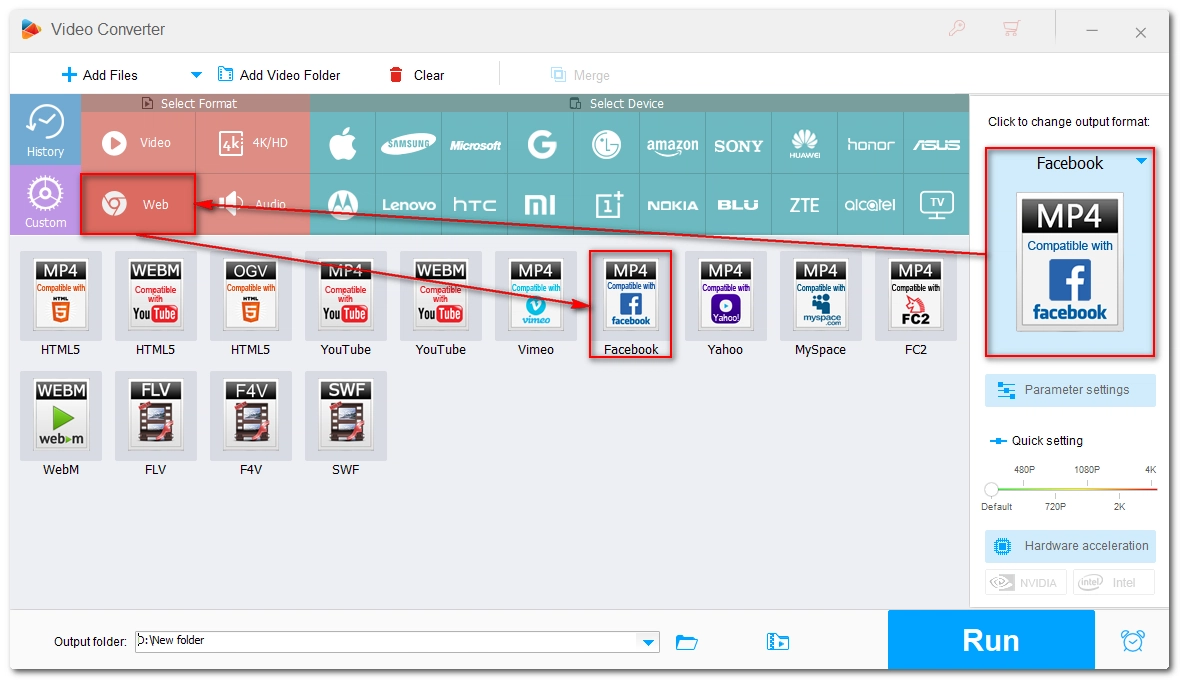
Expand the output format page on the right and go to the Web tab. Then choose Facebook PC or Facebook Mobile depending on your needs.
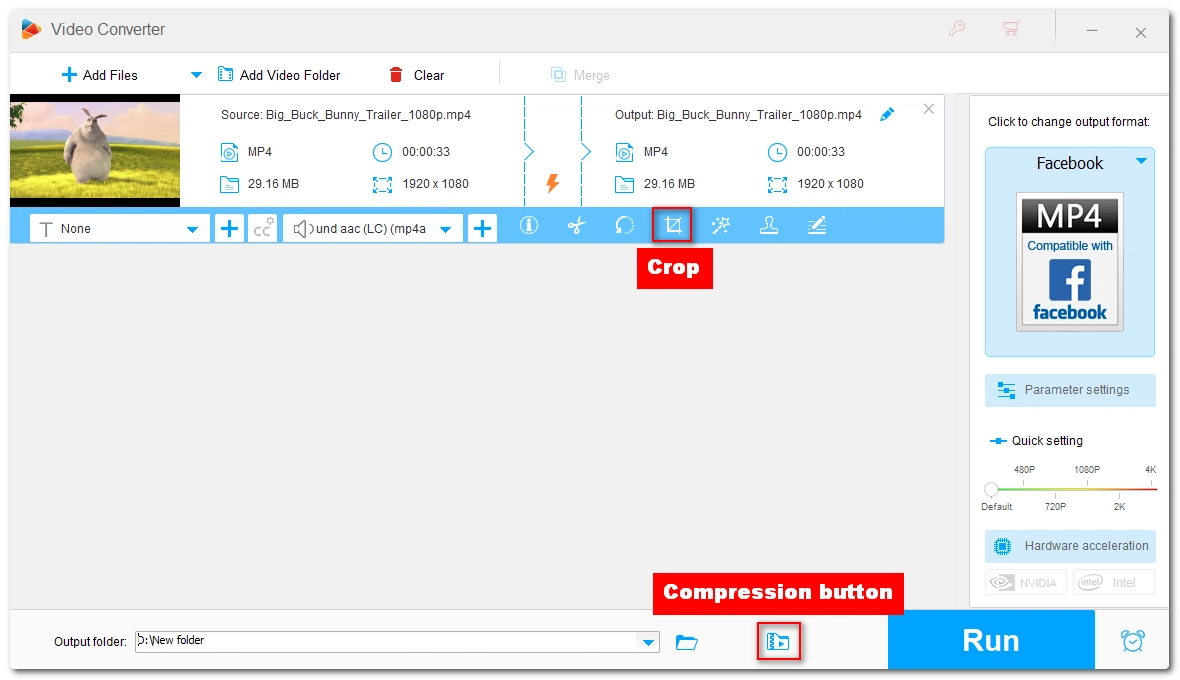
If your video is too large or the dimension doesn't fit Facebook, consider compressing or resizing the video for Facebook. You can select the Trim tool to shorten the file length, use the Crop tool to crop the video to square or other dimension, or use the Compression button at the bottom to compress the video for Facebook.
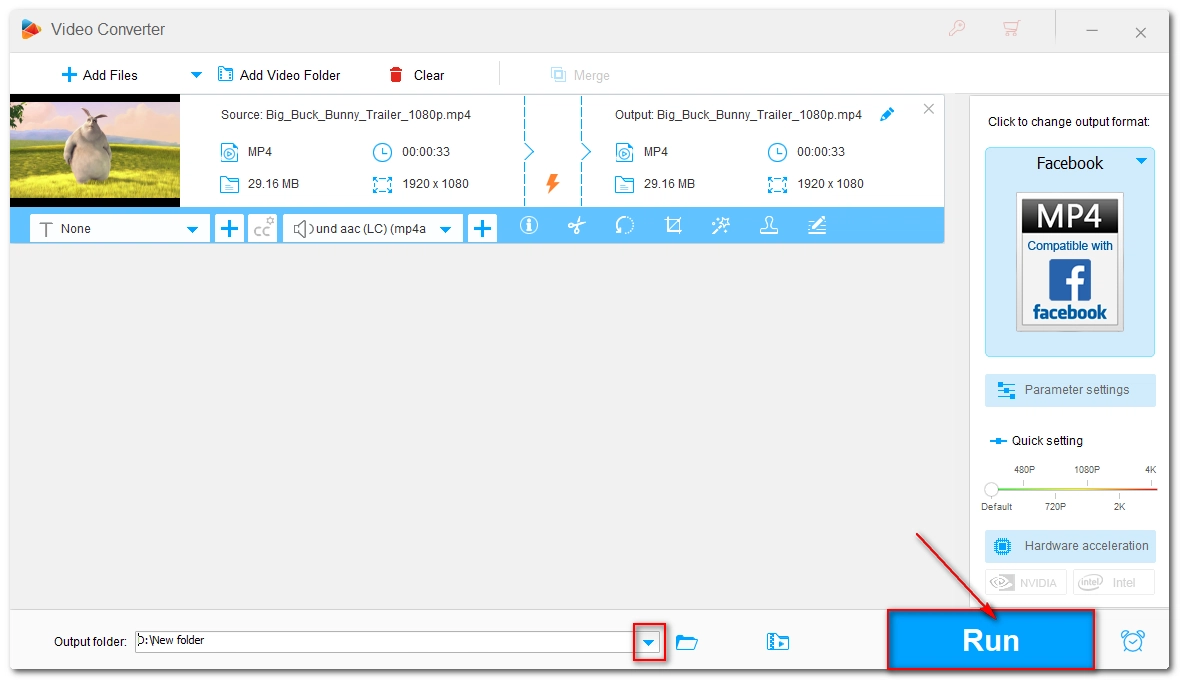
At last, press the ▼ button to specify a new output path and click Run to start the conversion. If your computer has GPU acceleration enabled, you can experience up to 50x faster conversion.
Facebook videos are a great way to promote your brand or share your moments. If you're just starting to create something like a vlog and you're going to post it on Facebook, be aware of its video specs. Don't worry if your video is in the wrong format, converting it to Facebook profile using a video converter like WonderFox HD Video Converter Factory Pro can quickly fix the problem.
That is all I wanted to share in this article, hope it's useful to you. Thanks for reading. Have a great day!
The best video format for Facebook is MP4 or MOV with H.264 video codec, AAC audio codec, and a 30 fps frame rate.
It is worth noting that Facebook, along with other video-sharing platforms like YouTube and Vimeo, compresses uploaded videos to improve streaming efficiency, and this process inevitably results in a loss of image quality. Also, if your video uses an unsupported codec, a low bitrate, or a non-standard resolution, Facebook's compression will degrade the quality even further. To avoid significant quality loss, it is recommended to optimize your video to the MP4 (H.264) format and use a recommended resolution before uploading.
Facebook will reject your video if it is encoded in an unsupported way—for example, if it uses an unsupported codec or format, exceeds Facebook's limits for file size or duration, or has a resolution that is too low or too high.
Facebook supports MP4 files, where the video stream is encoded in MPEG-4 or H264 and the audio stream is encoded in AAC, MP3, WAV, or PCM.
Facebook allows standard post videos to have a file size up to 10 GB and a maximum duration of 240 minutes.
For Facebook Reels and Stories, it's recommend that you use portrait (vertical) MP4 or MOV format videos with a 9:16 aspect ratio and a resolution of 1080 x 1920 pixels.

I write about multimedia topics, including video and audio conversion, compression, editing, and downloading. I joined WonderFox in 2020, and my goal is to help readers solve everyday tech problems more easily. In this guide, I explained the best video format for Facebook and an efficient way to convert videos to a Facebook-compatible format for smooth uploading.


I write about multimedia topics, including video and audio conversion, compression, editing, and downloading. I joined WonderFox in 2020, and my goal is to help readers solve everyday tech problems more easily. In this guide, I explained the best video format for Facebook and an efficient way to convert videos to a Facebook-compatible format for smooth uploading.
WonderFox
DVD Ripper Pro
Unleash the power of WonderFox DVD Ripper Pro, your go-to solution for converting DVDs—whether homemade or commercial—into popular formats like MP4, MKV, and MP3. Experience efficient editing and compression for top-notch results. Download now and transform your DVDs with ease!
Download for FreeDownload for Free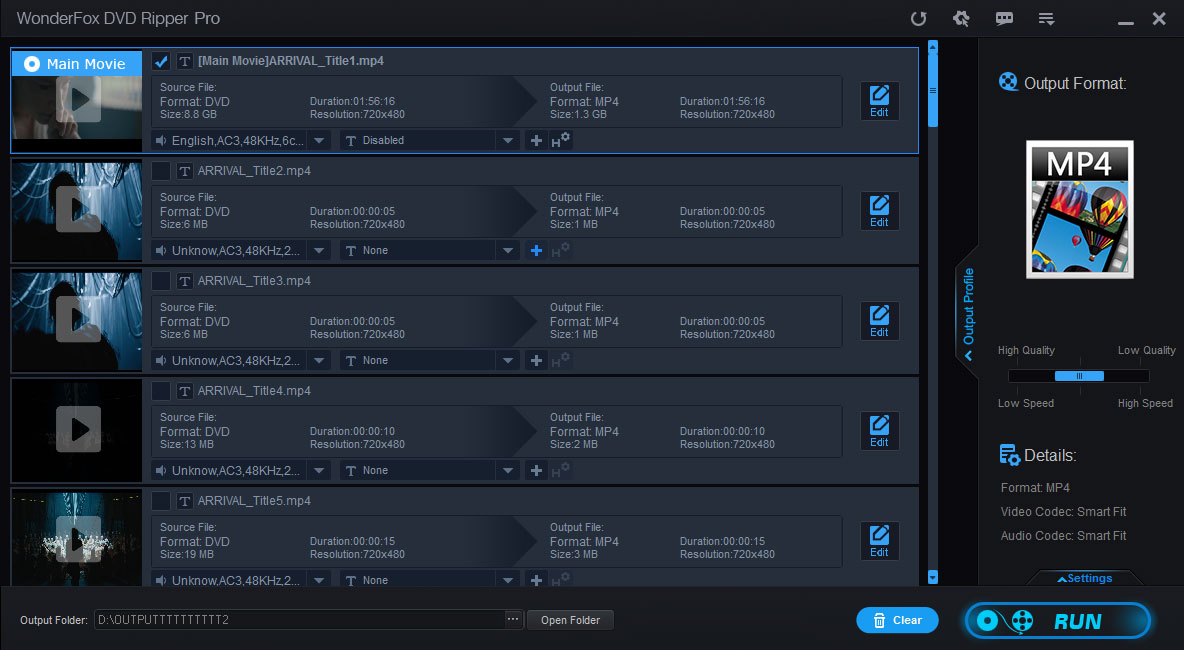


Terms and Conditions | Privacy Policy | License Agreement | Copyright © 2009-2026 WonderFox Soft, Inc. All Rights Reserved.




