How to Tips
 Convert Video
 by
by 
 Free Download
 Product Page
 Windows, 100% Clean!





Before sending video files on WhatsApp, it is better to know what kind of video is more likely to work smoothly. WhatsApp does not publish a complete list of all accepted containers and codecs for every device, and the result may vary by phone model, WhatsApp version, and how you attach the file. Still, the following settings are safer for most users.
1. WhatsApp Maximum File Size: For regular media sharing, WhatsApp says the default video limit can be up to 100MB and 720p for users with a faster internet connection. If you send a video as a document, the maximum file size allowed is 2GB.
2. WhatsApp Maximum Video Length: There is no fixed length that works for every video. A short high-bitrate video may be larger than a long low-bitrate video. For Status updates, keep clips within the time allowed by the app, and for chat sharing, keep the file size under the limit.
3. WhatsApp Video Format Support: MP4 is the most recommended format. MOV, AVI, MKV, and 3GP may work in some cases, but they are more likely to fail if the inner codec is not supported.
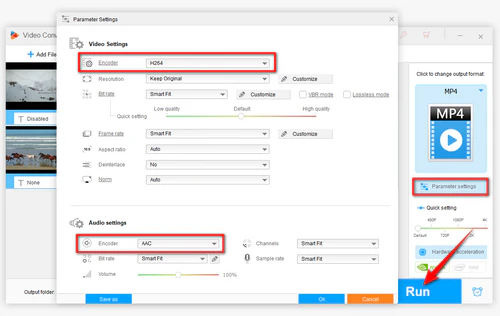
4. WhatsApp Video and Audio Codecs: H.264 video with AAC audio is the safest combination. If your video uses HEVC/H.265, AV1, VP9, DTS, PCM, or another uncommon codec, convert it before sending.