

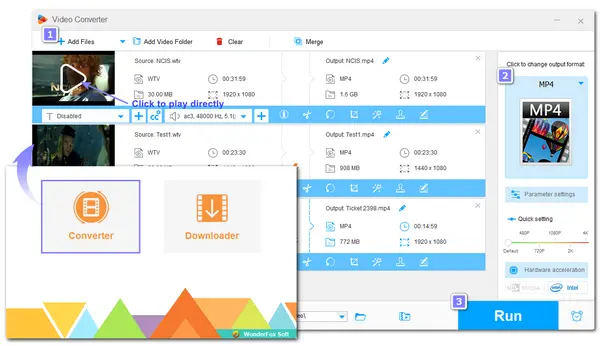


Have some .wtv files but failed to play them on your device? Wondering what a .wtv file is and how to play WTV videos on your computer or mobile device without error? You’re now in the right place. In this post, I'll explain the basic information of WTV format and show you how to successfully play a WTV file with two methods: 1) use media players with WTV format support; 2) convert WTV video file format.
Keep reading to pick a way to play your WTV files now!
WTV is the abbreviation for Windows Recorded TV Show. It's a video and audio container format developed by Microsoft to store TV content recorded by Windows Media Center. It's the successor to the earlier DVR-MS file format that was used in Windows XP Media Center Edition.
The WTV file can contain multiple media streams, like MPEG-2 and MPEG-4 encoded videos, MPEG-1 Layer II or Dolby Digital AC-3 audio strings, metadata, and digital rights. However, WTV is not as popular as MP4, AVI, and other media formats, and few programs support the WTV format now. So you may fail to play this file format with your device and players.
To play your WTV videos smoothly on different devices, just read the following content now!
If you failed to watch WTV videos with the installed player on your device, you can try to use another media player that supports WTV format or directly convert WTV to your player-supported formats.
Here you can find some media players that support WTV format playback on your Windows, Mac, and even mobile devices.
For users who want to play a WTV file on Windows 10 or 11, you can use Windows Media Player, which is the successor to Groove Music, Microsoft Movies & TV, and the original Windows Media Player. The enhanced Windows Media Player in Windows 11 is an excellent choice for users who want to look for a player for their WTV file. This media player also includes several features that make using this media player enjoyable. The “play to” feature, for example, allows you to stream videos and music to other PCs running the same Windows. You may also stream videos to compatible home devices.
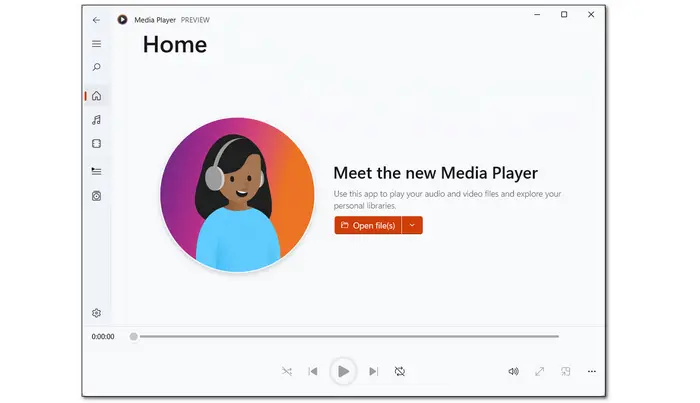

* How to Play a WTV File with Windows Media Player
5KPlayer is a powerful media player that supports a wide range of formats, including WTV. With it, you can easily play WTV video files on Windows and Mac. Built-in with AirPlay™ tech, you can even use it to send files to your TV for seamless playback. It can also be used to play 4K and 360° videos. Moreover, this media player is hardware-accelerated, which can maximize your visual enjoyment with minimal consumption of CPU and GPU.
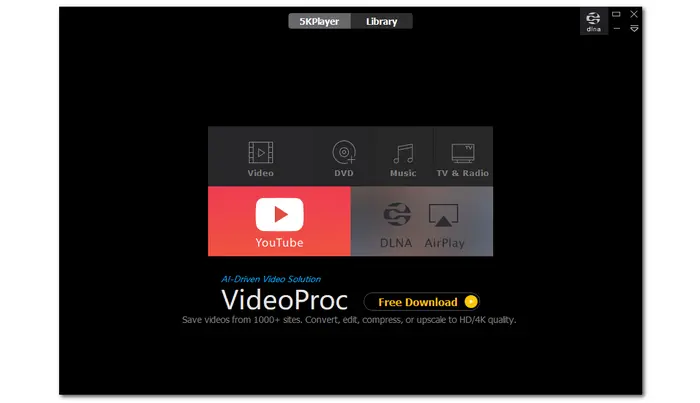
* How to Play a WTV Video with 5KPlayer
Every time when it comes to how to play files in rare formats, VLC is always recommended. It is an open-source and cross-platform media player that is compatible with Windows, Mac, Linux, Android, and iOS. You can just download it and then play your WTV files smoothly on any device you want. Not just WTV, this media player supports almost all video and audio formats. You can even use it to efficiently play discs, URLs, and other media files. No extra codecs are needed, it just plays your videos out of the box.
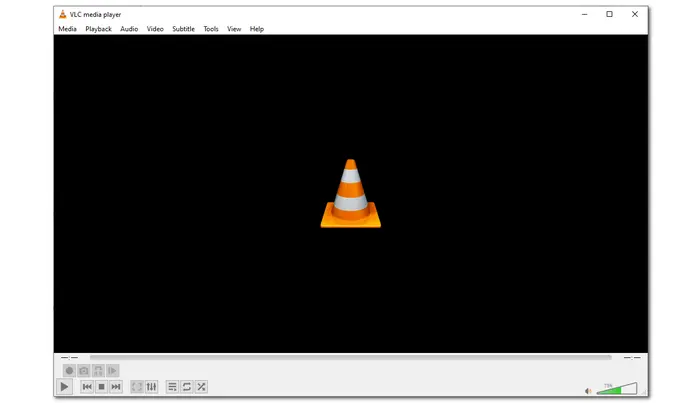
* How to Play a WTV File with VLC Media Player (on any OS)
Since WTV is an outdated format, there are only a handful of media players support this format. When you fail to play a WTV file and don’t want to switch media players, changing the video format is also a good option.
WonderFox Free HD Video Converter Factory is a popular file converter that can convert almost all video and audio files on Windows. It can help you convert WTV to MP4, MKV, TS, and many other mainstream formats with just a few simple clicks. It can also extract MP3 from WTV if all you need is the audio. In addition, it also features a simple WTV video editor and player to help you directly edit and play WTV files on Windows.
This program is easy to use. Let’s free download it here and follow the steps below to convert WTV files.
 Download for Free
Download for Free
Download for Free
🔔 * Some WTV files may be DRM-protected and cannot be converted.
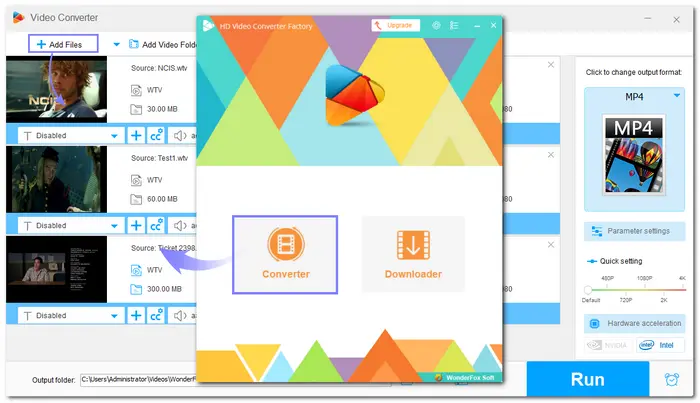
Launch WonderFox Free HD Video Converter Factory on your PC and select the “Converter” module. Then click “+ Add Files” to import the WTV file(s) you want to convert. Drag-n-drop is also supported.
💡 Here you can click the video thumbnail to play the file directly.
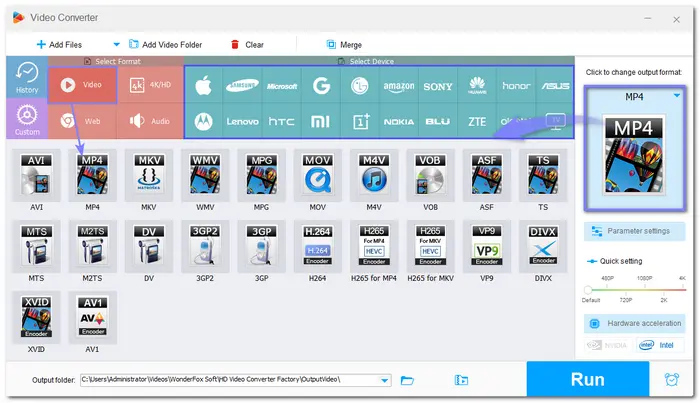
Press the format image on the right side of the interface to open the output format list. Here you can head to the “Video” tab and select “MP4” or other formats compatible with your device and player. (You can also go to the “Device” tab to select a device preset profile.)
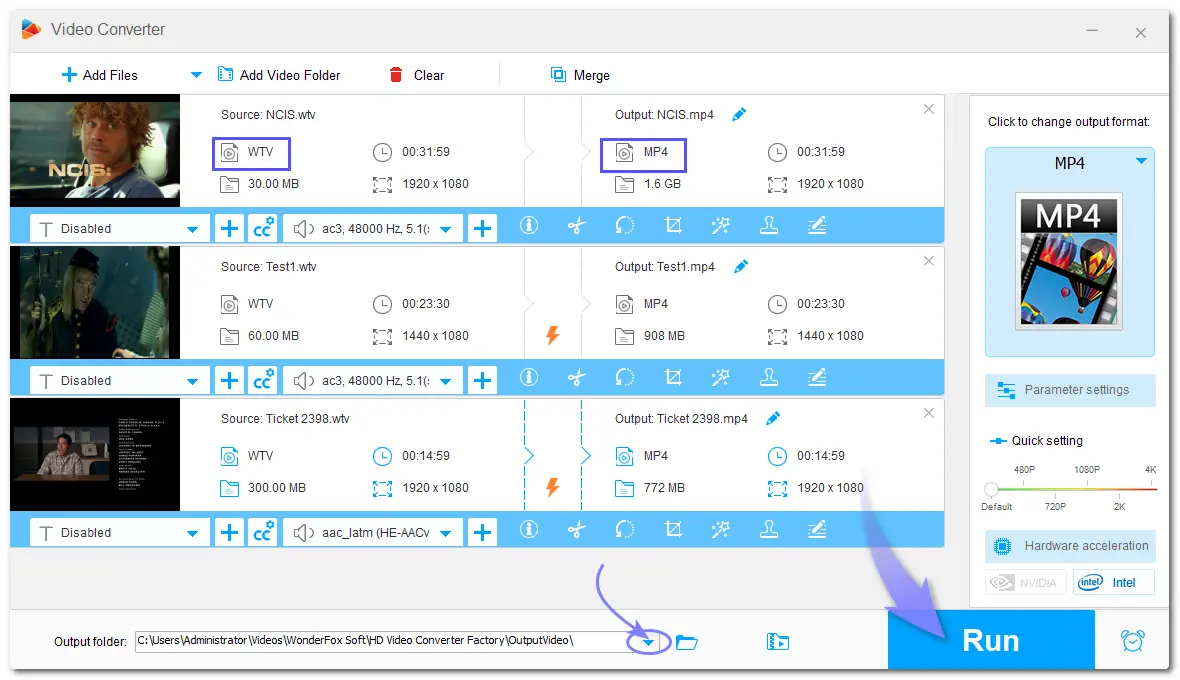
Click the ▼ button at the bottom to specify an output folder for the converted files. Finally, press “Run” to start the conversion at once. After finishing the conversion, you can add the converted files to your player and start playing without hassle.
Want to play your WTV video files? Here are the available WTV players for you to download and use on computers and mobile devices free of charge. By the way, when you fail to play WTV or other files, you can also use WonderFox Free HD Video Converter Factory to convert WTV to a popular video format to make it playable on all devices.
That’s all I want to share with you about playing WTV files. Hope this post can be helpful to you. Thanks for reading till the end. Have a nice day!
 Download for Free
Download for Free
Download for Free
Generally speaking, there are a few media players that support WTV format playback. This post has listed 3 media players that can meet most of your demands for playing WTV on Windows, Mac, iOS, and Android devices. Among them, VLC is highly recommended since it is free, compatible with all devices, and offers multiple advanced settings for playback.
If you have a WTV file and want to play it, you can either convert it to MP4 for direct play on any device or use the recommended media players to play WTV files on Windows, Mac, iPhone, or Android with simple guidance according to your needs.
>>>See how to play a WTV File here

I write about multimedia topics, including video and audio conversion, compression, editing, and downloading. I joined WonderFox in 2020, and my goal is to help readers solve everyday tech problems more easily. In this guide, I explained the WTV format and the way to play it. If you want to ensure the best compatibility of your files, using the WTV converter – Free HD Video Converter Factory to convert WTV to MP4 is the best solution.


I write about multimedia topics, including video and audio conversion, compression, editing, and downloading. I joined WonderFox in 2020, and my goal is to help readers solve everyday tech problems more easily. In this guide, I explained the WTV format and the way to play it. If you want to ensure the best compatibility of your files, using the WTV converter – Free HD Video Converter Factory to convert WTV to MP4 is the best solution.

Terms and Conditions | Privacy Policy | License Agreement | Copyright © 2009-2026 WonderFox Soft, Inc.All Rights Reserved