
Home > Resource > Tips > Copy Protected DVD

Copy Protected DVD, Copy Protected DVD Step by Step

WonderFox DVD Ripper
Suppose that if your friend have a wonderful DVD video or movie that are copy protected and you want to copy it to your PC or laptop, what should you do?

This is just one of the situations that we need to copy protected DVD, in our daily lives, you may have your own situation that need to copy protected DVD.

To copy protection DVD, we need a DVD copy software. Among so many DVD copy software, WonderFox DVD Ripper can be one of the best. It will surely help you copy protection DVD successfully and efficiently.

Copy Protected DVD to Enjoy the Protected DVD Videos

How to Copy Protected DVD with WonderFox DVD Ripper

WonderFox DVD Ripper is a DVD ripping software that can help you crack the CSS copy protection of the protected DVD videos or movies and help you copy protect DVD to your PC, laptop or some other digital devices. Now, I will take this DVD copy software as an example to show how to copy protected DVD.

1. You should download the software WonderFox DVD Ripper and install it on your PC or Laptop.

Loading

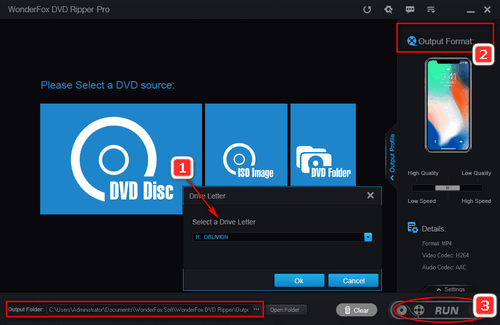
2. Load the DVD disk.

Load DVD Files

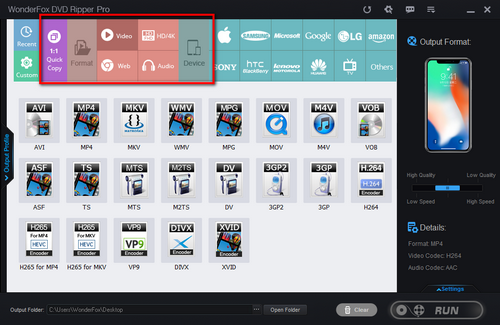
3. Choose a video format or digital devices like AVI or iPad 3 from the profile combo box as the output video format.

Set Profile

4. Click the start button on the interface of this software to start the ripping processes.

Start

5. Find the ripped videos by clicking the "find target" button

Get target video

6. Copy the ripped videos to your wanted digital devices directly

Only in several simple steps, all of the processes can be done, it is suitable and simple for every user.

More Features of WonderFox DVD Ripper

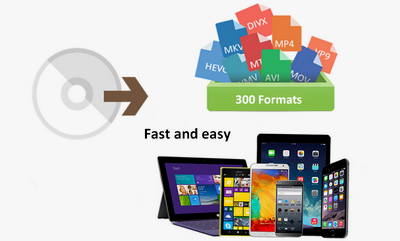
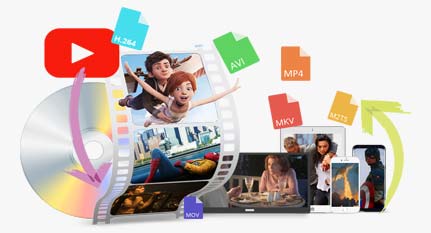
WonderFox DVD Ripper is an all in one DVD copy software, it can help users copy protect DVD to a wide range of video formats such as AVI, MKV, WMV, MP4, VOB, FLV, 3GP and so on. And, it will also help users copy protected DVD to a wide range of digital devices, such as iPhone, iPad, iPod, Nokia N8, BlackBerry PlayBook, Motorola Xoom and so on.

So, with WonderFox DVD Ripper, you can copy protected DVD to a wide range of video formats and digital devices, it can meets nearly all of your copying needs.

What's more, WonderFox DVD Ripper can provide users with advanced function, For Advanced users, they may hope to make their converted videos more personality or something else. So, a professional DVD copy software should allow users try the advanced feature to make a stylish video, such as adding subtitle, adjust parameters, change video file size, trim video segment, and so on. WonderFox DVD Ripper can meet this kind of needs.

If you are one of the people who need to copy protected DVD, you should not miss WonderFox DVD Ripper, it will surely help you copy protect DVD easily and efficiently.

In conclusion, the WonderFox DVD Ripper is really a good choice for us to rip/convert DVD to video. The DVD ripper runs well on Windows, so, we can easily convert DVD to PC, convert DVD to Hadr Drive, copy DVD to tablet, convert DVD to cell phone with it. Furthermore, the software also allow us to convert DVD to AVI, convert DVD MKV, convert DVD to WMV, convert DVD movies to MP4, rip DVD files to audio; and besides, convert DVD to iPad, rip DVD to file to iPhone, convert DVD to Nokia video type, convert DVD to BlackBerry video formats and convert DVD to Android devices are also available for us.

Free TrialBuy Now

DVD Ripper

Featured Software Related Article
WonderFox Soft
CopyRight @ 2009-2013 WonderFox Soft, Inc. All Rights Reserved. Home | About | Contact | Affiliate | Privacy Policy | Sitemap