



YouTube Shorts is the short-form section of YouTube. It hosts video content in vertical orientation and at a maximum length of 60 seconds. You can view videos on YouTube Shorts, but you cannot directly download them as standard files (e.g., MP3 or MP4) to your computer or smartphone.
A third-party YouTube Shorts downloader is necessary to save a video from YouTube Shorts to MP4, MOV, WebM, or other formats. The same applies to downloading YouTube Shorts as MP3 files.
The following article shares easy and fast ways to download YouTube Shorts to MP3 on a desktop and online. Read on.
Must Read: It is not legal to download copy-protected content without permission. We do not advocate any illegal downloading. This post is for personal fair use only.
Among various free audio downloaders for PC, WonderFox Free HD Video Converter Factory is the best. It can download audio and video from various websites, such as YouTube and Vimeo. It also allows you to save the whole playlist or channel. This video downloader offers multiple options for format, resolution, subtitles, and language. You can also find additional features for basic video and audio adjustments.

Free HD Video Converter Factory is the best solution for saving audio and video content from YouTube Shorts. In addition to YouTube/Shorts, it lets you download videos from 500+ popular sites, including Twitter, Facebook, Vimeo, Dailymotion, FC2, etc. Good quality, no watermark, and efficient process. Get the software now!
 Download for Free
Download for Free
Download for Free
* Before starting, please free downloadfree download the YouTube Shorts to MP3 converter on your PC.
Go to YouTube Shorts and right-click the video you want to save as an MP3 song. Then select “Copy link address” or something like that.
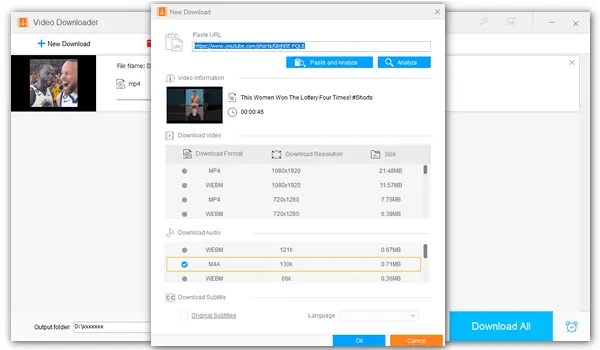
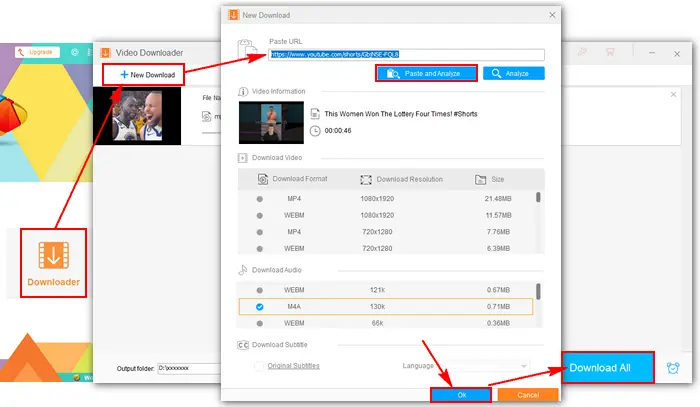
Run Free HD Video Converter Factory and open the Downloader. Click + New Download > Paste and Analyze. Soon the video information and download options will appear on the interface. Select the desired video format and resolution or audio format. Then, press OK to add it to the download queue.
You can repeat this step to add more downloading tasks. After that, specify an output path at the bottom and click Download All to save the files to your computer.
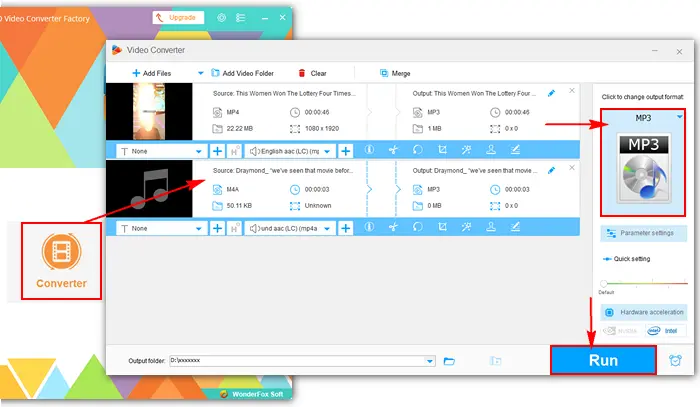
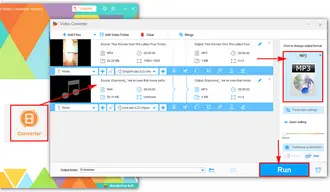
Close the Video Downloader and select Converter on the home interface. Locate the downloaded file and drag it into the blank area. Click the format image and select MP3 under the Audio tab as the target format. Finally, press Run to convert it to MP3 format.
 Download for Free
Download for Free
Download for Free
If you don’t want to install any software or plug-in on your computer, you can use web-based services to download MP3 from YouTube Shorts directly. Here are some useful YT Shorts to MP3 downloaders online. You can try any of them.
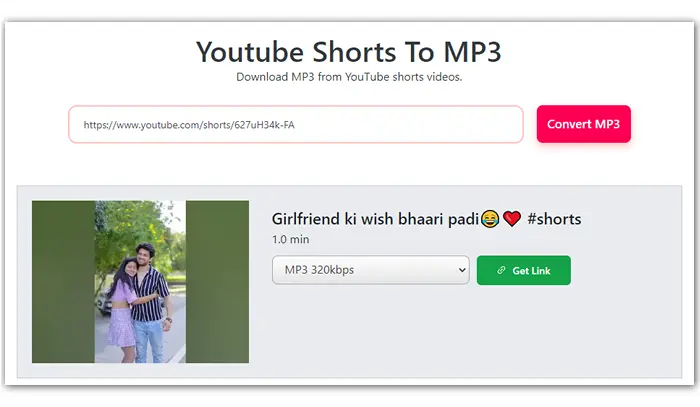
Paste the YouTube Shorts video URL to SaveTube and click Convert MP3 to download YouTube Shorts video to MP3 at up to 320kbps. Then click the Get Link button below and download the MP3 file to your device.
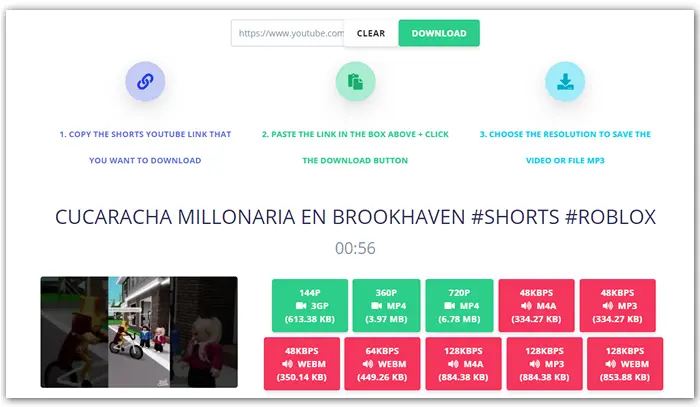
Copy the YouTube Shorts link you want to download and enter the URL in the box on this site. Click the DOWNLOAD button. Then select 48kbps or 128kbps MP3 below. The download will start within seconds.

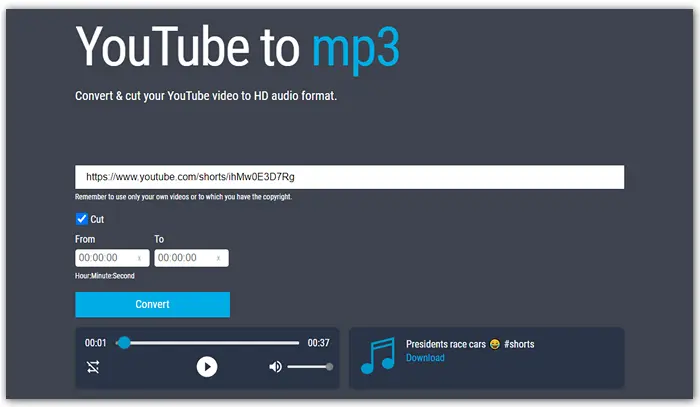
Get the video link from YouTube Shorts and paste it to https://jtube.cc/. Cut the video by entering specific start and end times. Then hit the Convert button. You can play the audio file to check whether it’s ok. After that, click Download to save the MP3 file to your local folder.
That’s all about how to download YouTube Shorts to MP3. Both desktop and online tools are helpful and efficient. Just select your preferred one to get started! Please note that downloading copyrighted content without permission may violate applicable laws or platform terms, depending on your region.
 Download for Free
Download for Free
Download for Free

Terms and Conditions | Privacy Policy | License Agreement | Copyright © 2009-2026 WonderFox Soft, Inc.All Rights Reserved