

Related software: HD Video Converter Factory Pro and WonderFox DVD Video Converter
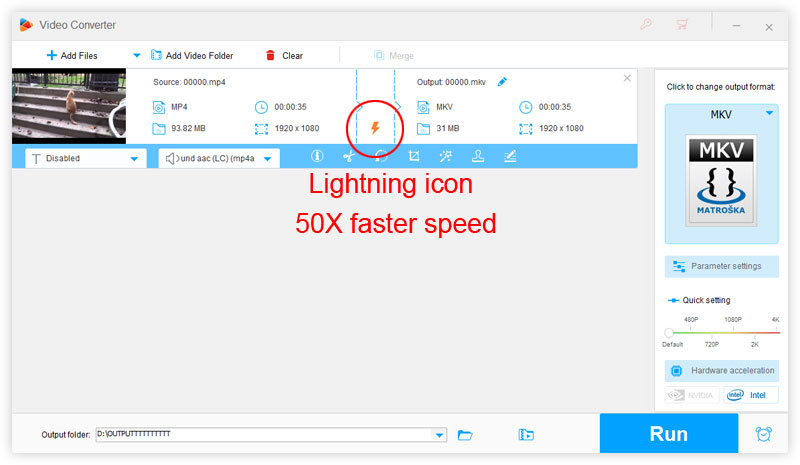
A: The orange lightning bolt icon indicates "Lightning Mode," which means the video will be converted without re-encoding — 50x faster conversion driven by the WonderFox 2nd Generation Rapid Video Encoding Technology (GRVE-2).
This is triggered when both the input video and the chosen output format support the same codec, with no additional settings changed. With the Lightning Mode on, the output video will be exactly the same as the original.
👉 For example, if your input video is H.264 MKV and you select MP4 as the output format, Lightning Mode will be activated since both MKV and MP4 formats support the H.264 codec.

Terms and Conditions | Privacy Policy | License Agreement | Copyright © 2009-2026 WonderFox Soft, Inc. All Rights Reserved

