
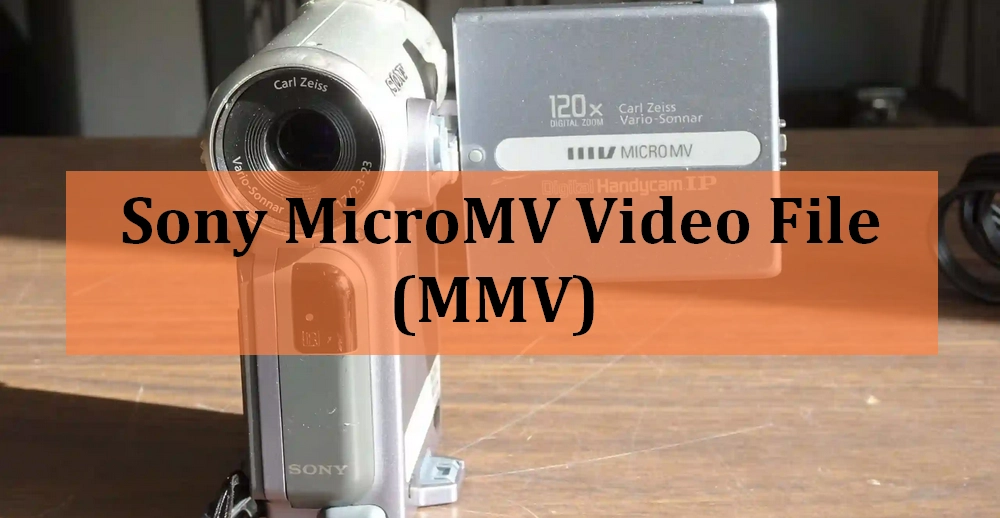

MMV stands for MicroMV. It is a now-retired video format developed by Sony to store video and audio data in early digital cameras, such as the DCR IP5 camcorder. The MMV video is recorded with 12 Mbit/s MPEG-2 compression, similar to DVDs.
However, since support for MMV is long gone, you may find it hard to open an MMV file on your computer or other portable devices.
Still, there are some programs that can read the .mmv format and play it. On Windows, one of your best options is VLC. This is a free, open-source media player that is also cross-platform. Other options include MPC-HC, PotPlayer, and GOM Player.
On Mac, in addition to using the aforementioned VLC, you can try opening MMV files with QuickTime Player, though support may be limited.
That said, if you want to open MMV on any device or edit MMV files, the first thing to do is to convert MMV to a common format.
For easier viewing and editing, it's recommended to change MMV to a format like MP4. Although there are many video converters on the market, I found WonderFox HD Video Converter Factory Pro can recognize the MMV file format.
It's a useful MMV file converter that can help you convert MMV to various formats, including MP4, AVI, MOV, MPG, etc. In addition, it also provides ready-made device profiles, allowing you to convert files to your device without compatibility issues. However, the best part is that it can convert multiple files at the same time.
The software is easy to use, fast, and can maintain good output quality. Now let’s see how to convert MMV to MP4 and other formats using it.
Click the download button below to download the software to your PC and finish the installation.
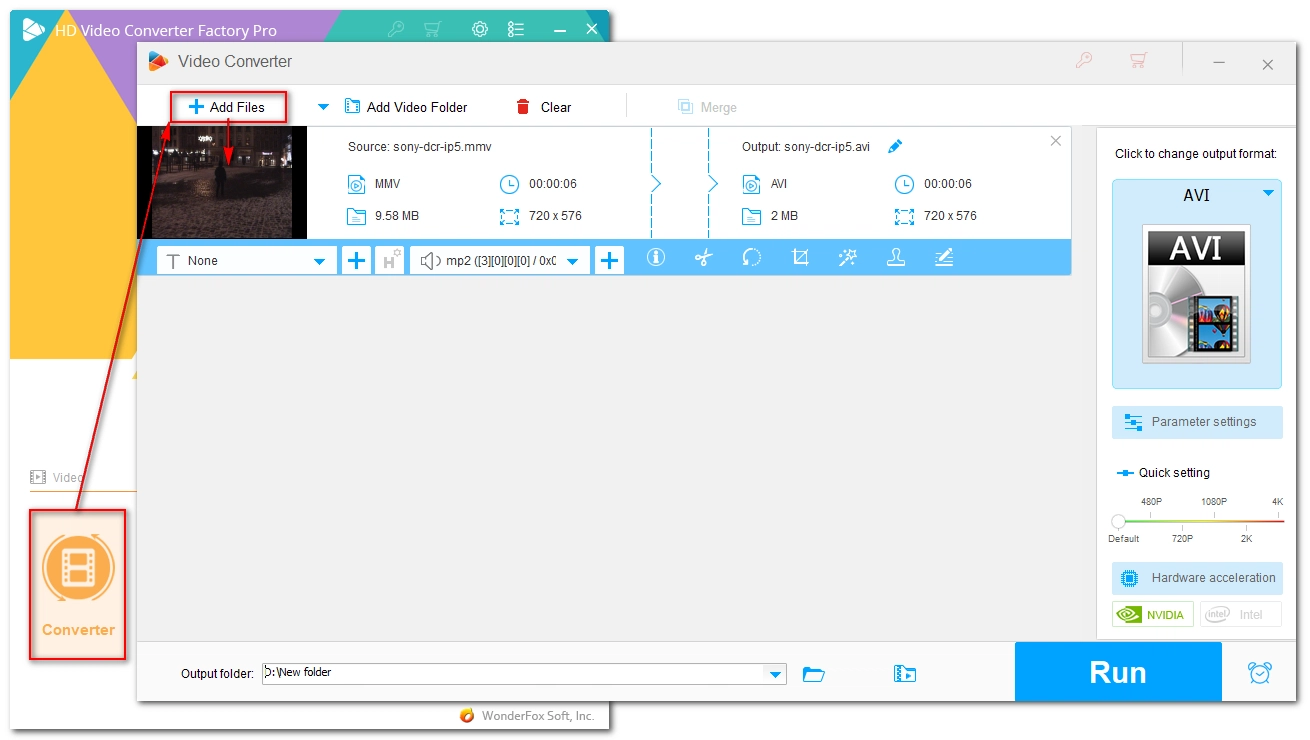
Launch the software and go to Converter. Click + Add Files in the upper-left corner, select the .mmv files from your computer, and click Open to add them to the program. Alternatively, you can drag and drop the files directly into the interface.
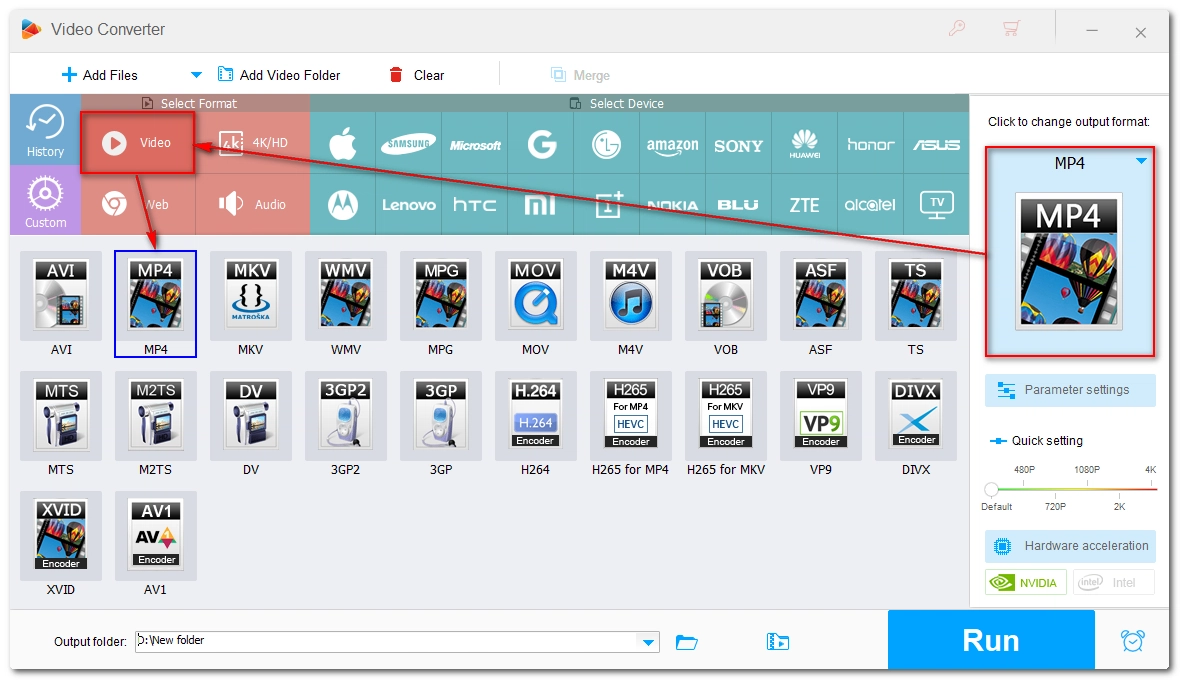
Expand the output format list on the right. Click the Video tab and select your desired format. For most users, I recommend the MP4 format for its broad compatibility.
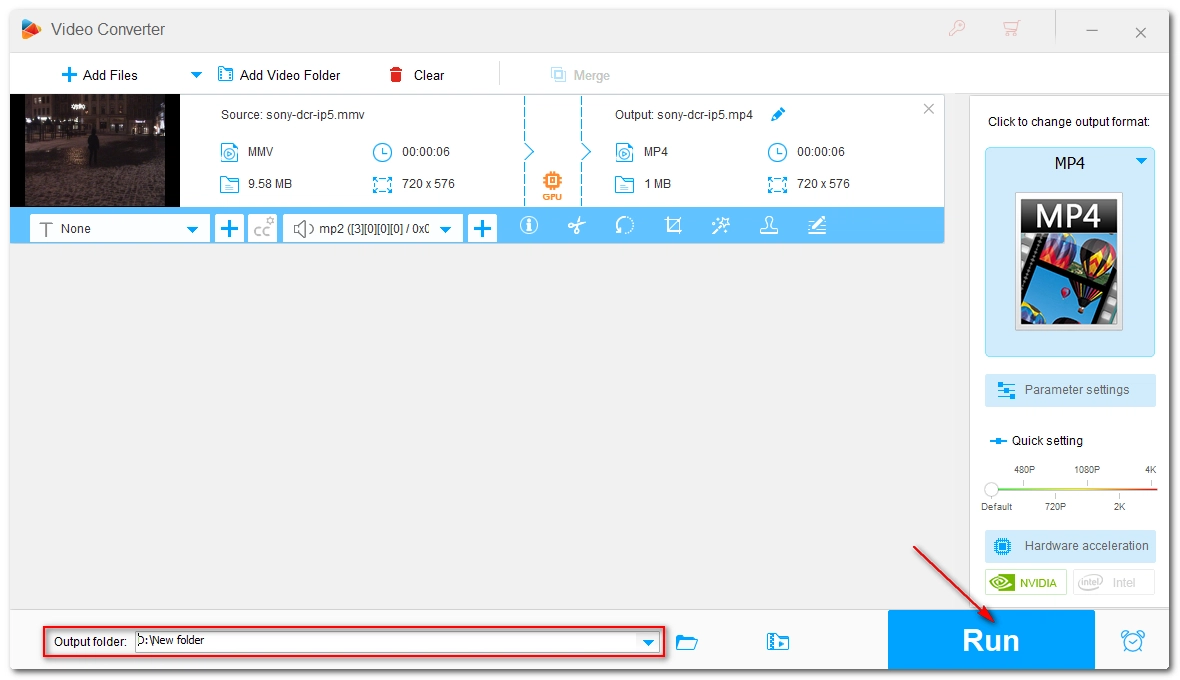
Click the Output folder drop-down arrow and set the output folder. Then click Run to start the conversion process. This may take from a few seconds to a few minutes, depending on the file size and the format you selected. If your computer supports hardware acceleration, you can enable it to achieve up to 30x faster conversion speeds.
What is the MMV format? How to open an MMV file? You should now have a clear understanding. But when you have problems playing MMV files, it is better to use a video converter like WonderFox HD Video Converter Factory Pro to change the video format.
That’s all I want to share about MMV files. Hope it was useful to you. Thanks for reading and have a nice day!
WonderFox
DVD Ripper Pro
Explore WonderFox DVD Ripper Pro, a trusted tool for effortlessly converting any DVD – homemade or commercial – into popular formats like MP4, MKV, MP3, and others. Edit and compress your DVD videos efficiently for optimal results. Download now for seamless conversion.
 Download for FreeDownload for Free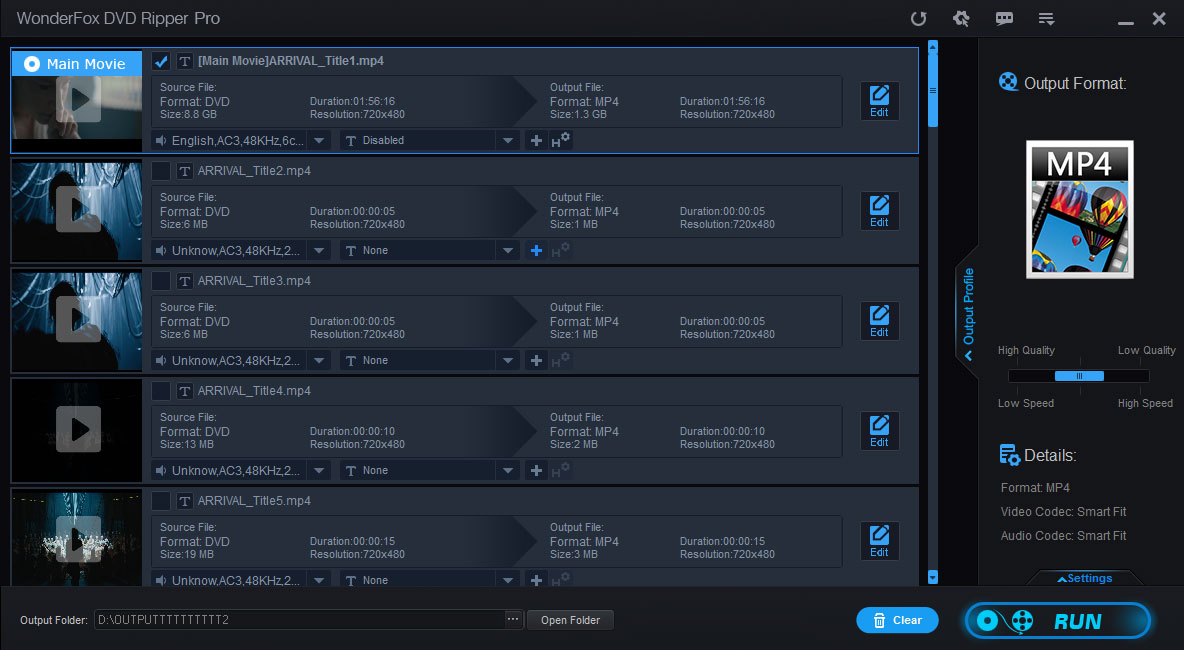

Terms and Conditions | Privacy Policy | License Agreement | Copyright © 2009-2026 WonderFox Soft, Inc. All Rights Reserved.



 Download for Free
