
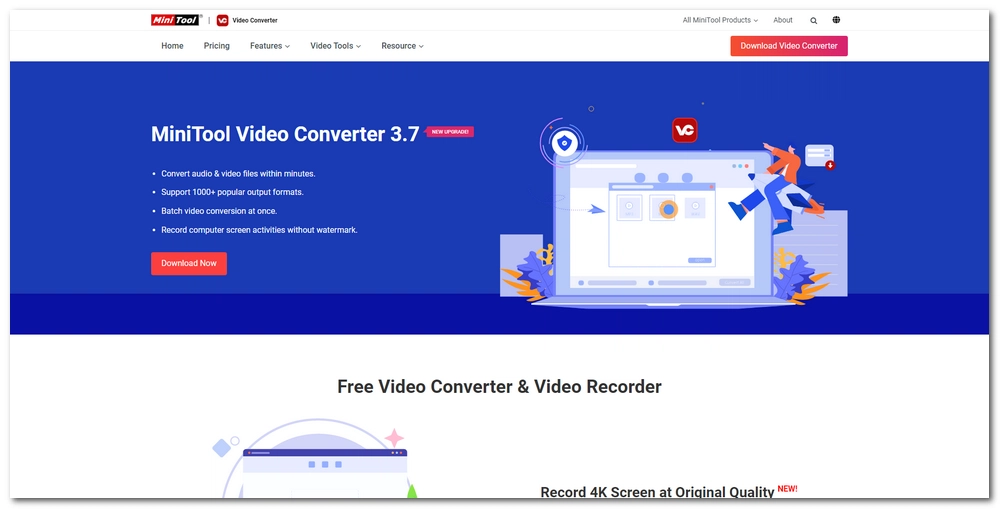

In this digital media age, we receive and share all kinds of video and audio files almost every day. When working with these media files, however, problems often occur, such as not being able to play a particular format, files being too large to email, or videos appearing too blurry. Fortunately, these issues can all be solved by a video converter, a program designed to optimize media files for better playback performance and distribution.
But in the case of seeking the best video converter, it's easy to be overwhelmed by dozens or even hundreds of programs, among which MiniTool Video Converter may be an interesting option. It's certainly one of the more popular options available, but how good is it exactly and is it safe to use? In this complete review of MiniTool Video Converter, we'll show you everything you need to know about it.
MiniTool Video Converter is a Windows-based software program developed by MiniTool® Software Ltd, a software provider that also offers other software solutions in data recovery and partition management.
It is an all-in-one program that can convert, download, and screen record videos.
As a video converter, it can convert major video and audio formats to various presets, including devices like iPhone, Samsung and Android. Moreover, it provides special features like batch conversion that can make your work easier.
Additionally, it can convert online videos to watch offline, with its built-in YouTube downloader. You can directly search and download your favorite YouTube videos, music, and even playlists without leaving the app.
The last key feature of the program is screen recording. It can record any activity on your screen with your system audio and microphone voice, which makes it useful for capturing video calls, podcasts, and streaming content.
The thing that people are most concerned about is whether MiniTool Video Converter is safe. The short answer is yes, it appears safe and trustworthy based on our tests.
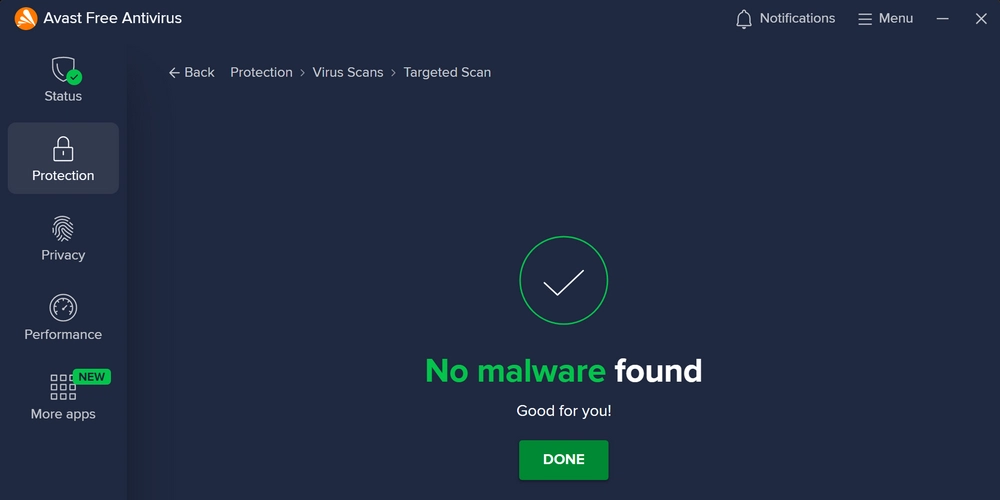
We've put the program through antivirus software including Avast, AVG, Avira, and Bitdefender, and the reports all came back clean. You can rest assured when using the app on your computer.
However, on some Windows versions, when you install MiniTool Video Converter, it may trigger warnings from Windows Security, mostly by Controlled Folder Access. This is a protection measure used by Windows 10 and 11 to isolate unauthorized apps downloaded from third-party sources. That is, when your app isn't downloaded from Microsoft Store or the app isn't on the list of trusted apps by Microsoft, it may be labeled as a 'risky' app..
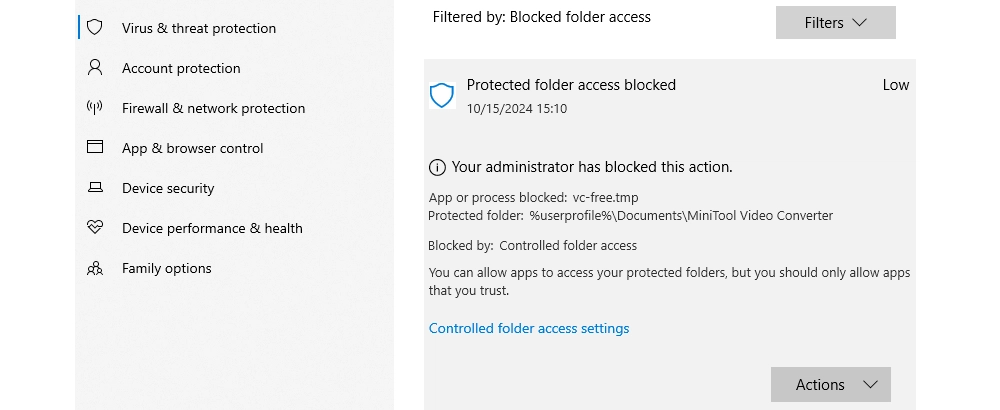
But this doesn't mean the app contains viruses or trojans, and more often than not, it is quite the contrary. If you're still concerned, just install an anti-virus software to guard your computer system.
If MiniTool Video Converter is blocked by your Windows Security, allow the app to run on your device so you can use the features properly.
Is MiniTool Video Converter free? Yes, and no.
When you download the software from the MiniTool official website, you get a free version, which allows you to use its conversion, download, and recording features with restrictions.
But in fact, the Convert and Record modules are completely free for use, without any limitations. The YouTube downloader, however, lets you download only the first 5 videos for free. To unlock all the features, you need to subscribe to one of their plans, which costs $12.99 per month, $39.99 per half year, and $69.99 per year.
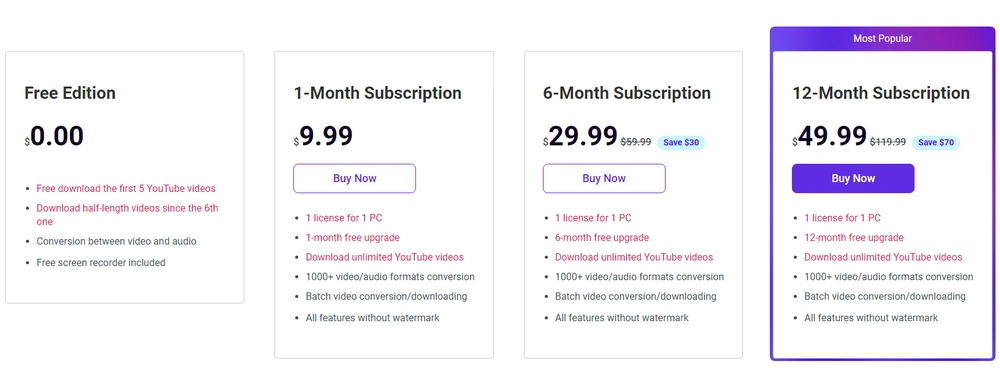
It's unfortunate that MiniTool does not offer a lifetime plan, meaning you have to keep paying them if you're planning to use their services in the long term.
Here, we'll walk you through our full report on using MiniTool Video Converter and how we like it. We'll focus on the installation process, its interface, and how the software performs when dealing with different media tasks.
In our tests, we downloaded MiniTool Video Converter (3.7.1) from videoconvert.minitool.com and completed the installation setup.
Before the installation, we were able to select the language and customize the installation path. There is also an "Agree to participate in Customer Experience Improvement Program" option that is auto-selected but can be turned off.
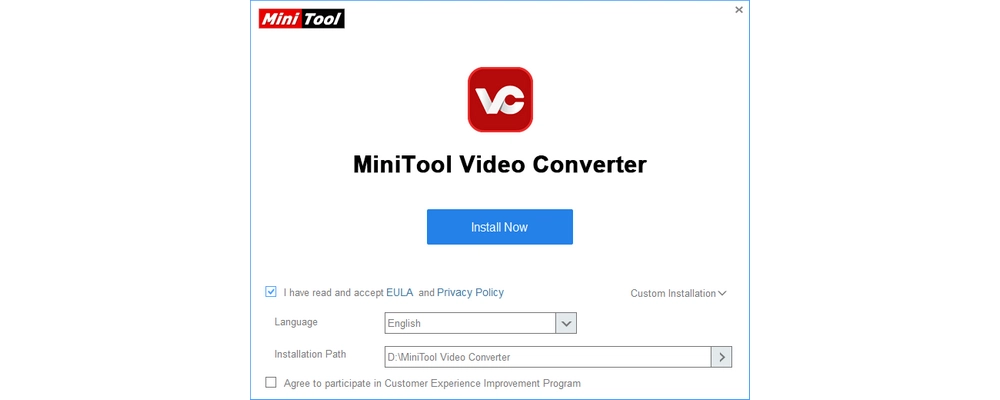
As we began the installation, however, we found the installation pretty slow, taking about a minute to finish the whole setup.
The program occupied 466 MB in our D drive, so it’s recommended to have at least 1GB of free space on your Windows computer for it to function correctly.
The interface is what we like most about the software. It's clean and simple, without any confusing buttons or misleading ads. This provides a streamlined experience even for users with little or no experience.
It can also work in full screen or custom size to meet various preferences.
However, the program is only available in dark mode, and the interface language has only English and Japanese, which is not very user-friendly for international users.
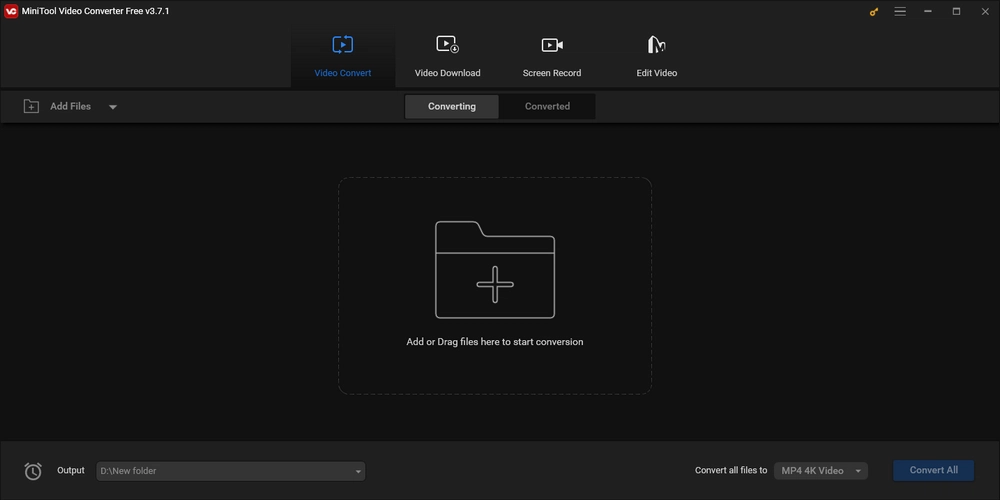
One of the main features MiniTool provides is video & audio converting, and after our tests, we can safely say that it does what it is advertised to do but there could be more.
First of all, it's very easy to add files to the converter. You can click the Add Files button or drag and drop media files. It supports many different formats, including MP4, MKV, HEVC, AVI, MP3, WAV, etc.
Then you can select the output format as you like. It provides video, audio, and mobile device presets, but the overall output options are still limited, and we doubt it supports more than 1000 formats as claimed.
What fell short of our expectations is that it does not have encoders like AV1, ProRes, or even MPEG-2 for MPG format. The device profiles are also limited to a small number of mobile formats of Apple, Huawei, Samsung and Android. Therefore, the converter tool may be sufficient to cover your daily conversion needs, but if you need more, it's not recommended.
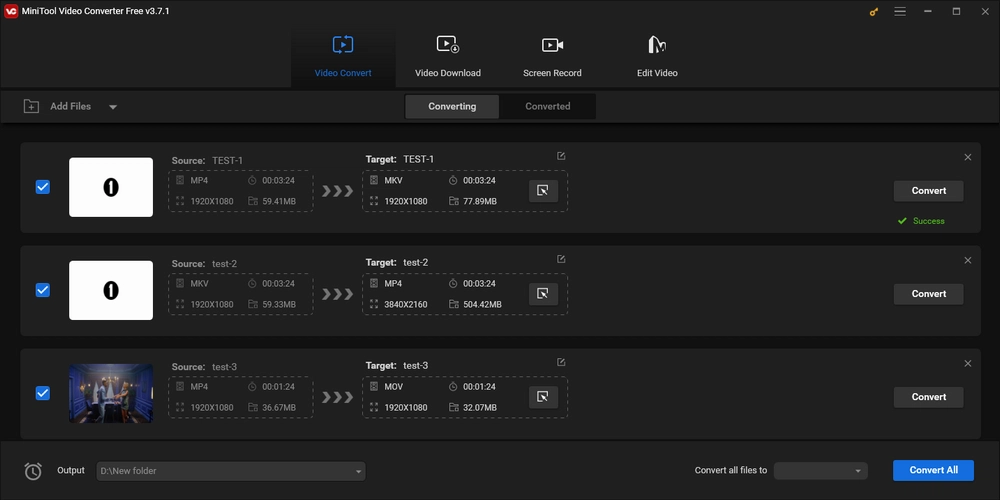
However, we did find a very useful feature which is when converting multiple files, you can set different formats for each file or convert them all to the same format. We also appreciated its batch conversion function, though offered for free, it enables you to convert up to 5 files.
The YouTube downloader is only able to download the first five videos completely and only half the length of the videos thereafter. As mentioned, you need to upgrade to bypass the limitations.
But what we loved about this downloader is that it's also a YouTube video search engine that you can search for your favorite video within the app and download it directly. This is super convenient as you don't need to open your browser, go to the YouTube tab, find the video, copy its address, and then go back to the software.
Besides downloading a single clip, it also supports downloading playlists. The cherry on top is that it can download up to 10 files at the same time. Moreover, in addition to saving MP4 videos, files can also be downloaded as MP3 or WAV music files.
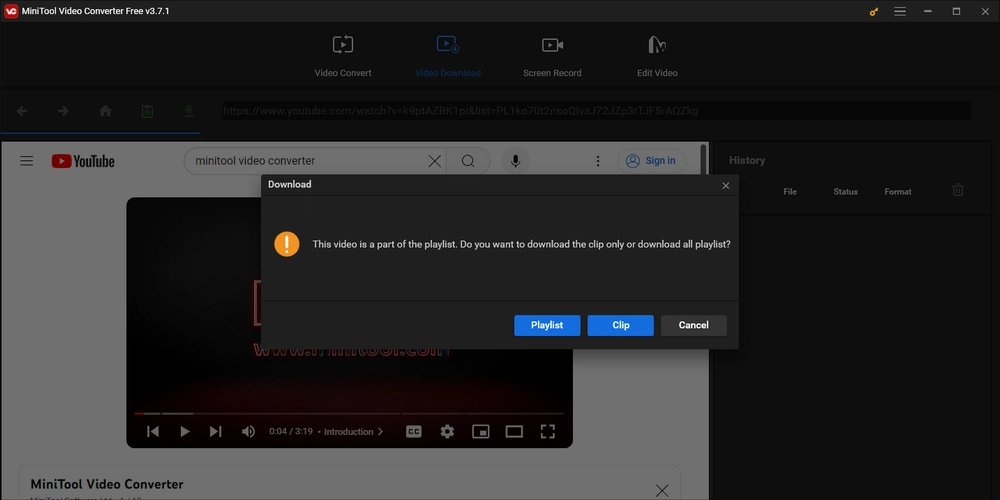
One more thing we want to point out is that, we were surprised to find that this downloader can parse links from other sites, like Twitter and Dailymotion. However, the results it returned to us were a list of videos that are irrelevant to what's on the website. So it maybe a bug in this version.
The last feature of MiniTool is screen recording. We used it to record full screen, partial screen, system audio, and microphone, and the results are quite good. It generated high-quality outputs and rarely lagged.
Another reason we would recommend this recorder is that it's very easy and quick to get started. Just select the region you want to record, the audio source is enabled by default, so you can simply click Start to begin recording.
During the recording, it will highlight where the cursor clicks, which makes it easier for viewers to track the steps afterward.
One downside we found with this recorder is that it cannot record audio only and only supports MP4 video recording.

While the program has an "Edit Video" interface, it's not supported in the current version. You will need to download MiniTool Movie Maker, which is another product from MiniTool to edit your videos.
MiniTool Video Converter is a decent and safe video converter, video downloader, and screen recorder that can simplify basic conversion, downloading, and recording tasks.
It's best for users looking for direct solutions without much customization. However, when dealing with complex multimedia tasks, there are better programs to consider.
The above report should help you decide if you want to use MiniTool Video Converter or not. However, if you're still hesitating, you may take a look at an alternative program.
WonderFox HD Video Converter Factory Pro is a versatile video software similar to MiniTool Video Converter. It has the same features that MiniTool provides and includes more, such as editing, compressing, and GIF making.
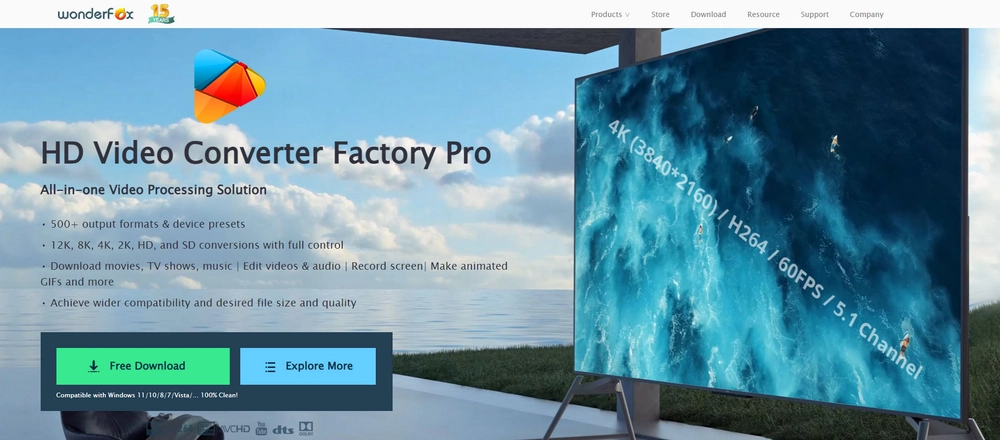
When it comes to converting, downloading, and recording, WonderFox trumps MiniTool in terms of detail with its rich customization options. And, despite offering so many features, WonderFox remains easy to use. Here is a quick rundown of the two programs:
|
MiniTool Video Converter |
WonderFox HD Video Converter Factory Pro |
|---|---|---|
Convert |
Limited output profiles; |
500+ video, audio, and device profiles; |
Download |
Download video, audio and playlists from YouTube; |
Download video, audio, and playlists from YouTube and 1000+ sites |
Record |
Record MP4 video with audio |
Record MP4, MKV, AVI, and MOV videos; |
Edit |
/ |
Cut, merge, rotate, crop, apply filters, and add watermark |
Ease of use |
Super easy |
Super easy |
Speed |
Average |
Fast, backed by hardware acceleration and exclusive lightning mode |
Limitations |
In the free trial, you can have only 5 complete YouTube downloads |
In the free trial, you can only convert the first 5 minutes of videos, download 5 files, record for 5 times, and make watermarked GIFs |
Price |
Free trial; $9.99 per month, $29.99 per half year, and $49.99 per year |
Free trial; $29.95 per year, and $34.95 for lifetime (buy 1 get 1 free) |
Download |
MiniTool Video Converter can be used for free, but there are also subscription plans that require payment to unlock more features if you need them.
Yes. MiniTool Video Converter is safe without malware or virus.
Depending on what you value the most, you may find MiniTool to be the best free video converter for its simplicity and multiple functionalities. However, if you are looking for something else, you can easily find a MiniTool alternative, for example, WonderFox HD Video Converter Factory Pro, a versatile and professional video converter, downloader, editor, and screen recorder that can bring more media solutions to you with good value for money.
WonderFox
DVD Ripper Pro
Explore WonderFox DVD Ripper Pro, a trusted tool for effortlessly converting any DVD – homemade or commercial – into popular formats like MP4, MKV, MP3, and others. Edit and compress your DVD videos efficiently for optimal results. Download now for seamless conversion.
 Download for FreeDownload for Free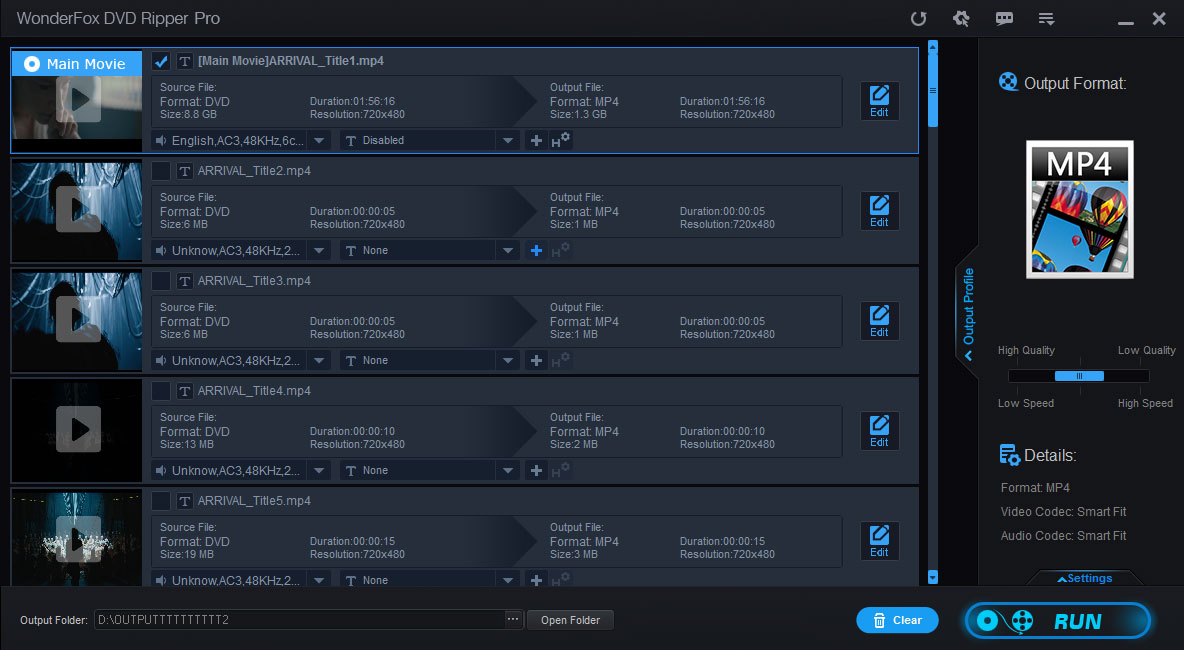


Terms and Conditions | Privacy Policy | License Agreement | Copyright © 2009-2026 WonderFox Soft, Inc. All Rights Reserved.




