Convert DVD for Movie Enjoyment on Any Device
 Recommended by the author
 How to & Tips
 Rip DVD

 by Vita
Updated on Jun 27, 2024
This post shares how to convert DVD to TV so that you can watch movies conveniently and with a higher resolution. A powerful DVD ripper will help you complete the process with ease. Download the recommended software here and keep reading for the details instructions below:
Buying DVDs has become less popular as there are more convenient ways to watch movies on TV at home. If you have collected a lot of DVDs, you can convert them to digital files for easy playback on TV. A powerful DVD converter is necessary for this task because many DVDs are DRM-protected. You are recommended to use WonderFox DVD Ripper Pro. The software can remove all sorts of encryptions and convert the DVD to 300+ presets rapidly. Try it now!
Mute Read: Please do not use the software to rip any copyrighted DVD for commercial use. The methods provided in this article can be used for personal fair use only.
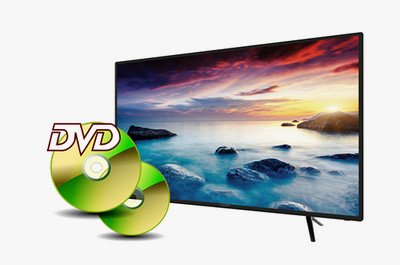
Convert DVD to 300+ Formats and Devices
With WonderFox DVD Ripper Pro, you can
1. Convert DVD to Samsung TV, LG TV, Apple TV, iPhone, Android, PS, MP4, MKV, MP3, etc.
2. Remove and bypass DVD region code, CSS, multi-angle, etc.
3. Copy DVD to ISO or Video_TS with 1:1 intact content.
4. Cut and edit video clips, add audio tracks and subtitles, & more.


You can stream media files to TV from other devices with a screen mirroring protocol. Take Chromecast as an example.
 Convert DVD to digital format
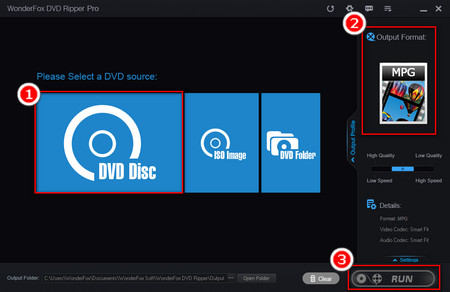
1. Free downloadFree download WonderFox DVD Ripper Pro and insert a DVD disc to your computer.
2. Launch the software and click "DVD Disc" to load the DVD source.
3. Go to "Output Format" on the right and select an output format. I suggest "MP4" as it’s compatible with most TVs.
4. Click the bottom ... icon to set an output folder. Finally, press "Run" to convert DVD to TV format.
 Stream DVD to Google Cast
5. Plug Chromecast into your TV. Please make sure that the PC and TV are in the same Wi-Fi.
6. Google Cast is usually installed by default. If you havn't added the extension, follow this guide: https://support.google.com/chromecast/answer/7249696
7. Press "Ctrl + O" to import the video file or directly drag it to the browser.
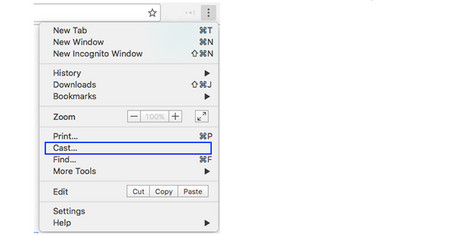
8. Click the "Cast" button in the toolbar and choose the Chromecast streamer to stream the video to your TV.
In addition to using a streamer like Google Chromecast ro Airplay, you can also make use of a media server to stream the DVD to TV. Plex, the earlier DLNA, and Universal Media Server are most commonly used. Now, have a look at how to convert your DVD to TV with the help of Plex Media Server, which supports almost all type of media files.
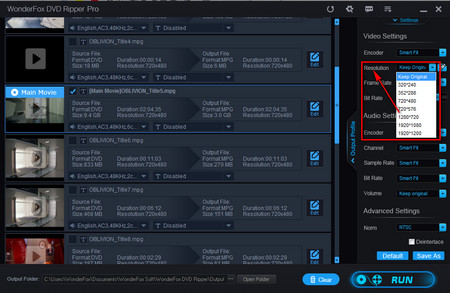 Change output video resolution
1. Install and launchInstall and launch WonderFox DVD Ripper Pro on your desktop.
2. Insert a disc and click "DVD Disc" to load your DVD.
3. Choose "MP4" or any other video profile as the output format.
4. Specify an output folder and click "Run" to start the conversion.
Tips. You can change the video resolution according to your TV screen. Higher resolution for larger screen, and lower resolution for smaller screen.
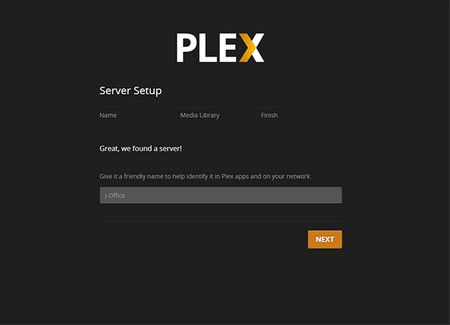 Start Server Setup
5. Download Plex Media Server on your PC and launch it. Sign in or create an account. Then, follow the Setup Wizard to configure your server and account, create and add converted DVD movies to your libraries.
6. You can take advantage of Plex Web App to manage Plex Media Server and access content. Here's how to open Plex Web App: https://support.plex.tv/articles/200288666-opening-plex-web-app/
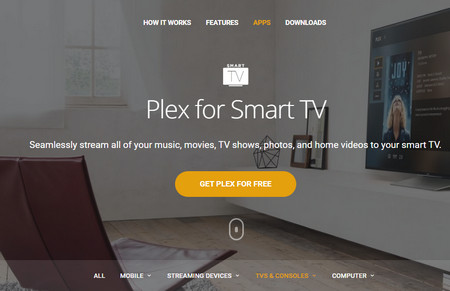 Watch DVD on TV with Plex
7. When the Plex Media Server is running, download the Plex app and install it on your smart TV. Please make sure that the Plex Media Server and Plex app are in the same local network.
8. Launch the Plex App on your smart TV and sign in using the same account you created on the Plex Media Server. Now, you can play DVDs on TV with Plex in handy.
If your TV and PC can't be connected to the network, you can stream DVD to TV with an HDMI cable.
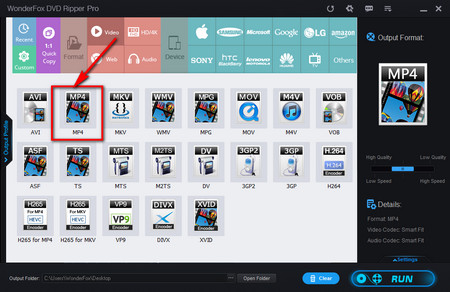 Convert DVD to MKV
1. Free downloadFree download WonderFox DVD Ripper Pro and launch it on your PC.
2. Click "DVD disc" and load the DVD source.
3. Choose an output format. As DVDs always support 5.1 channel, you can convert DVD to MKV and choose 6 (5.1) channels for the best audio experience.
4. After presetting the output folder, you need to click "Run" to convert your DVD for TV.
 Copy DVD to USB for TV
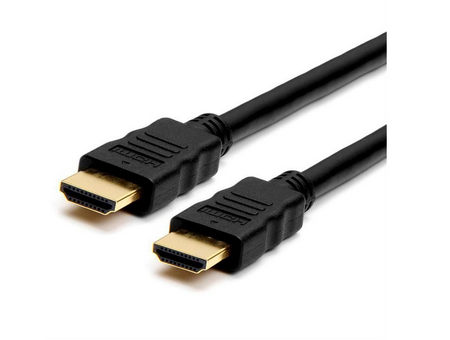
5. Connect your computer and TV with an HDMI Cable. If your PC is an older generation that has no HDMI port, please aquire a USB-to-HDMI adapter. Your TV needs to be close to your PC because most HDMI cables have only short transmission distance.
6. Then, press the input button on your remote control and select HDMI as the input source.
7. Now, play the DVD movie on your computer, you'll find that the movie is also being played on TV synchronously. If the movie is not being played on TV, press the "Windows Key + P" and select "Duplicate" or "Second display only".
Similarly, you can copy DVD to USB to watch on TV.
Finally
The above three methods are useful to stream DVD to TV. If you have any questions on streaming movies, just free feel to contact us. The all-in-one DVD ripper will help you a lot during the process. Download it now to start your job!

Backup Your DVD Movies and Play It on Portable Devices
WonderFox DVD Ripper Pro
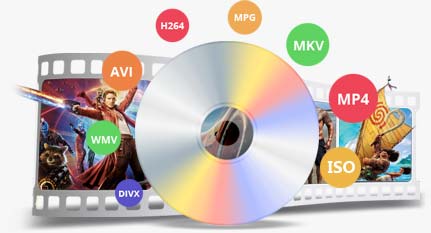
The functional DVD copy tool helps you perfectly copy DVD to DVD folder and ISO image for storage. It also enables you to convert DVD to common digital videos so that you can play DVD movies on mobile phone, tablet and TV anytime and anywhere.