Home > Resource > Tips > How to Extract Audio from Video
Product Information
WonderFox DVD Video Converter 50% OFF
Featured Products
Related Tips

How to Extract Audio from Video

Video to Audio Converter Factory Pro help you extract audio MP3, AAC, AC3, WMA, WAV, MKA, OGG, AU, AIFF, FLAC, M4A from all video formats.

How to Extract Audio from video

I am a popping fan, once I found a fantastic popping video, and the music in the video is very good. So I want to keep it and enjoy the beat; but I don't know the name of it even where to download it. That's bored me a lot. How to extract audio? Luckily, under the help of my friend later, I solved the problem. Now, I noticed that some people are still bored with the same kind of question - How to extracting audio from videos?

How to Extract Audio From Video

Indeed, it is easy to extract audio from videos. There has too many ways to do it. But for the normal computer user like us, I introduce some easy ways according to my own experience.

1. Windows Media Player - If your OS is Windows, then you should have Windows Media Player. This one is not just a media player. It supports to convert audio files out while users are playing some video. Even the supported video formats are limited (ASF, AVI,MPEG-1,MPEG-2), it still facilitate users a lot. So, get familiar with the affiliated tools of your OS, you can easy to extract audio files.

2. Video to Audio Converter - The other way is to use some conversion software. After you download the video, you can use video to audio converter to extracting audio from the video. I think this way is widely used. Then I will introduce how to extracting audio with conversion software.

How to Extracting Audio from Video with Conversion Software

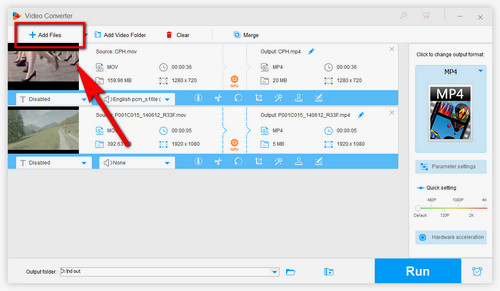
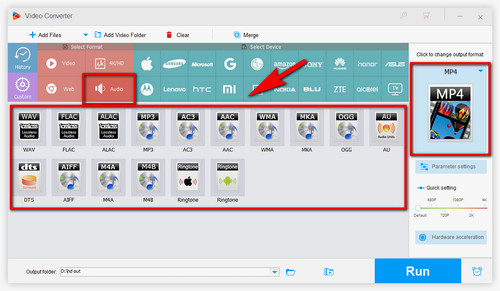
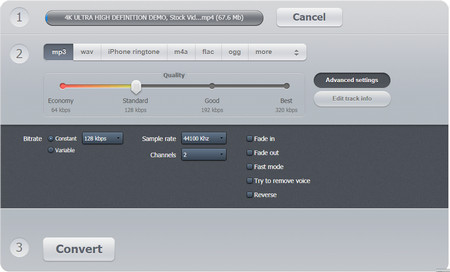
1. Download video to audio converter and install it. > 2. Start the software and import your video file. > 3. Choose an output format such as MP3, WMA, M4A. > 4. Start to convert and wait for the process done

Video to Audio

Here I suggest a professional one - Video to Audio Converter Factory Pro . It is used for extracting provides fast converting audio from videos only. It has a friendly interface and speed and high quality and supports WMA, AAC, WAV, AC3, MP3, MKA, OGG, etc. Under the help of it you can extract audio easily.

Video to Audio Converter Factory Pro is shareware in discounting, the price from $19.95 to $9.95 that means now buy it you will save $10. This is a limited-time discount, please seize the opportunity. If you have any questions please contact order@videoconverterfactory.com

The Limits of Free Trial License benefits  
  The unregistered edition will limited to converting maximum 5 minutes. Free Trial

Secure Download

  • Free upgrade lifetime.
  • Free technical support.
  • Get back license key free.
  • 30 day money back.
  • Buy Now

    $9.95 (50% OFF)

    30-day Money Back Guarantee Email service within 24 hours VeriSign Secured McAfee SECURE Approved by Norton