
When you find some interesting YouTube video such as "Charlie bit me" and want to memory it into some multimedia cell phone for enjoying, first you have to convert your YouTube video to the right format.
Because most multimedia cell phone just support some limited format such as 3GP, MP4 etc. But a multimedia cell phone is just a phone, not a computer; the memory space is limited, if you want maintain your cell phone, convert YouTube video to 3GP.
1. Convert YouTube video to 3GP, the video file will use less memory space in comparison, it is good for you to maintain your cell phone.
2. Convert YouTube video to 3GP, the screen size of the video maybe smaller, but it is fit for the multimedia cell phone.
3. 3GP is popular for multimedia cell phone; it is fit for cell phone using.
Base on the advantages we mentioned above, convert YouTube video to 3GP for multimedia cell phone playing is necessary, and then 3GP video converter is need. But among the mass of video converter, we have to consider that whether the converter is easy to use or not, whether it provides fast converting speed and high quality, whether it supports updating.
The Video Converter Ultimate(Free Trial >> or Buy Now>>)is worth using. It is easy to use, provides fast speed and quality, and supports updating, can convert all popular video formats to 3GP; all operations are under a friendly interface. And, it serves powerful editing function and special effect.
All in all, convert YouTube video to 3GP is a good way to maintain our multimedia cell phone; it is also a good way for us to enjoy videos with cell phone.
As the passage mentioned above, Video Converter Ultimate(Free Trial >> or Buy Now >>)is worth using. Thus, if you want to know more about this video converter, it is necessary for you to know how to convert YouTube video to 3GP with this video converter.
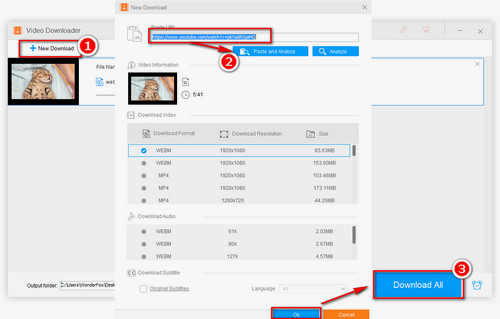
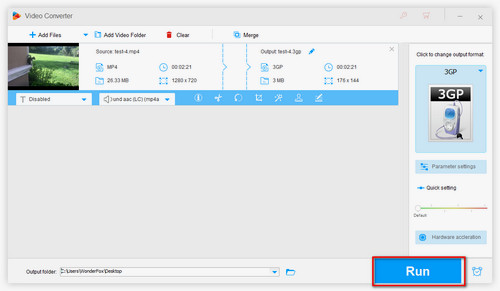
Step1: Import video(s) - Launch Video Converter Ultimate, Click 'Add' button to import video(s) or click 'Download' button to download YouTube videos or click 'Record' button to record YouTube videos.

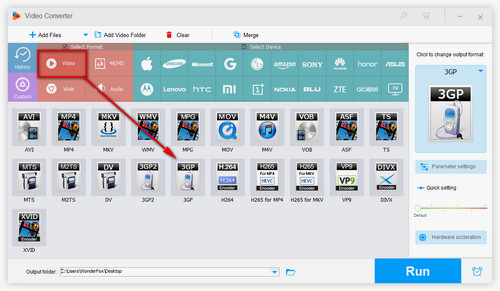
Step2: Choose 3GP or other video/audio/devices as your output format.

Step3: Click 'start' button on the interface of Video Converter Ultimate to begin converting process

As you can see, there are only three steps that you need to follow, and then you can finish the converting process.
Screenshot of Video Converter Ultimate
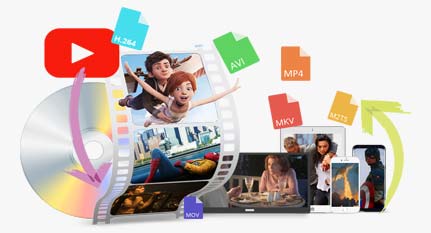
Video Converter Ultimate is a combination video converter, DVD ripper, DVD burner, online video downloader, DRM remover, and video recorder. So it can not only help you convert YouTube video to 3GP, actually it can help you solve nearly all video conversion problems.
For users who want to play Flash videos on iPad 2, Video Converter Ultimate can also help you solve the problem easily. For more information about how to play Flash video videos on iPad 2, please see the detailed tutorial here: How to Play Flash Videos on iPad 2 >> or How to Watch Flash Video on Apple iPad Tablet >>
And, if you want to enjoy YouTube videos more randomly and conveniently, Video Converter Ultimate can help you download YouTube videos and convert the downloaded videos to your desire video formats and popular digital devices with optimized presets. See the related tips and tutorial about how to download and convert YouTube videos here: How to download and convert YouTube video to 3GP and How to Put YouTube Videos to iPod for PlayBack.
At last, thanks for sparing your presious time reading this article. If you have any problem using our software, please feel free to contact us, we will reply to you within 24 hours during the working days