Updated on Oct 19, 2023
WonderFox DVD Video Converter can help you convert any DVD to Microsoft Xbox 360 and other 300+ hot formats and devices in high speed and high quality.
Quick download the software and rip DVD to your Xbox 360 in no time!
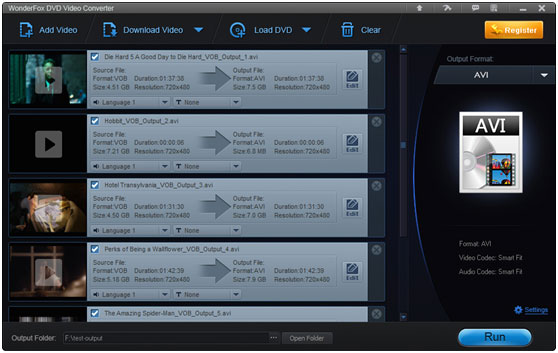
The Xbox 360 is a discontinued video game console by Microsoft. While it's no longer popular for gaming, it's still a good choice for viewing media files from USB. Due to copy protection, Xbox 360 cannot play all DVDs, the solution is to use an Xbox 360 DVD Ripper to rip DVDs to digital files accepted by Xbox 360. Afterwards, you can connect a USB to your Xbox 360 to watch your favorite DVD movies.
WonderFox DVD Video Converter is the perfect Xbox 360 DVD Ripper. It can rip DVD to Xbox 360 without any limitation. Also, it has fast speed and high output quality. You will never worry about watching DVD on your Xbox 360 with it.
Here I would like to show you the steps of ripping DVD to Xbox 360:
1. Download WonderFox DVD Video Converter and install it.
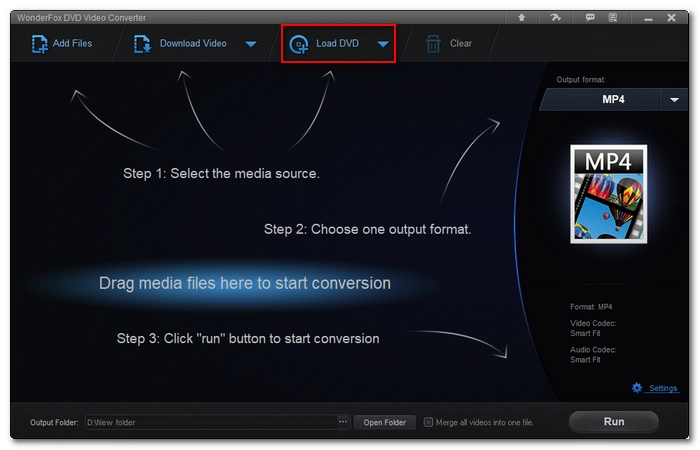
2. Insert a DVD into your computer, and then launch the software. Select Load DVD to load the DVD you just inserted.
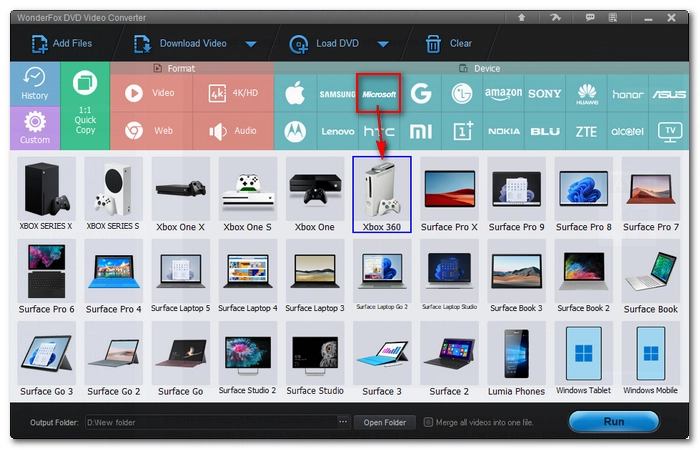
3. Click the output format combo box on the right to expand the format list, then click "Microsoft" tag and choose "XBox 360 " as the output profile.
4. Click the three-dot icon at the bottom to set an target folder for saving converted file.
5. Click Run to start the ripping process.
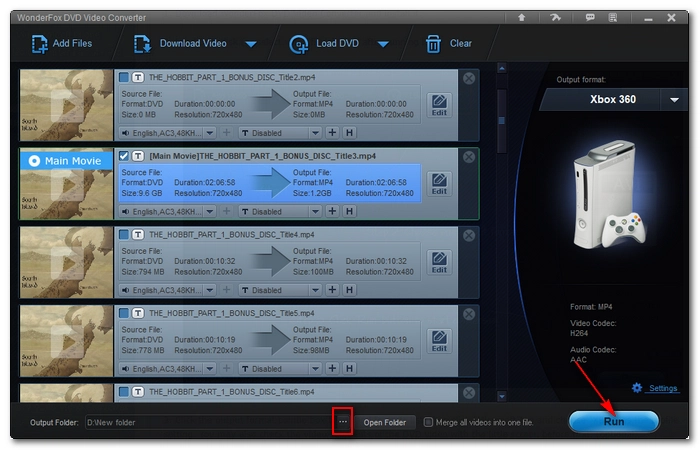
6. Put the output video files into the hard disk of XBox to enjoy it on your Xbox 360.
With these few easy steps, you can rip DVD to Xbox 360 quickly. Now, enjoy DVD videos on your Xbox 360 trouble-free.
WonderFox DVD Video Converter is on sale, originally priced at $59.95, now only $39.95. At the same time, you will get WonderFox HD Video Converter Factory Pro, an all-in-one software that can convert, edit, compress, download and record video and audio. This offer is for a limited time only, please take advantage of the opportunity. If you have any questions, please contact order@videoconverterfactory.com
| The Limits of Free Trial | License benefits | |||
| The unregistered edition will limited to converting maximum 5 minutes. | 
Secure Download |
|

$49.95 (Save $20) |
WonderFox DVD Video Converter is a professional DVD ripper for various video formats and video playing devices. It can provide users high-quality output videos with fast speed and safe ripping process. Users can rip DVD to the common video formats and video devices without restraint. It is not just a great Xbox 360 DVD ripper, it can also be an all-around DVD ripper for different kinds of videos. Besides, it can also support video editing function with trimming, cropping and adding effect to your output videos.
As you can see, you can use a great Xbox 360 DVD Ripper to rip DVD to Xbox 360 easily and fast. You will not worry about this problem any more with WonderFox DVD Video Converter.