


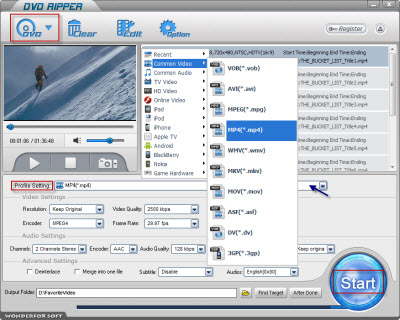
A great DVD ripper can help you rip DVD to MP4 as you want, which makes users can enjoy DVD videos on their mobile video playing devices. Here you can try WonderFox DVD Ripper to solve this problem fast and easily. Users can enjoy MP4 DVD videos cozily.
We all know that MP4 is widely supported by many video programs and various hardware devices. Many video fans would like to enjoy videos on their cellphones or MP4 player, which is pretty handy and convenient. Also there are various MP4 videos over the Internet. On the other hand, what if video fans want to enjoy DVD videos on their video devices? There is no doubt that you need a great DVD ripper to rip DVD to MP4. You can spend less time to rip DVD to MP4 fast and easily with a great MP4 DVD ripper.
Based on the points above, I would like to recommend you a great DVD ripper for MP4, WonderFox DVD Ripper. It can rip DVD to MP4 with fast speed and high-quality output effect. Users can spend less time to finish the whole ripping process safely without any spywares and viruses. You just need few steps to finish the whole ripping process, here are the steps to rip DVD to MP4.
Step1: Download WonderFox DVD Ripper and install it on your PC.

Step2: Load DVD before the ripping process.
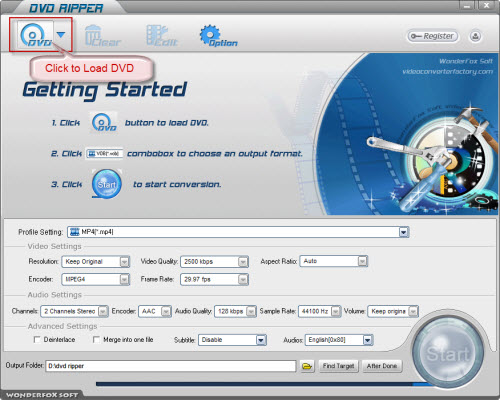
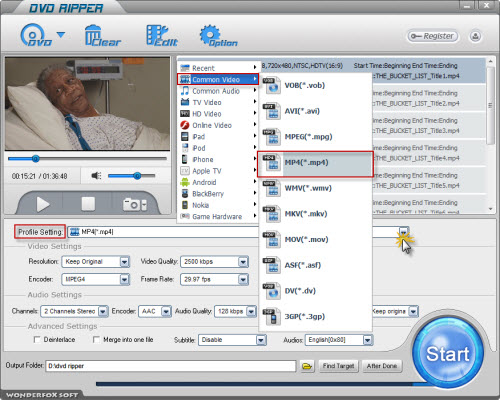
Step3: Choose 'MP4' as the profile setting. The parameter of MP4 would be adjusted automatically.
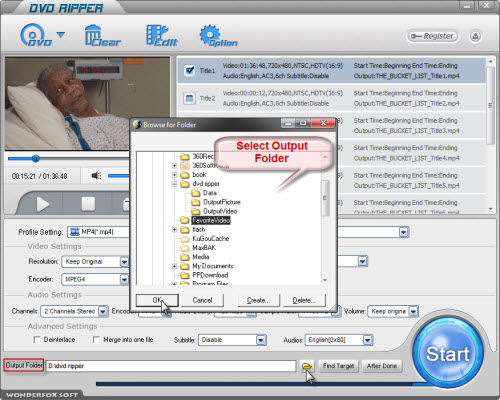
Step4: Select the output folder where the output video locates.(Optional)
Step5: Click 'Start' to launch the whole ripping process.
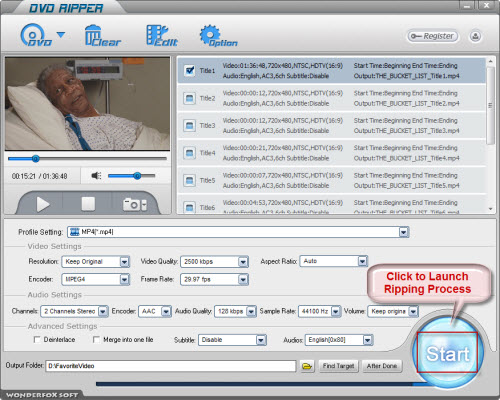
Step6: Enjoy the output videos on your MP4 playing devices after putting it into your devices.
As you can see, it is so fast and easy-to-use to rip DVD to MP4 with WonderFox DVD Ripper. It can save users much time to wait for the ripping process. Most of all, the ripping process goes in a safe mode.
WonderFox DVD Ripper is not only a MP4 DVD ripper, but also can support many other formats, such as AVI, WMV, MKV, VOB and various video devices, just like iPad, iPhone, BlackBerry, Nokia, Motorola and so on. The whole ripping process goes in a fast and safe way. Users can get high-quality output videos with few clicks in a short time. Besides, users can edit output videos with extra video-editing functions, such as trimming, cropping and adding special effect.
All in all, the WonderFox DVD Ripper is really a good choice for us to rip/convert dvd to MP4 video. With a DVD to MP4 converter software, we can easily rip DVD movies to MP4 video format. By the way, the DVD ripper runs well on Windows, so, we can easily convert DVD to PC, convert DVD to Hadr Drive, copy DVD to tablet, convert DVD to cell phone with it. Furthermore, the software also allow us to convert DVD to AVI video format, convert DVD to iPad 3 compatible video, convert DVD to WMV video, convert DVD music to MP3 file, rip/convert DVD to MKV video; and besides, convert DVD to Nokia video type, convert DVD to BlackBerry video formats and convert DVD to Android devices are also available for us.




