This article aims to tell you how to play any video, audio and copy protected DVD on your Nokia Lumia 710 cell phone and over 100 Nokia cell phones
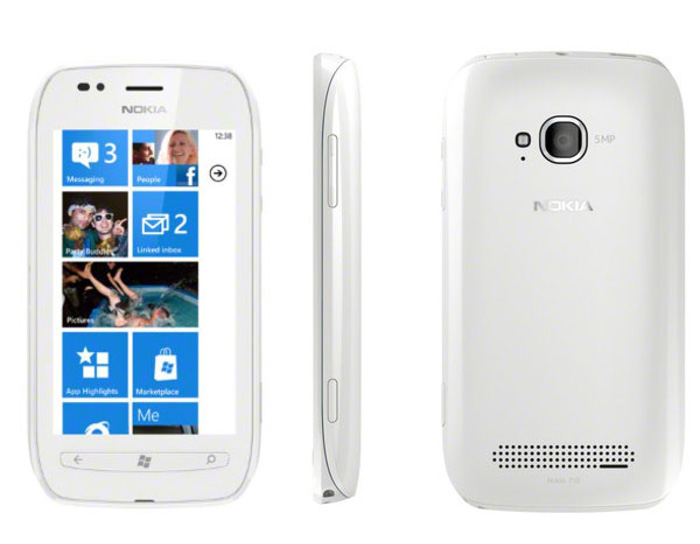
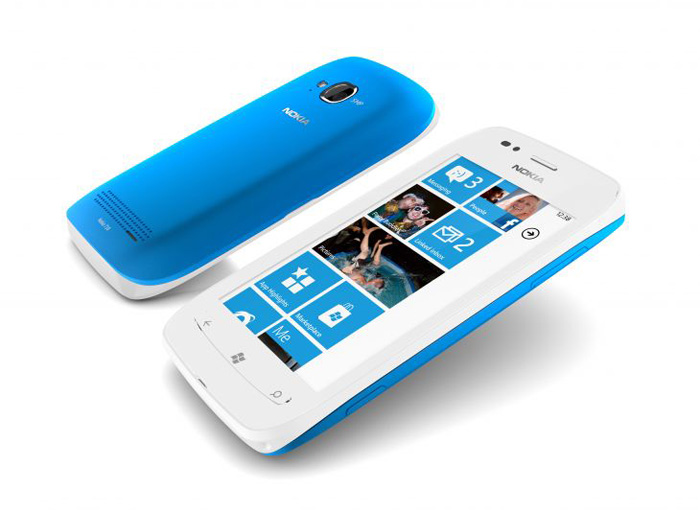
The Nokia Lumia 710 could be personalized with exchangeable back covers. It will come in black, whitened with black, whitened, cyan, fuchsia and yellow back covers. The unit has got the same 1.4 GHz processor, hardware acceleration and graphics processor because the Nokia Lumia 800. But it's not so powerful as the Nokia Lumia 800 and 900, it is still a good portable video/audio player with a 3.7 inches display screen.
However, some video cannot play well on Nokia Lumia 710 due to the compatibility problem, and Nokia Lumia 710 also cannot play video content of business DVD, encrypted DVD, copyright protected DVD, etc. To enjoy these videos on the Nokia Lumia 710, we'd better convert video to Nokia Lumia 710 compatible video formats (or rip DVD disc to video formats supported by Nokia). That means we need a Nokia Lumia 710 video converter. Here I recommend Nokia Video Converter Factory Pro for all Nokia users to convert video to Nokia compatible video.
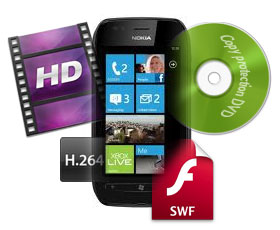
When you want to find a proper program to convert video files to your portable device, you will find many kinds of tools on the market. Here I suggest you to use Nokia Video Converter Factory Pro only. We can still try some other Nokia Lumia 710 converters. However not all of them are good enough to just meet your need. Learn more about outstanding features of Nokia Video Converter Factory Pro below, you will find the answer.
Easy to use: A great video converter ought to be simple to use, meaning we do not have to spend too much time to learn the user guide. You will find just three primary steps to transform video to Nokia Lumia 710 using the suggested video converter: load video > choose output format > start conversion.
Safety: Nokia Lumia 710 video converter is totally clean. No virus, no spyware, no adware, no malware. Therefore we can rest our heart to use it.
Input and Output: Nokia video converter supports to load all popular videos/video formats, and convert them to video format optimized for all Nokia series.
Quality Issue: This software could help us keep the least loss of video quality. The software also contains fast conversion speed which could help us save the time.
These are the mains reason to choose the recommended Nokia Lumia 710 video converter. And just follow the four tips above. Nokia Video Converter Factory Pro is just the program as you want.
As we've mentioned above, the Nokia Lumia 710 video converter - Nokia Video Converter Factory Pro is very easy to operate. Only three steps are needed to finish the whole ripping process: Load video files > Set profile > Start conversion. The following part will guide you to do it step by step:

Download and run Nokia Lumia 710 video converter. Load your source video files by hitting “Load Video” or ”Load DVD”.
Choose the target output format as you want
Click "Start" to run the conversion process. After conversion, click "Open" to get output videos.
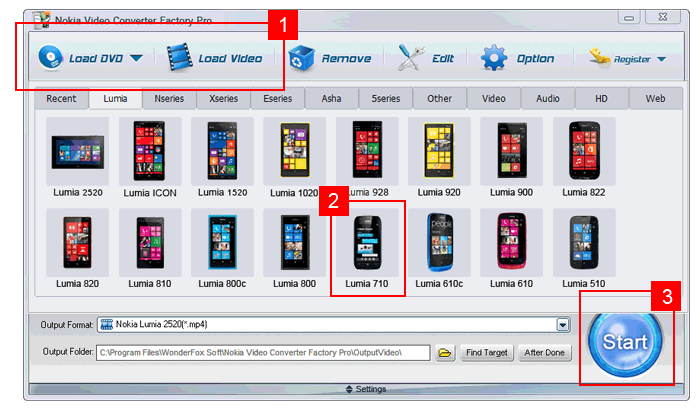
It's really easy and convenient for us to convert video to Nokia Lumia 710 compatible video formats. Just download the Nokia Lumia 710 video converter and have a try.
Indeed, it's said that Nokia mobile phones are powerful enough to play the popular videos. However, Nokia Lumia 710 is still a portable media device. The storage and battery life are limited. Long time to run videos with large file would make the phone over burdened. So, for machine maintenance, we'd better convert video and DVD to Nokia Lumia 710 compatible video type. A good Nokia Lumia 710 video converter is necessarily required here. And Nokia Video Converter Factory Pro is just a good choice for us to convert videos to Nokia compatible video formats.
Nokia Video Converter Factory Pro well supports converting all popular video formats (such as AVI, MPEG, WMV, MKV, FLV, VOB, etc) to almost all Nokia mobile phones (such as Nokia N8, Nokia X6, Nokia X3, Nokia E7, Nokia 5800, etc.).
See the hot related tips about Nokia Video Converter Factory Pro here: how to convert video to Nokia N9, how to convert video to Nokia Lumia 900. Actually, Nokia Video Converter Factory Pro can help you do more, to find the tips or how-to tutorial related to your Nokia cell phone model, please see the tips center of Nokia: Nokia video converting tips center >>
The program preset MP4 because the default video format for those Nokia cell phones. All customers need to do would be to match the best phones and begin the transforming process. Besides, Nokia Video Converter will also support removing audio recordings from videos.
In addition, Nokia Video Converter Factory Pro provides extremely fast conversion speed and good video quality. “Convert videos in batch” can also be readily available for customers, that is a large help for user in order to save time around the transforming process and revel in videos on Nokia cell phones freely.
Still have trouble about converting DVD and video for Nokia Lumia? Please feel free to Email Us >>
WonderFox DVD Video Converter - all-in-one media solution includes DVD Backup, DVD Rip, Video and DVD Converter, Video Downloader, Video Editor/Player
HD Video Converter Factory Pro - equipped with advanced High-Definition (HD) video conversion technology. It can help users convert videos from Standard-Definition (SD) to High-Definition (HD) like HD MP4, HD MKV, HD AVI, HD MTS, HD TRP and also enables users to cut down the video size (convert HD videos to SD videos)
Video Converter Factory Pro - easy-to-use video conversion software inculdes 100+ formats and devices are supported
WonderFox DVD Ripper - A professional dvd ripping tool, bypass encrypted DVD and region code, and convert DVD content to most video formats and handheld devices
Convert Video to Nokia Asha 311 - Enjoy Video on Asha 311
Nokia Lumia 610 Video Converter - Convert Video and DVD to Nokia Lumia 610
Nokia Lumia Video Converter - Convert Video and DVD to Nokia Lumia 610
Nokia Lumia 800 Video Converter - Convert Video to Nokia Lumia 800
Nokia Lumia 1020 - watch movie on bigger screen
Samsung GALAXY Note 3 - the mobile cinema
Quick Look at Sony Xperia Z Ultra
How to convert YouTube video to iPhone - enables you to download FLV and MP4 videos from YouTube and also convert YouTube videos to any video formats to fit your various digital devices
How to watch your DVD collections on iPhone 6 - watch your purchased commercial DVDs on iPhone 6
Nokia C7 - Get support from Nokia
Special Offer: WonderFox DVD Video Converter
Want to enjoy a complete movie night with your family instead of waiting long time for conversion? WonderFox DVD Video Converter is the best choice, which provides one-stop total solution to Rip DVDs (Disney, Paramount, Sony Included), Convert videos, Download online videos, Edit and Play movies/video with excellent performance.