


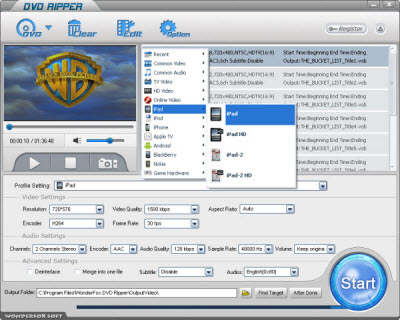
If you've already had some iPad 3 DVD ripper, the problem will be solved easily. And the WonderFox DVD Ripper is just such another great software to convert DVD to iPad 3 for you. There are just three steps for us to charge the whole ripping process: Load DVD > Set Profile > Get Start. The following is to show the details:
Step 1: Download and run the software
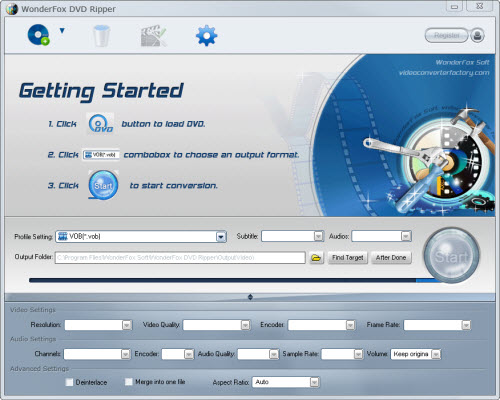
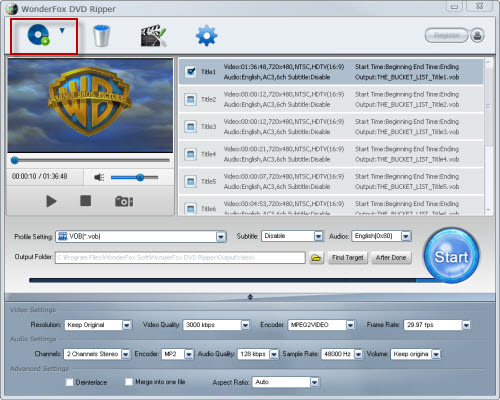
Step 2: Load DVD content and set profile; 2-1, Load video and select the video you want
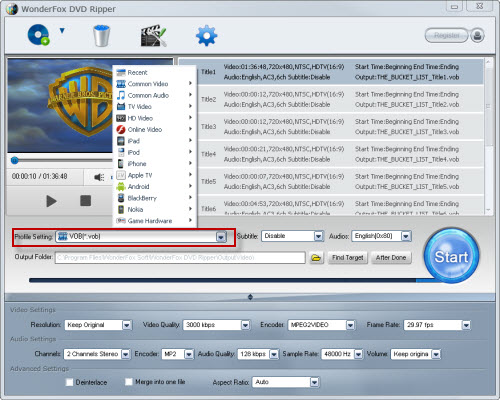
2-2, Set profile to iPad 3 under "iPad"
2-3, Set destination folder
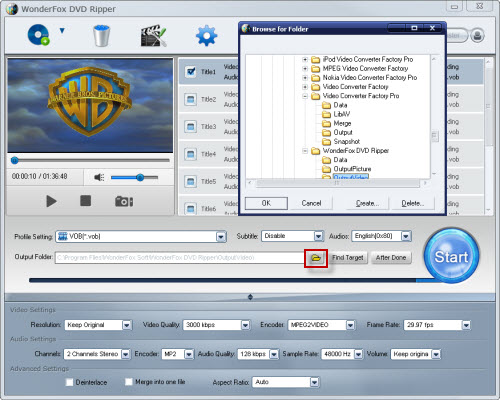
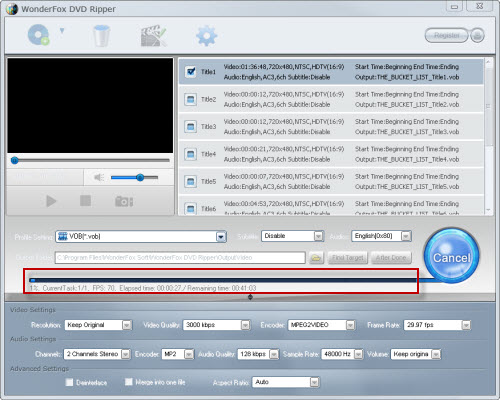
Step 3: Start the process; 3-1, Click "Start" to run the conversion process
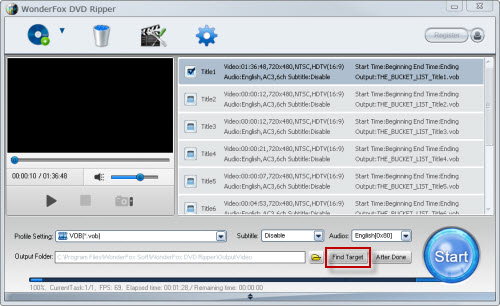
3-2, After process done, click "Find Target" to get the output
By finishing the ripping process and then to transfer the videos to iPad 3, we can enjoy the DVD movies on iPad 3 freely.
Indeed, we can play DVDs on computers and the DVD players. Does it mean it's unnecessary to play DVD on iPad 3? Is the iPad 3 DVD ripper useless?
No! To enjoy videos on the portable media players is not just follow the trend, tide or vogue. It's also a kind of life style. We cannot take the computers and the DVD players along with us all the time; or it's hard for us to do that. But with one portable media player, we can enjoy videos or music anywhere anytime as we want. So, the iPad 3 DVD ripper is necessary for us.
WonderFox DVD Ripper is the professional and powerful DVD ripper software for converting DVD to common videos (AVI, MP4, MKV, MOV...). It is easy to use but it contains excellent features (fast conversion speed, nice video quality with the least loss, video edit - trim, crop and effect...). The ripper software allows users to convert DVD videos to the popular video format. Besides, it also supports all popular portable devices such as iPad, iPod, iPhone, Android based devices, BlackBerry and Nokia... All in all, it is really one of the best solutions for ripping DVD to video.
Then, with the professional and powerful iPad 3 DVD ripper, it will be very easy and convenient for us to convert DVD to iPad 3.
In conclusion, the WonderFox DVD Ripper is really a good choice for us to rip/convert DVD to iPad 3. With the DVD to iPad 3 ripper, we can easily make a backup on iPad. By the way, the DVD ripper runs well on Windows, so, we can easily convert DVD to PC, convert DVD to Hadr Drive, copy DVD to tablet, convert DVD to cell phone with it. Furthermore, the software also allow us to convert DVD to AVI, convert DVD to MKV, convert DVD to WMV, convert DVD movies to MP4, rip DVD files to audio; and besides, rip DVD to file to iPhone, convert DVD to Nokia video type, convert DVD to BlackBerry video formats and convert DVD to Android devices are also available for us.




