


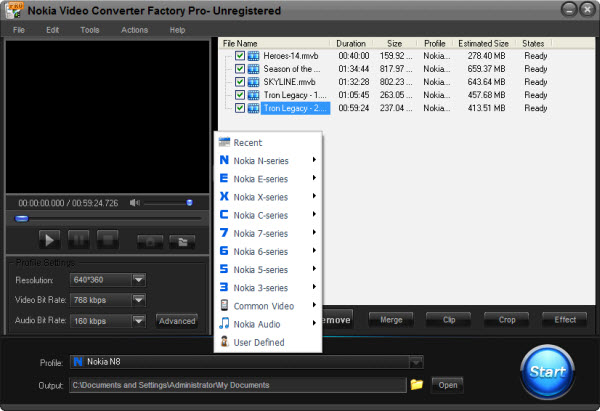
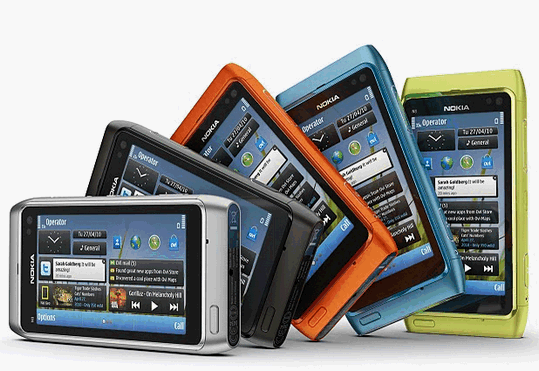
Recently, Nokia Company launched its powerful smart phone - Nokia N8. Nokia N8 is considered to be the most powerful competitor to iPhone. Do you know the reason why many people think so or how much you know Nokia N8? OK, let me show you some information about it. The new Smartphone of Nokia is in running the Symbian 3 platform, which includes more than 250 new features and improvements. While the N8 is the first Nokia camera phone to utilize a 12 mega pixel camera sensor size of 1/1.83. And here I want to emphasize is its outstanding video play effect. N8 has a 3.5-inch large screen, its resolution up to 116:9 nHD (640*360 pixels) OLED. At the same time, it is also the first time to be equipped with a high-definition HDMI interface in all series of Nokia Smartphone, users can use their N8 to connect to the large screen TV play high-definition video. How wonderful!
But before you do this, you must clear that not all videos or films can be played on Nokia N8. Because it only support small number of video formats, such as MP4, WMA etc. If you want to play a AVI, FLV or SWF video on Nokia N8, it can't work, you will feel disappointed. How to convert video to Nokia N8 may become your trouble. Take it easy, you only need a video converter to solve your problem. But there are so many video converters in the market, which one is the best for Nokia N8? According to my experience in using video converter, below I will introduction a professional and powerful Nokia video converter to you. Once you own it, you will not ask the question "How to convert video to Nokia N8" any more.
The cheapest, professional and powerful Nokia video converting software is Nokia Video Converter Factory Pro. Just need $19.95; you can get it for lifetime. It is true. It is an all-in-one and easy to use professional program for you to enjoy the multimedia on all Nokia cell phone (including Nokia N8). This Nokia video converter can convert all popular video formats(including FLV, SWF, AVI, WMV, MOV ect.) to MP4 or 3GP for Nokia N8, X6, X3, N97/N97 mini, N900, N96, N86, N85, N82, N81, 5800, 5230 and more. It is easy, fast, reliable, safe, and loaded with features. What's more, you don't have to figure out what is the right video format or video resolution for your Nokia, this Nokia video converting software had categorized output video formats by phone model. It offers rich video editing features (crop video, cut video, merges video), you can create your own video.
Steps to Convert Video to Nokia N8: 1. Launch Nokia Video Converter Factory Pro > 2. Add Video > 3. Choose Your Nokia Model > 4. Adjust the parameters (Optional) > 5. Click "Start"
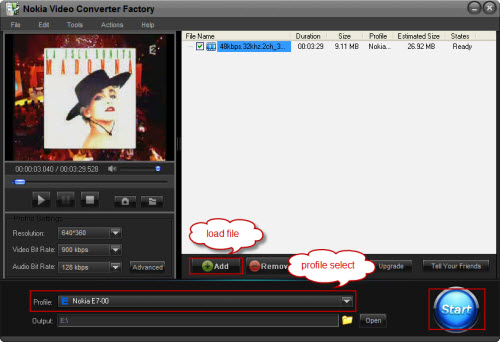
From above 5 steps, you can see that it is very easy. Really, if you own it, you will not ask how to convert video to Nokia N8 or other Nokia models. Why not try?
Screenshot of Nokia Video Converter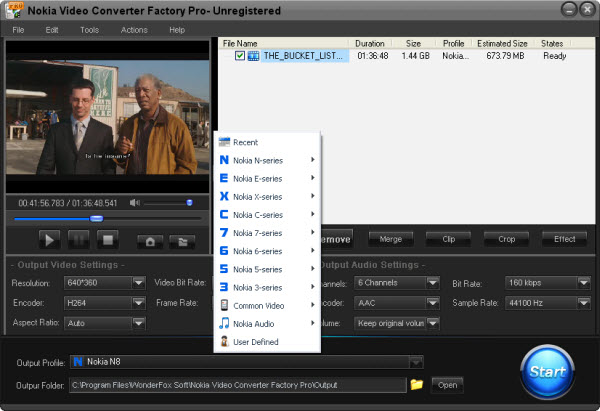


Nokia Video Converter Factory Pro 4.5 is powerful and advanced converter designed to convert all video formats to 3GP and MP4 video formats for X6, X3, N97/N97 mini, N900, N96, N86, N85, N82, N81, 5800, 5230, 5300 and others. It also supports converting and extract audio to your Nokia.
This Nokia video converter provide powerful video editing function such as crop video, cut video, merge video etc.
Nokia Video Converter Factory Pro 4.5 always keep us with the development of Nokia cell phones, will add new profiles for new Nokia cell phones. Now, Nokia Lumia and N series are new and still popular with people, for users who want to convert video to these popular cell phones, Nokia Video Converter Factory Pro can easily help you do that, see the related tips here: How to convert video to Nokia N8, how to convert video to Nokia N9, how to convert video to Nokia Lumia 800, how to convert video to Nokia Lumia 900, how to convert video to Lumia 710
Actually, Nokia Video Converter Factory Pro 4.5 can help you convert any video to nearly all Nokia cell phones models with optimized presets, so you do not have to figure out what the video settings for your Nokia cell phones, you just need to select the device name from the output profile and then all the settings are optimized beforehand. For more tips and how-to tutorials related Nokia Video Converter Factory Pro, please see the Nokia video converting tips center >>.


