


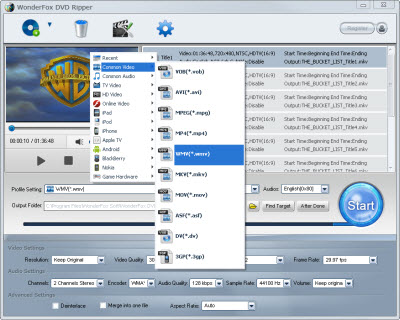
It's not just the only one question in fact; it also contains other two. Why we have to convert DVD to video? And why is WMV?
Why should we convert DVD to video? If you want backup DVD movies on pc, you have to extract the video content out from the DVD disc. And commonly, most DVDs are encrypted for the copyright protection. We cannot move or transfer the videos to computers directly. We need some software to break the limits. We need the decryption software. That's just the DVD ripper software.
Then, why we choose WMV? For DVD to video, we should some different options to choose the target video format. But why is WMV? As I mentioned before, if the target output devices are Windows computers, I think WMV should be better than others. It's the Windows video format, it contains better compatibility. And then, we need the DVD to WMV tool.
Just as I've mentioned before, WonderFox DVD Ripper is a good choice to serve as the DVD to WMV tool. But there are always some users who just want to choose software themselves. And it's really for us to get one online. Just search the keywords on the internet, then we will get over hundreds results. But among all of them, which one is better? How to get one good DVD to WMV tool? The following tips maybe helpful for you about that.
1, Easy to use. The software should be easy to use. One software will help us save the time. If the one is easy to use, then we don't have to use too much to learn the guide.
2, Break the encryption protection. A good one should be able to decrypt the popular DVDs. If not, the software is just useless.
3, Fast Speed and Nice Quality. One good DVD to WMV tool should be able to convert DVD to WMV with fast speed and ensure the quality of output videos (with the least quality loss).
That's the way I judge one DVD ripper software is good or not. And it is always working for me. And base on my opinion, WonderFox DVD Ripper is really a good DVD to WMV tool. You can just download it and have a try.
As I referred before, WondferFox DVD Ripper is really easy to use. There are just three main steps to control the whole ripping process: Load DVD Files > Set Profile > Get Start. The following is to show the details with the DVD to WMV tool.
Step 1: Download and run the software
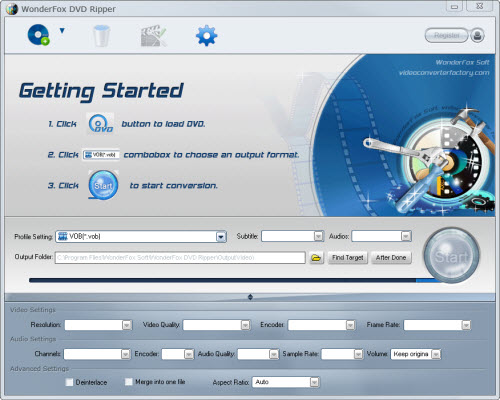
Step 2: Load DVD content and set profile; 2-1, Load video and select the video you want
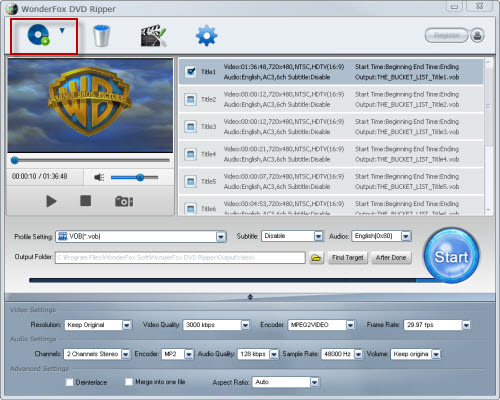
2-2, Set profile to WMV under "Common Video"
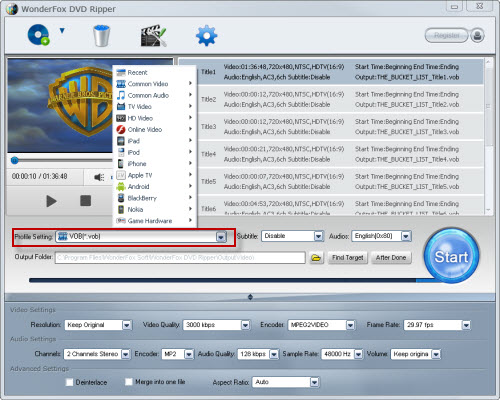
2-3, Set destination folder
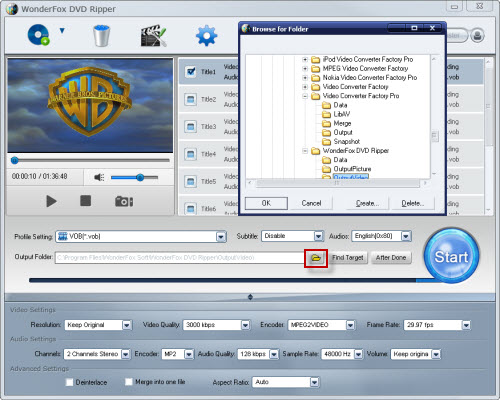
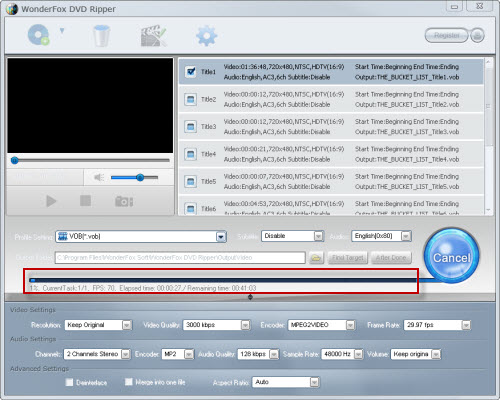
Step 3: Start the process; 3-1, Click "Start" to run the conversion process
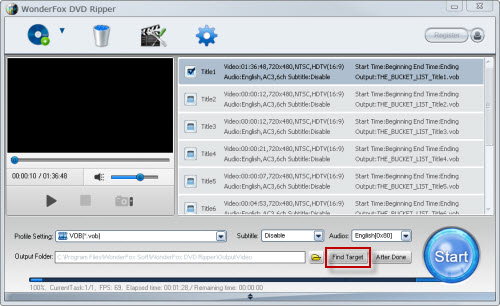
3-2, After process done, click "Find Target" to get the output
That's the whole process above. It's really easy and convenient. But before that, what we need is the DVD to WMV tool.
All in all, the WonderFox DVD Ripper is really a good choice for us to rip/convert dvd video to WMV video formats. With the DVD to WMV ripper software, we can easily rip DVD movies to Nokia video format. By the way, the DVD ripper runs well on Windows, so, we can easily convert DVD to PC, convert DVD to Hadr Drive, copy DVD to tablet, convert DVD to cell phone with it. Furthermore, the software also allow us to convert DVD to AVI video format, convert DVD to iPad 3 compatible video, convert DVD to WMV video, convert DVD music to MP3 file, rip/convert DVD to MKV video; and besides, convert DVD to MP4 video format, convert DVD movie to Nokia compatible video formats, convert DVD to BlackBerry video formats and convert DVD to Android devices are also available for us.




