


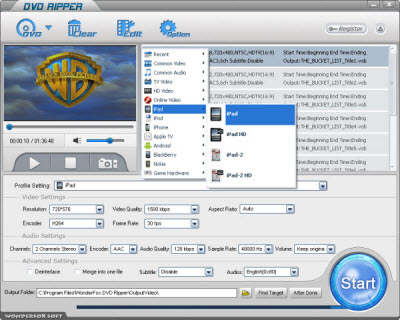
I think it's obviously that a DVD player is necessary to play DVDs. But unfortunately, iPad 3 is just a portable media player. There aren't any DVD players in iPad 3; and it is almost impossible to add one. However, iPad 3 is really a good choice for enjoy videos/movies. Then, for playing DVD videos on iPad 3, we have to convert DVD to iPad 3 video format first. And the DVD to iPad 3 ripper software is necessary.
Indeed, it's easy to get such software. Just search the keywords on the internet (enter the keywords in Google or some other search engines), you get over hundreds different results. But which one is better? How to get a good one to convert DVD to iPad 3? Then, the following tips will show you that
1, Input and Output Issue. The software should support to read all popular DVD files and convert them to the target format we want.There are still some other aspects which have to be considered. But the three main tips above are enough for all users to get a good DVD to iPad 3 software. And base on such tips, I recommend WonderFox DVD Ripper to all users. It is really a good choice to convert DVD to iPad 3. It just takes about 50 minutes to rip the Australia to AVI.
With such a good DVD to video ripper software, it will be very easy for us to convert DVD to iPad 3. There are just three main steps for us to charge the whole process: Load DVD > Set Profile > Get Start. The following is just to show the details.
Step 1: Download and run the software.
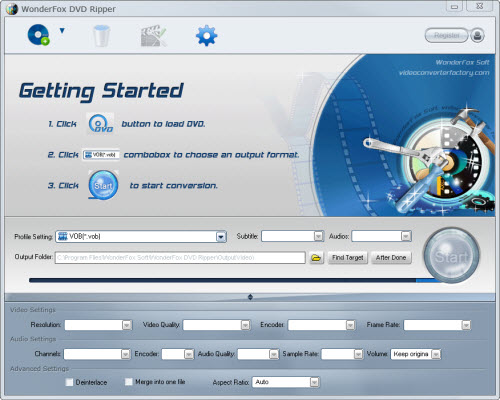
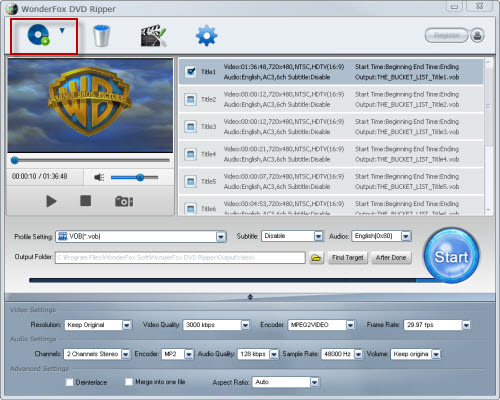
Step 2: Load DVD content and set profile; 2-1, Load video and select the video you want
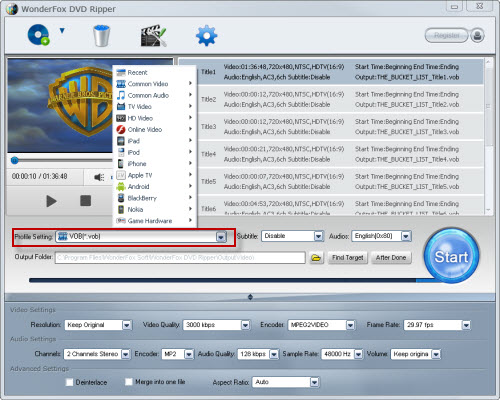
2-2, Set profile to iPad 3 under "iPad"
2-3, Set destination folder
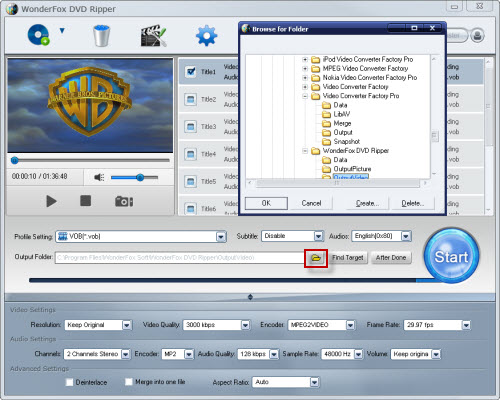
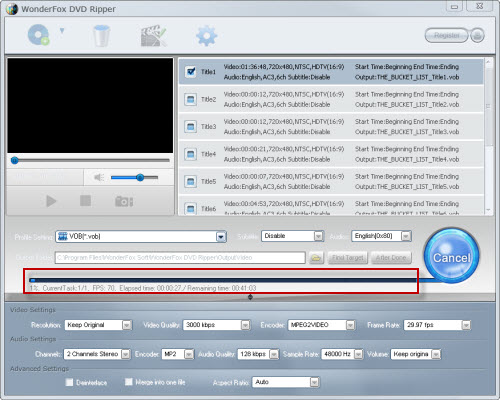
Step 3: Start the process; 3-1, Click "Start" to run the conversion process.
3-2, After process done, click "Find Target" to get the output
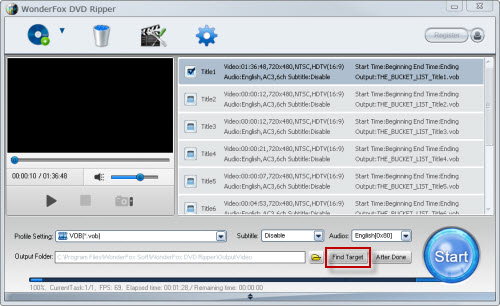
By finish the process, "to convert DVD to iPad 3" is solved, and then we can enjoy the DVD movies on iPad 3 freely.
In conclusion, the WonderFox DVD Ripper is really a good choice for us to rip/convert DVD to iPad 3. With the DVD to iPad 3 ripper, we can easily make a backup on iPad. By the way, the DVD ripper runs well on Windows, so, we can easily convert DVD to PC, convert DVD to Hadr Drive, copy DVD to tablet, convert DVD to cell phone with it. Furthermore, the software also allow us to convert DVD to AVI, convert DVD to MKV, convert DVD to WMV, convert DVD movies to MP4, rip DVD files to audio; and besides, rip DVD to file to iPhone, convert DVD to Nokia video type, convert DVD to BlackBerry video formats and convert DVD to Android devices are also available for us.




